> ## Documentation Index
> Fetch the complete documentation index at: https://metorial.com/docs/llms.txt
> Use this file to discover all available pages before exploring further.
# Getting Started with the API
> Learn how to use the Metorial API, get your API keys, and make your first request
Welcome to the Metorial API! This guide will help you quickly understand how to start using our API and make your first requests.
**What you'll learn:**
* How to use the Metorial API
* How to get your API key
* How to make your first API request
**Recommended reading:**
* [Deploying Your First MCP Server](/metorial-101-deploying)
## Before You Begin: Getting Your API Key
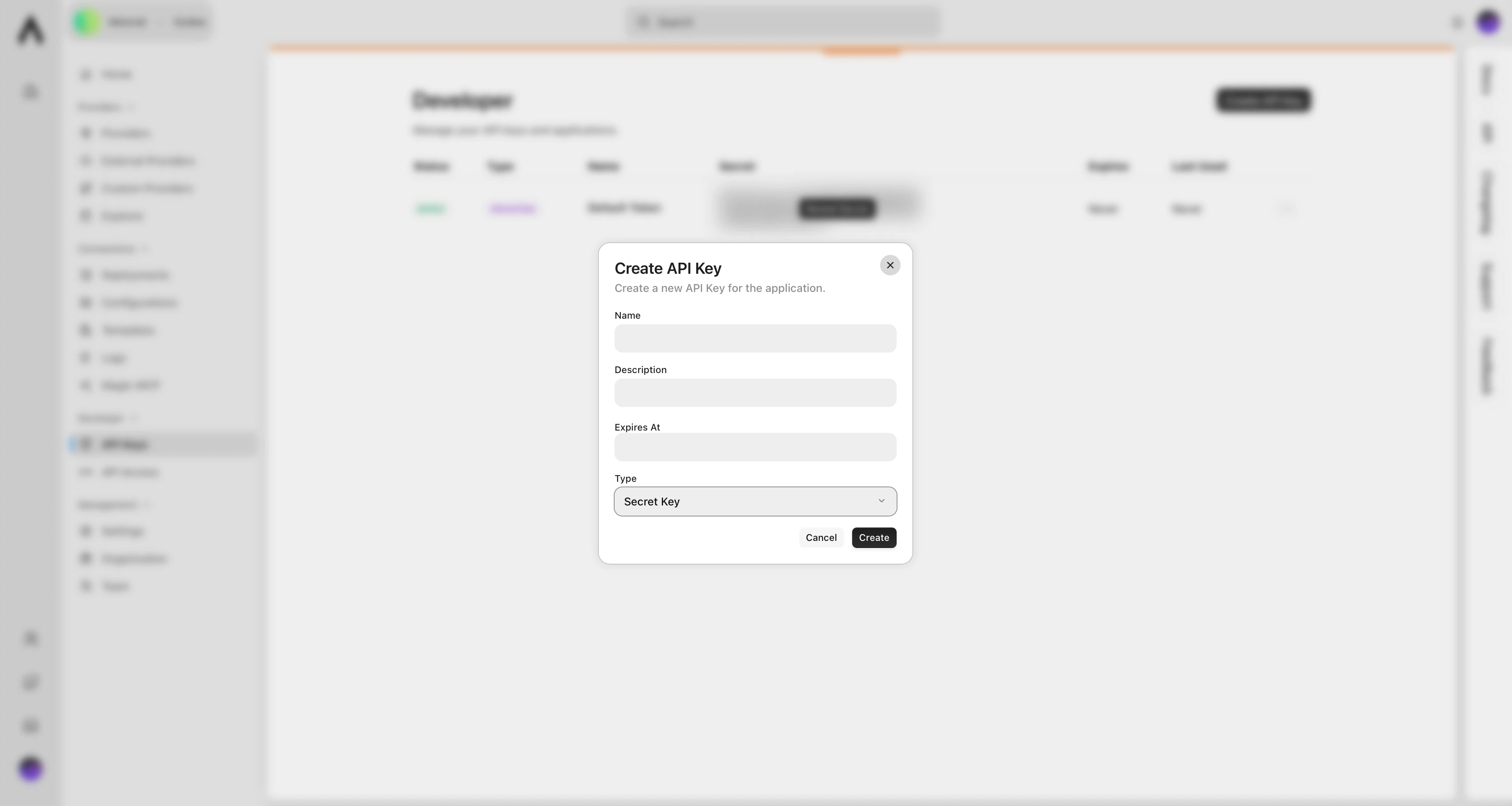
To use the Metorial API, you'll need an API key. You can generate these in two types:
**Publishable API Keys** (`metorial_pk_`):
* Used for public data access
* Safe to use in client-side code
* Starts with `metorial_pk_`
**Secret API Keys** (`metorial_sk_`):
* Provides full project access
* Must be kept private
* Starts with `metorial_sk_`
You can generate both publishable and secret API keys in your Metorial dashboard by navigating to **Developer** → **API Keys**.
 ## Making Your First API Request
When making a request, you'll always use this base URL:
```text theme={null}
https://api.metorial.com
```
To authenticate, include your API key in the request header:
```http theme={null}
Authorization: Bearer metorial_sk_abc123
```
Here's a simple request to list your provider deployments:
```bash theme={null}
curl -X GET https://api.metorial.com/provider-deployments \
-H "Authorization: Bearer metorial_sk_abc123"
```
## Full API Reference
You can view the detailed API reference [here](https://metorial.com/api).
## Client Libraries
We make integration super easy with official SDKs for:
Use Metorial with JavaScript or TypeScript.
Use Metorial with Python.
## Important Things to Know
### Rate Limits
We have some basic usage limits to keep things fair:
* 1000 requests per IP every 10 seconds
* Development environments: 100 requests per 10 minutes
* Production environments: 5000 requests per 10 minutes
### Handling Responses
Our API uses standard HTTP response codes:
* `200`: Success!
* `400`: Something's wrong with your request
* `401`: Invalid API key
* `403`: Not enough permissions
* `404`: Can't find what you're looking for
* `429`: You've hit the rate limit
### Pagination
When fetching lists of items, we support cursor-based pagination. Each response includes `has_more_before`, `has_more_after`, and pagination cursors to help you fetch more items easily.
## Need More Help?
Check out our full documentation or reach out to our support team. Happy coding!
Explore SDKs for easier integration.
## Making Your First API Request
When making a request, you'll always use this base URL:
```text theme={null}
https://api.metorial.com
```
To authenticate, include your API key in the request header:
```http theme={null}
Authorization: Bearer metorial_sk_abc123
```
Here's a simple request to list your provider deployments:
```bash theme={null}
curl -X GET https://api.metorial.com/provider-deployments \
-H "Authorization: Bearer metorial_sk_abc123"
```
## Full API Reference
You can view the detailed API reference [here](https://metorial.com/api).
## Client Libraries
We make integration super easy with official SDKs for:
Use Metorial with JavaScript or TypeScript.
Use Metorial with Python.
## Important Things to Know
### Rate Limits
We have some basic usage limits to keep things fair:
* 1000 requests per IP every 10 seconds
* Development environments: 100 requests per 10 minutes
* Production environments: 5000 requests per 10 minutes
### Handling Responses
Our API uses standard HTTP response codes:
* `200`: Success!
* `400`: Something's wrong with your request
* `401`: Invalid API key
* `403`: Not enough permissions
* `404`: Can't find what you're looking for
* `429`: You've hit the rate limit
### Pagination
When fetching lists of items, we support cursor-based pagination. Each response includes `has_more_before`, `has_more_after`, and pagination cursors to help you fetch more items easily.
## Need More Help?
Check out our full documentation or reach out to our support team. Happy coding!
Explore SDKs for easier integration.