> ## Documentation Index
> Fetch the complete documentation index at: https://metorial.com/docs/llms.txt
> Use this file to discover all available pages before exploring further.
# Projects and Organizations
> Organizations and projects help you structure your work in Metorial and manage access to resources.
**What you'll learn:**
* How organizations and projects are structured
* How to organize your deployments
## Understanding the Hierarchy
Metorial uses a hierarchy to organize your work:
```text theme={null}
Organization
└── Project(s)
└── Instance(s)
└── Provider Deployments
└── API Keys
└── Provider Auth Configs
```
### Organizations
An **organization** is your top-level workspace - typically representing your company, team, or personal account.
### Projects
A **project** is a container for related work - typically representing an application or product.
### Instances
An **instance** represents an environment within a project (e.g., Development, Production).
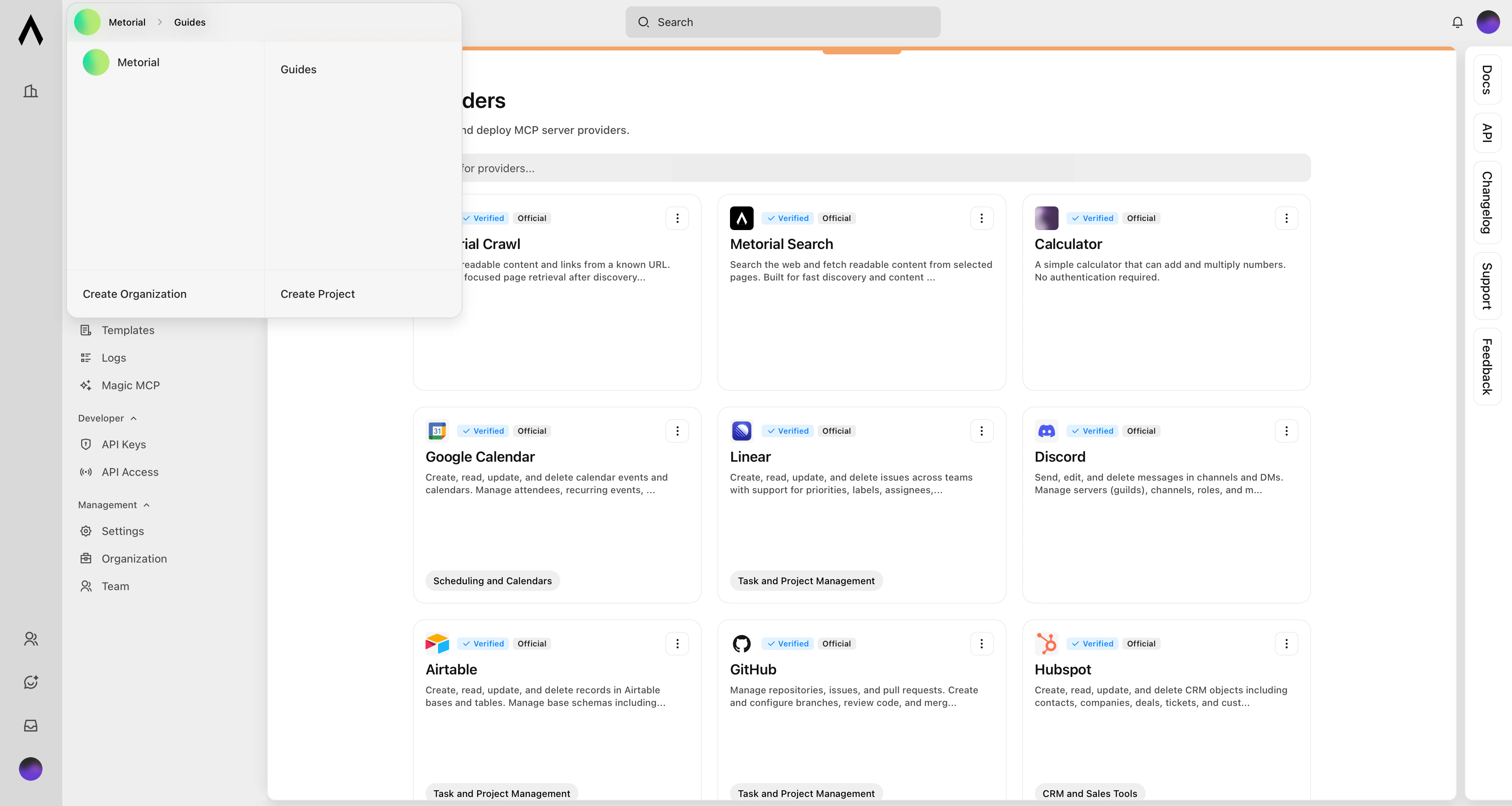
## Structuring Your Workspace
Keep team-level settings, members, and shared access under the organization.
Create projects for different applications, products, or customer environments.
 ## Using Different API Keys
Projects and Instances are isolated - use different API keys for different projects:
```typescript TypeScript theme={null}
// Project A
let metorialA = new Metorial({
apiKey: process.env.METORIAL_PROJECT_A_KEY
});
// Project B
let metorialB = new Metorial({
apiKey: process.env.METORIAL_PROJECT_B_KEY
});
```
```python Python theme={null}
import os
from metorial import Metorial
# Project A
metorial_a = Metorial(api_key=os.getenv("METORIAL_PROJECT_A_KEY"))
# Project B
metorial_b = Metorial(api_key=os.getenv("METORIAL_PROJECT_B_KEY"))
```
## What's Next?
Learn about development vs production instances.
Manage provider deployments within your projects.
## Using Different API Keys
Projects and Instances are isolated - use different API keys for different projects:
```typescript TypeScript theme={null}
// Project A
let metorialA = new Metorial({
apiKey: process.env.METORIAL_PROJECT_A_KEY
});
// Project B
let metorialB = new Metorial({
apiKey: process.env.METORIAL_PROJECT_B_KEY
});
```
```python Python theme={null}
import os
from metorial import Metorial
# Project A
metorial_a = Metorial(api_key=os.getenv("METORIAL_PROJECT_A_KEY"))
# Project B
metorial_b = Metorial(api_key=os.getenv("METORIAL_PROJECT_B_KEY"))
```
## What's Next?
Learn about development vs production instances.
Manage provider deployments within your projects.