> ## Documentation Index
> Fetch the complete documentation index at: https://metorial.com/docs/llms.txt
> Use this file to discover all available pages before exploring further.
# Browsing the Provider Catalog
> Find and deploy integrations from the Metorial provider catalog
**What you'll learn:**
* How to navigate the provider catalog
* How to search for integrations
**Related resources:**
* [Integrations Overview](/integrations-overview)
## Accessing the Catalog
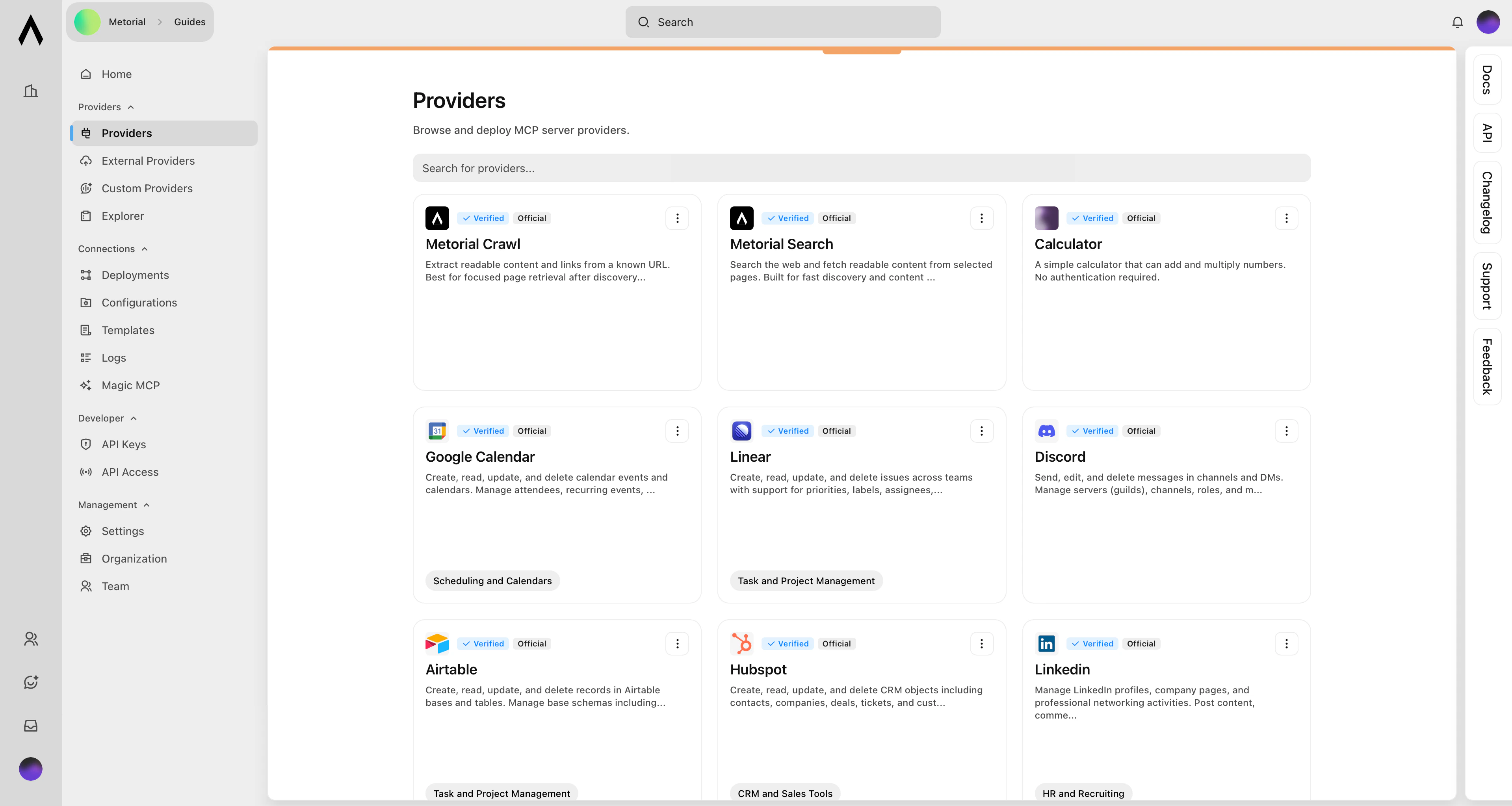
Visit [platform.metorial.com](https://platform.metorial.com) and select your project.
Click **Providers** in the navigation menu to browse available integrations.
 ## Finding Integrations
Use the search box to find specific integrations by name.
Browse by category to explore related integrations.
## Integration Details
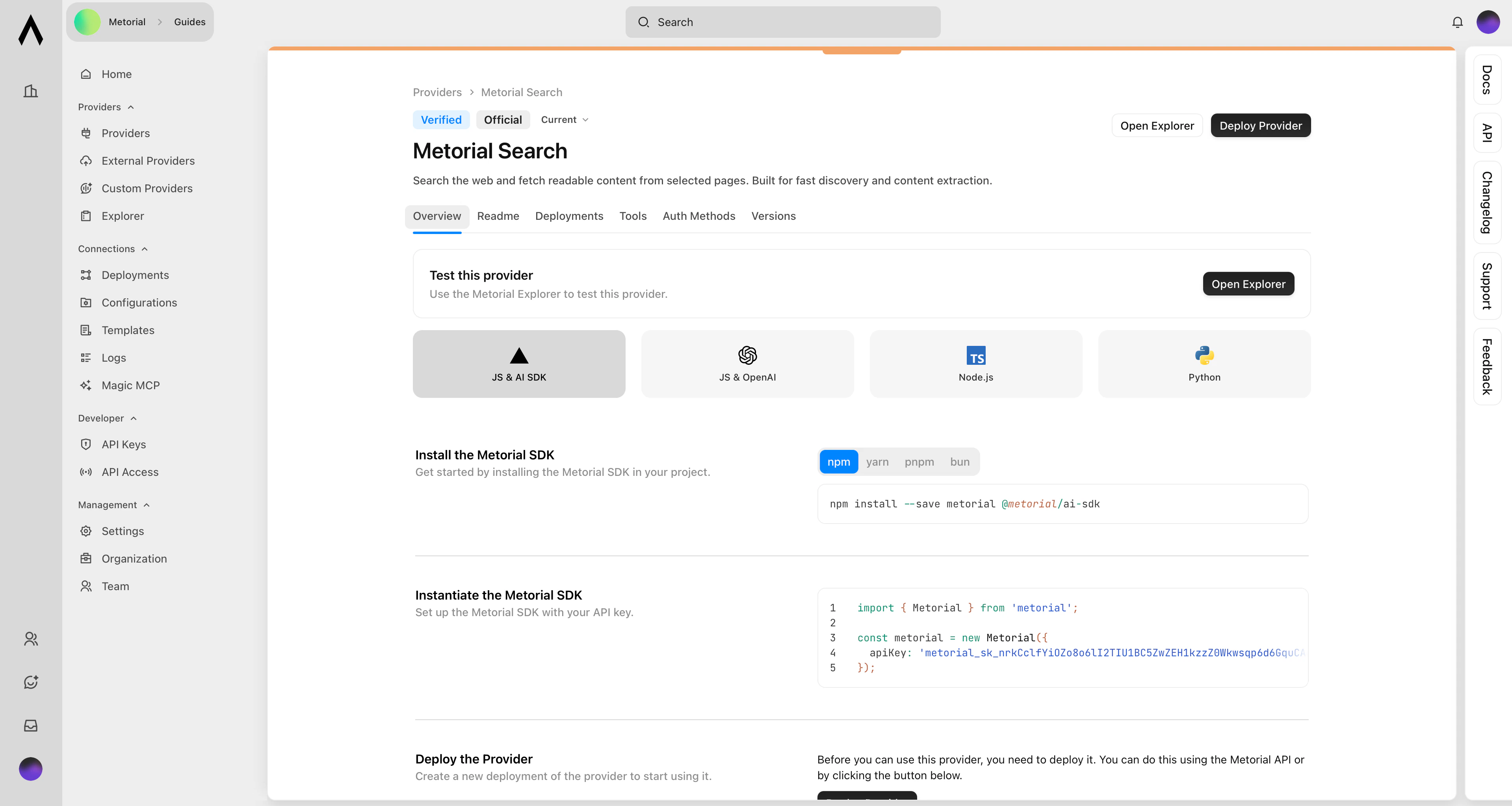
Click on an integration to see:
* Description of what it does
* Available tools
* Configuration requirements
## Finding Integrations
Use the search box to find specific integrations by name.
Browse by category to explore related integrations.
## Integration Details
Click on an integration to see:
* Description of what it does
* Available tools
* Configuration requirements
 ## What's Next?
Set up an integration that uses API keys.
Set up an integration that requires user authorization.
## What's Next?
Set up an integration that uses API keys.
Set up an integration that requires user authorization.