Deploying custom providers
Learn how to deploy and manage versions of your custom providers.
What you'll learn
- How deployments work
- Version management
- Rollback strategies
Deploy your custom provider code and manage different versions over time. Metorial automatically builds and deploys your code when you upload it.
Creating deployments
Upload code
Upload your provider code through the dashboard.
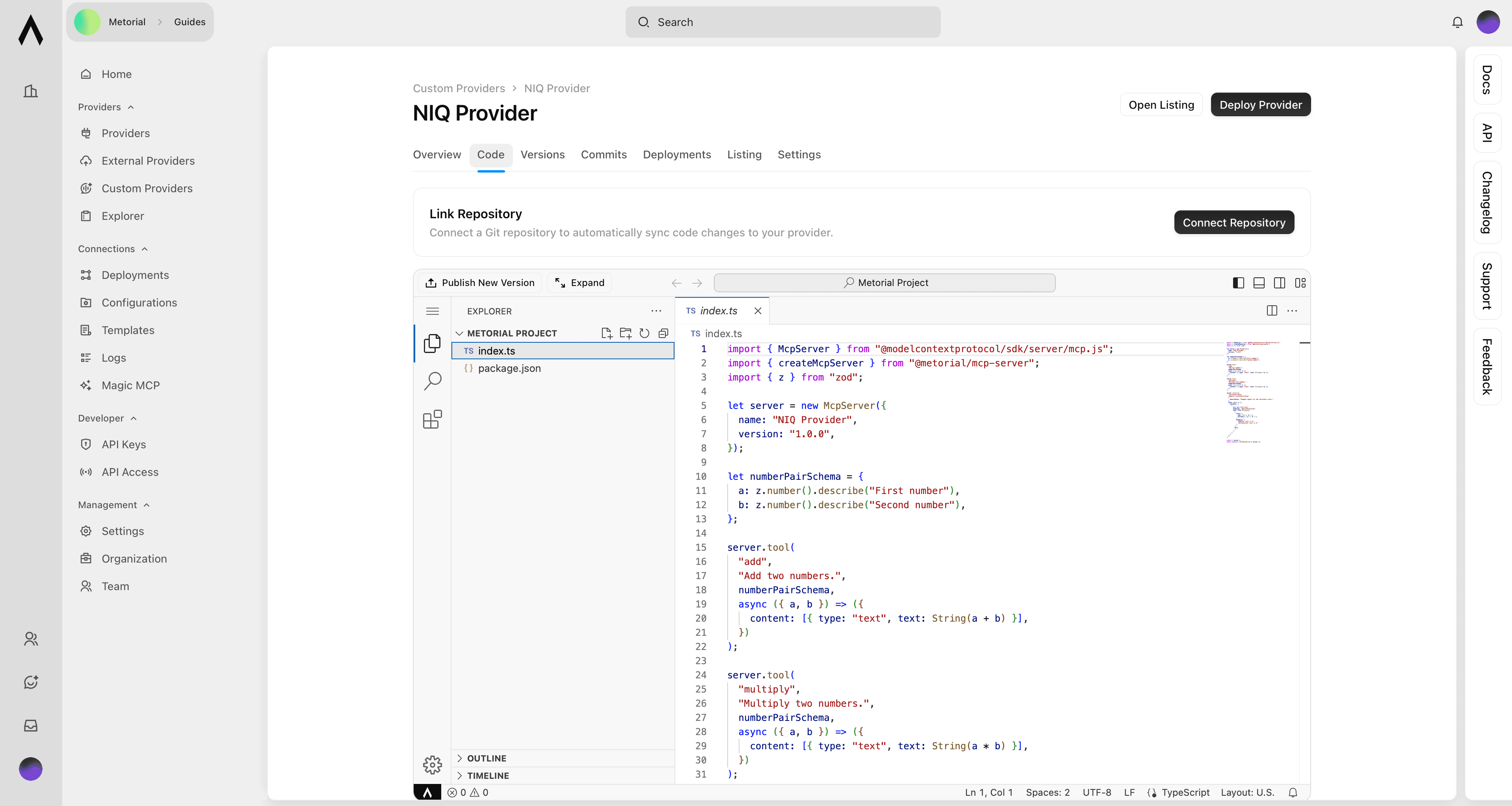
Click publish new version
Metorial builds your provider and installs dependencies automatically.
Validation
The build process validates your code and reports any errors.
Go live
Your provider deploys and becomes available for use.
Version management
Each deployment creates a new version with a unique version number. View all versions in the dashboard, including deployment timestamps and the code changes in each version. You can switch between versions at any time.
Info
Version History:
- Every deployment is preserved
- View timestamps and changes
- Switch between versions instantly
Rolling back
Revert to any previous version if you encounter issues with a new deployment. Select the version you want to restore and click Deploy. Rolling back is instant and doesn't require rebuilding your code.