Providers
Providers are catalog or custom integrations you connect to Metorial. Understanding integrations, Magic MCP servers, configs, auth configs, and provider deployments lets you control exactly how each provider is configured and authenticated.
What you'll learn
- What providers, integrations, Magic MCP servers, provider deployments, configs, and auth configs are
- How these entities relate to each other
- How to mix and match them when creating sessions
Providers
A provider is an integration available in the Metorial catalog—for example Slack, GitHub, Exa, or Tavily. Each provider has one or more versions, and each version defines:
- The tools the provider exposes (with input/output schemas)
- The authentication methods it supports
- The configuration fields it accepts
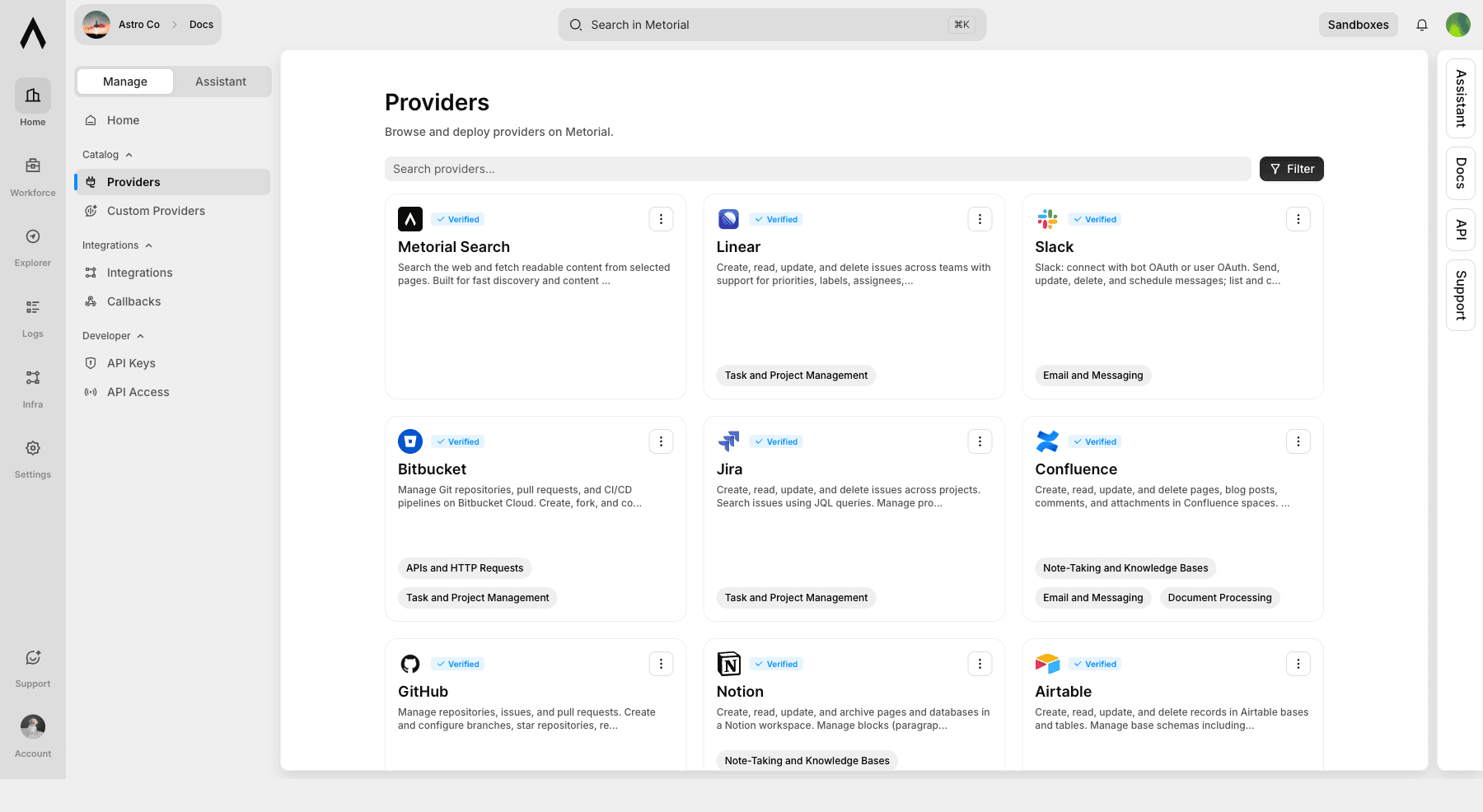
You browse and discover providers through the Metorial dashboard catalog.
Integrations and Magic MCP servers
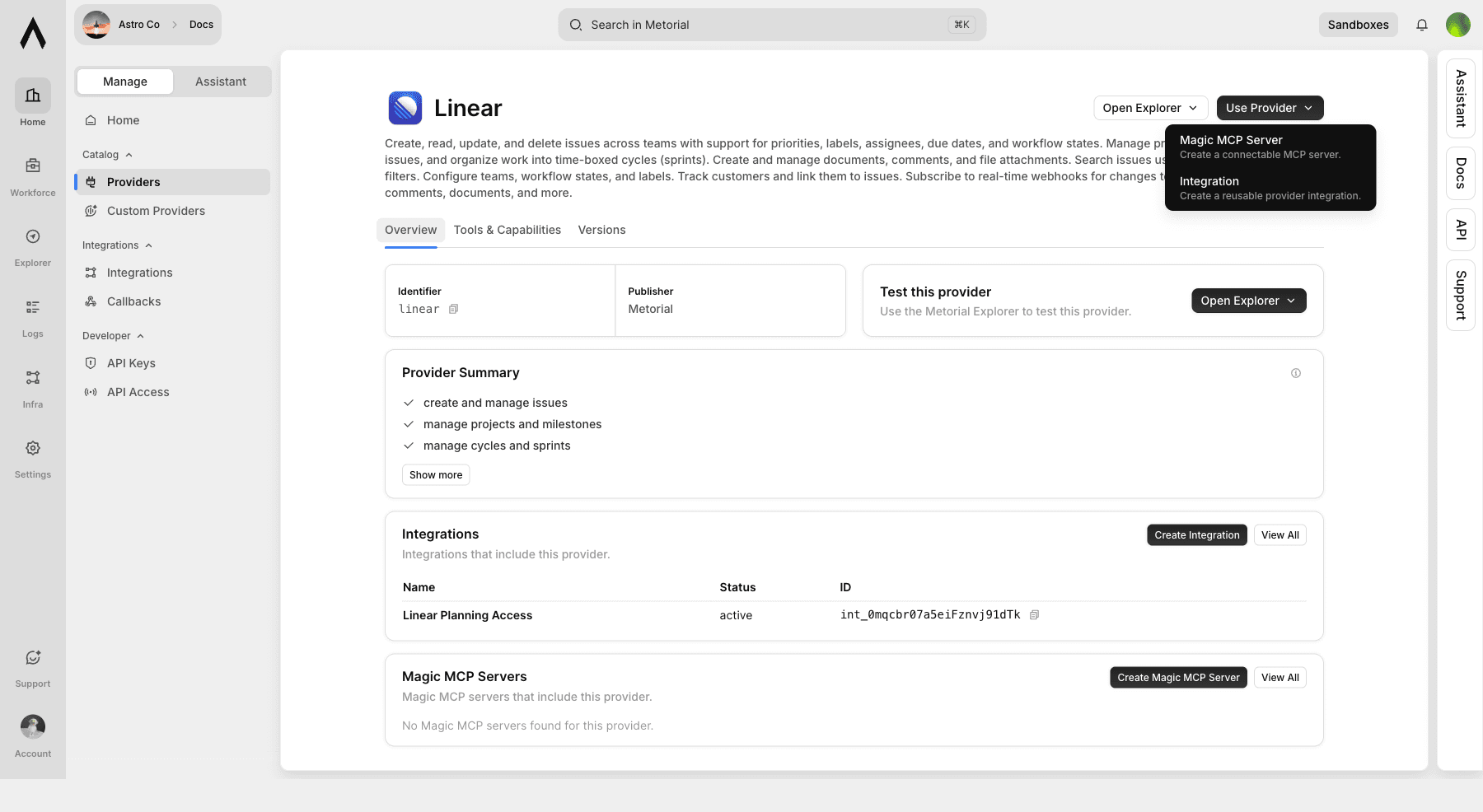
From a provider page, Use Provider gives you two common setup paths:
| Path | Use when |
|---|---|
| Integration | You want reusable provider setup for sessions and application code |
| Magic MCP Server | You want a managed MCP endpoint that clients and agents can connect to |
Provider deployments
A provider deployment is a running instance of a provider.
By default, a provider deployment always uses the latest version of the provider. You can optionally pin a deployment to a specific version to prevent automatic updates—useful when you need stability across a production environment.
Info
Every deployment has a unique ID (pdp_...). You use this ID when creating sessions.
Provider configs
A provider config stores the configuration values for a provider deployment—things like endpoint URLs, feature flags, or other settings specific to that provider.
Provider configs are linked to a provider and can optionally be locked to a specific provider deployment. This lets you have multiple configs for the same provider (e.g. one for a staging environment, one for production).
You can also link a provider config to a Provider Config Vault entry, which stores a reusable config template you can apply across multiple deployments.
Info
Not all providers require configuration. If a provider has no required config fields, Metorial auto-creates a default config when you create a session.
Provider auth configs
A provider auth config stores the authentication credentials for a specific user's connection to a provider. This is where OAuth tokens and manual API keys live.
There are three types:
| Type | Description |
|---|---|
manual | Credentials entered directly (e.g. an API key for Exa or Tavily) |
oauth_automated | OAuth tokens obtained via a Provider Setup Session |
oauth_manual | OAuth tokens imported manually |
Auth configs are stored per user. If 100 users connect their Slack accounts, you have 100 auth configs. This keeps credentials isolated and auditable.
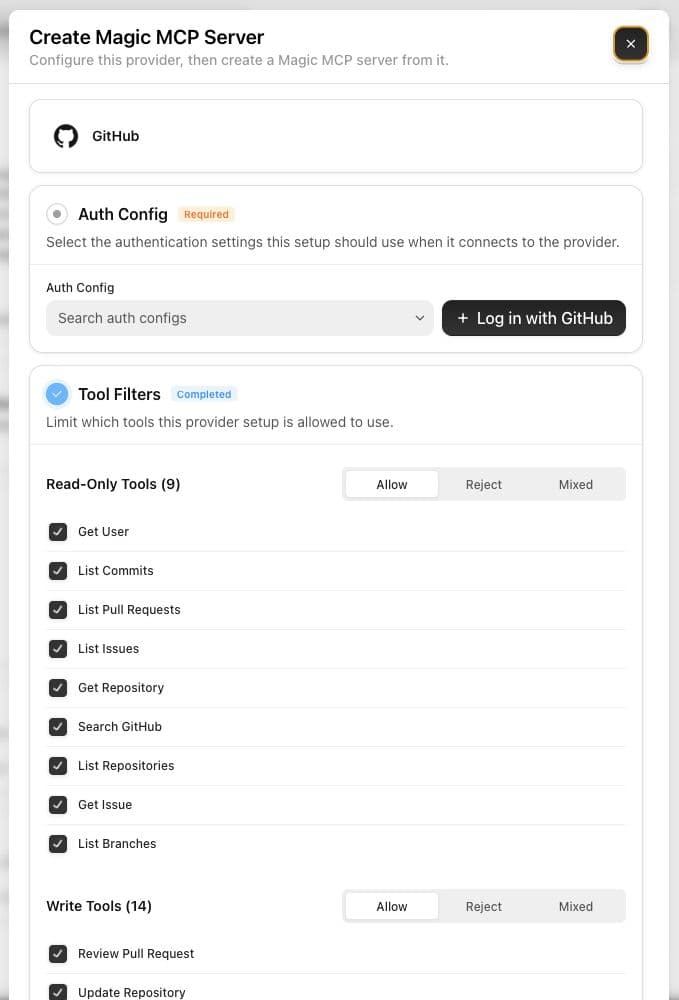
In the dashboard, provider setup asks you to choose or create auth credentials/auth configs before creating an integration or Magic MCP server.
Tool filters
Provider setup also includes tool filters. You can allow, reject, or mix tools by category:
- read-only tools
- write tools
- destructive tools
For high-impact providers like GitHub and Linear, review destructive tools before exposing them to production agents.
Provider setup sessions
A provider setup session is the flow you use to get a user authenticated with a provider. You create a setup session and redirect your user to its URL. They complete the auth flow (OAuth or manual config entry), and when they finish, Metorial creates a provider auth config automatically.
Setup sessions support three modes:
| Mode | Use when |
|---|---|
auth_only | The provider needs authentication but no config |
config_only | The provider needs configuration but no auth |
auth_and_config | The provider needs both |
Setup sessions expire if the user doesn't complete them. You can poll or webhook to check their status (pending → completed / expired / failed).
See OAuth integrations for the full setup flow.
How these entities compose
When creating a session, you attach one or more provider deployments to it. Metorial uses the deployment to look up the provider and then figures out what else it needs:
- If the provider requires authentication, you must supply a matching provider auth config—or create one first via a setup session.
- If the provider requires configuration, you must supply a provider config—or Metorial creates a default one automatically.
- You always need at least a provider deployment (or enough information to find one) for each provider in the session.
Info
Metorial auto-creates missing pieces where possible. For example, if a provider has no required config fields, you don't need to create a config manually since Metorial creates a default one for the session.
A single session can attach to multiple provider combinations at once, mixing different providers and different users' auth configs.
Custom providers
Beyond the catalog, you can build and deploy your own providers. See Custom providers to get started.