

What you’ll learn:
- How deployments work
- Version management
- Rollback strategies
Creating Deployments
1
Upload Code
Upload your provider code through the dashboard.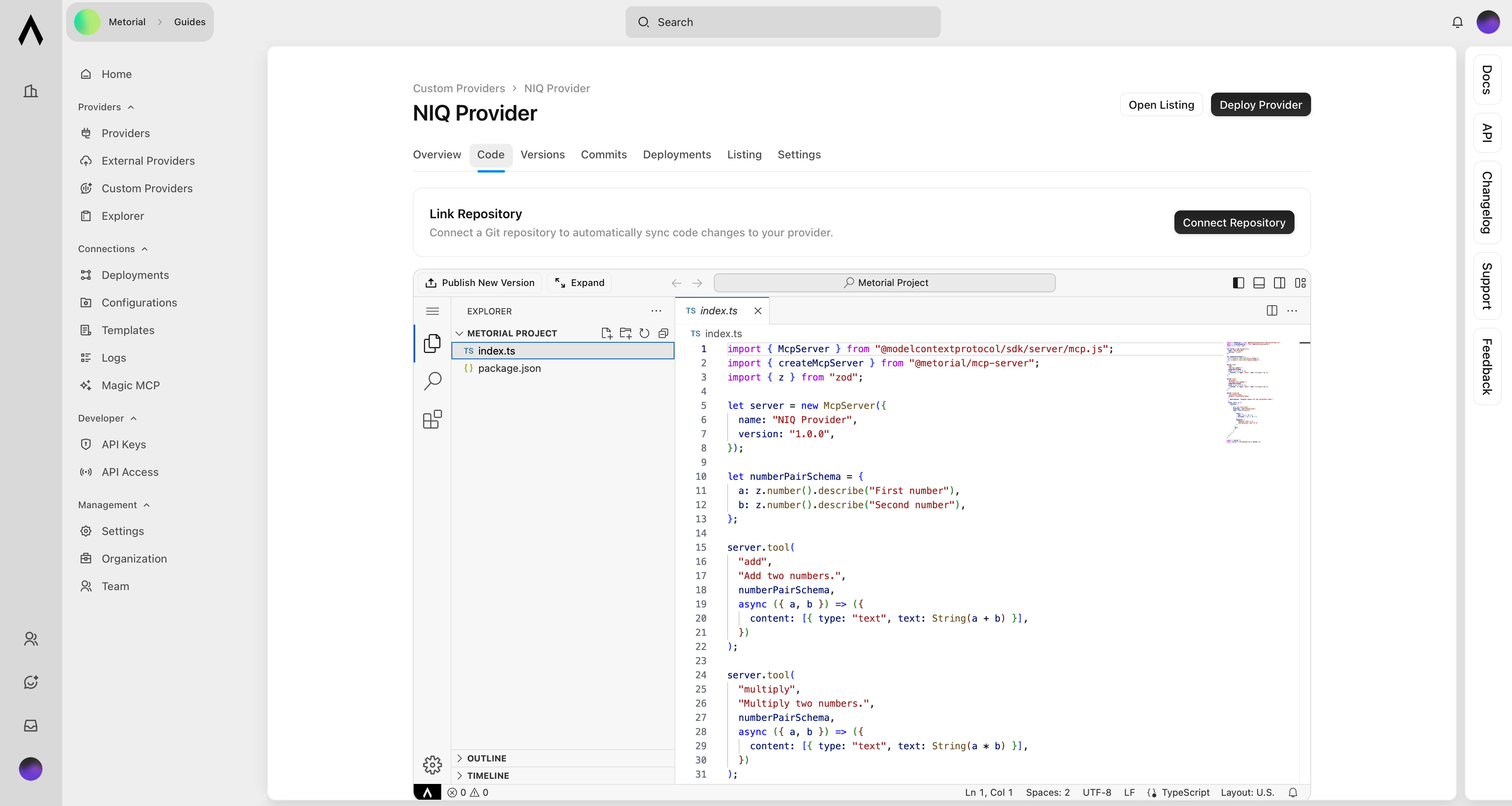
2
Click Publish New Version
Metorial builds your provider and installs dependencies automatically.
3
Validation
The build process validates your code and reports any errors.
4
Go Live
Your provider deploys and becomes available for use.
Version Management
Each deployment creates a new version with a unique version number. View all versions in the dashboard, including deployment timestamps and the code changes in each version. You can switch between versions at any time.Version History:
- Every deployment is preserved
- View timestamps and changes
- Switch between versions instantly
Rolling Back
Revert to any previous version if you encounter issues with a new deployment. Select the version you want to restore and click Deploy. Rolling back is instant and doesn’t require rebuilding your code.What’s Next?
Getting Started
Create your first custom provider.