Create custom OAuth credentials
Connect an OAuth app that you manage and choose the permissions it can use.
Custom OAuth credentials let Metorial connect through an OAuth app that you manage. This gives your organization control over the client credentials, redirect URI, and requested permissions.
In this guide, you will select a provider, add the details from your OAuth app, review its scopes, and save the credentials.
What you'll learn
- How to create custom OAuth credentials
- How to configure the redirect URI
- How to review the requested OAuth scopes
Before you start
- Create an OAuth app with the provider you want to connect
- Make sure you can edit the app's redirect or callback URLs
- Have the app's client ID and client secret ready
Keep the client secret private. Do not share it in messages, documentation, or source code.
Create the credentials
Open organization settings
In the dashboard, select Settings, then select Organization Settings.
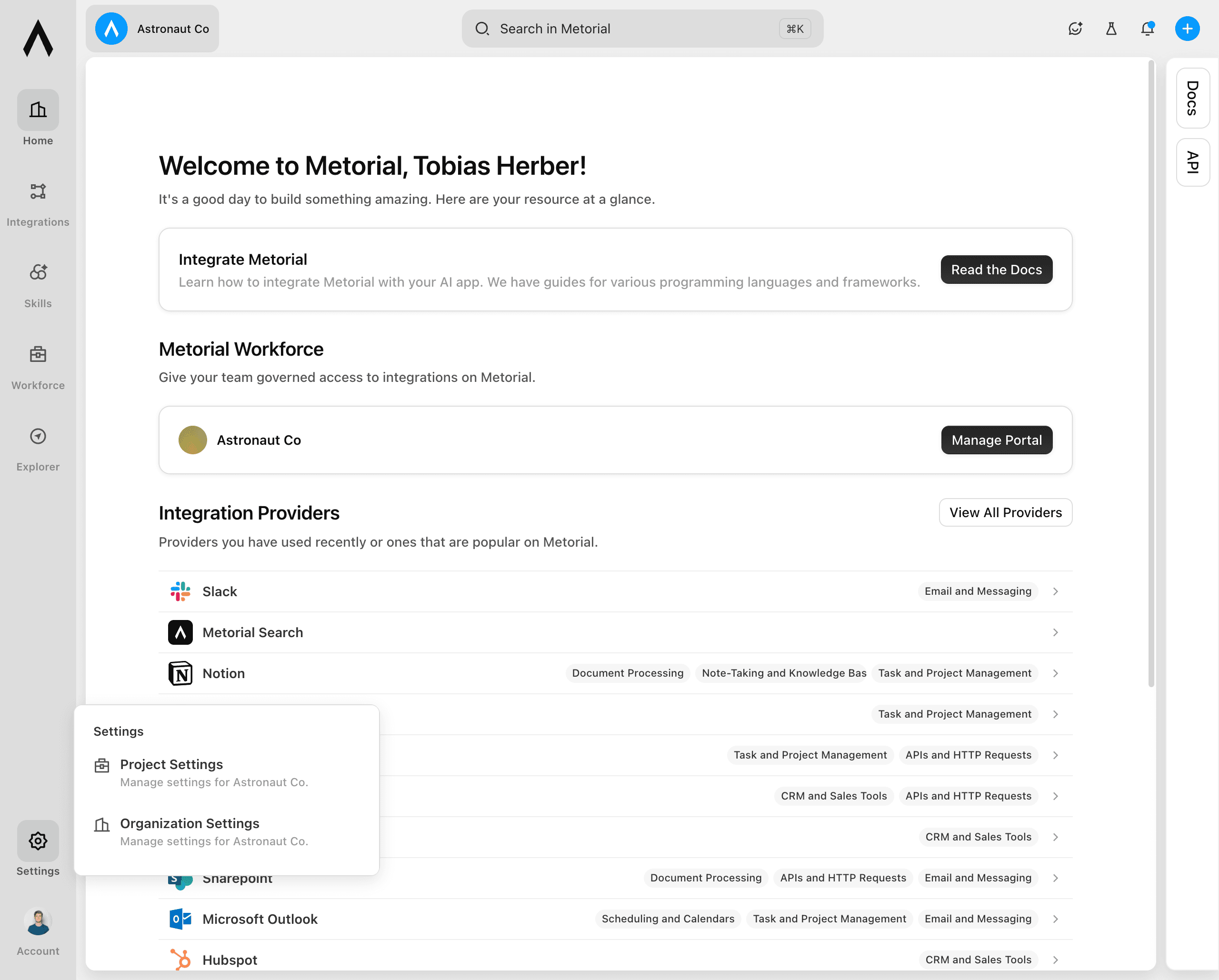
Open Provider Auth
Under Integrations and MCP, select Provider Auth. This page lists the authentication credentials available to your organization.
Start creating credentials
Select Create Auth Credentials. Choose the provider for your OAuth app. Use the search field if you do not see it in the list.
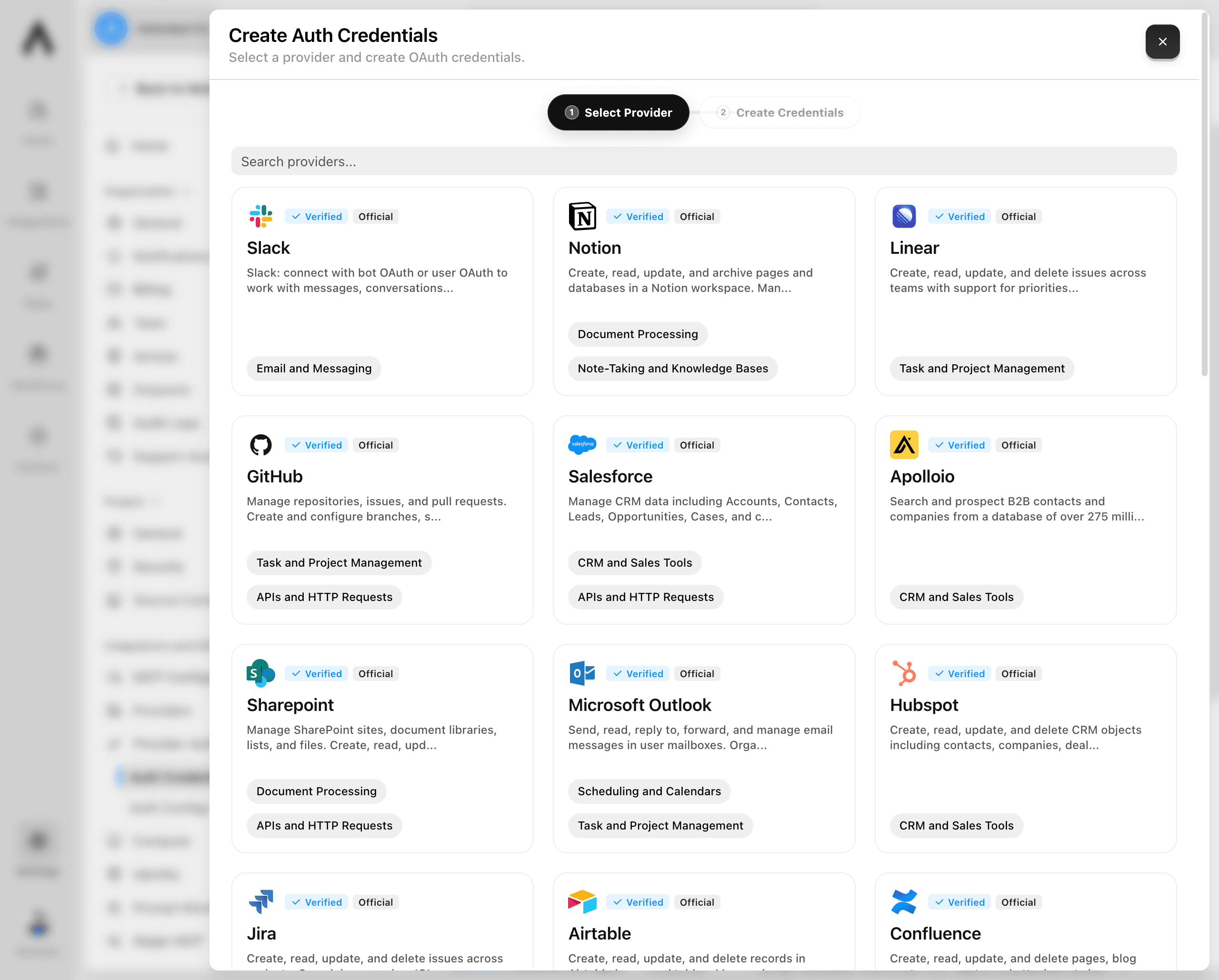
Add the redirect URI to your OAuth app
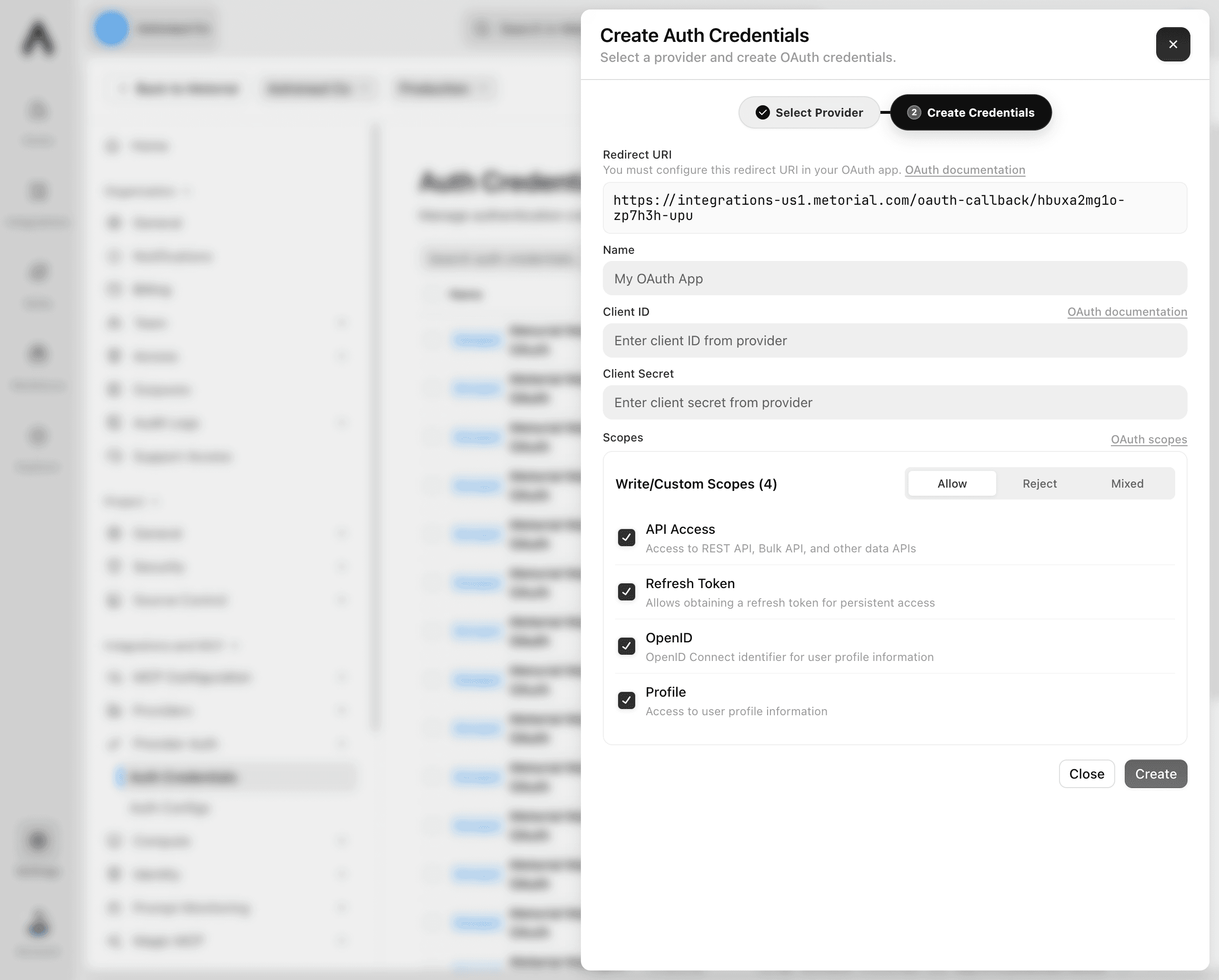
Copy the Redirect URI shown in Metorial. In the provider's OAuth app settings, add it as an allowed redirect or callback URL.
Use the exact URI shown. A missing or different URI will prevent the OAuth flow from completing.
Enter the OAuth app details
Complete the credential form:
- Name: Enter a clear name that helps your team identify the credentials.
- Client ID: Enter the client ID from your OAuth app.
- Client Secret: Enter the client secret from your OAuth app.
Review the scopes and create the credentials
Review the selected scopes. Make sure the same scopes are allowed in your OAuth app, and only grant permissions that the integration needs.
Select Create. The new OAuth credentials now appear in the Auth Credentials list and are ready to use with integrations for the selected provider.