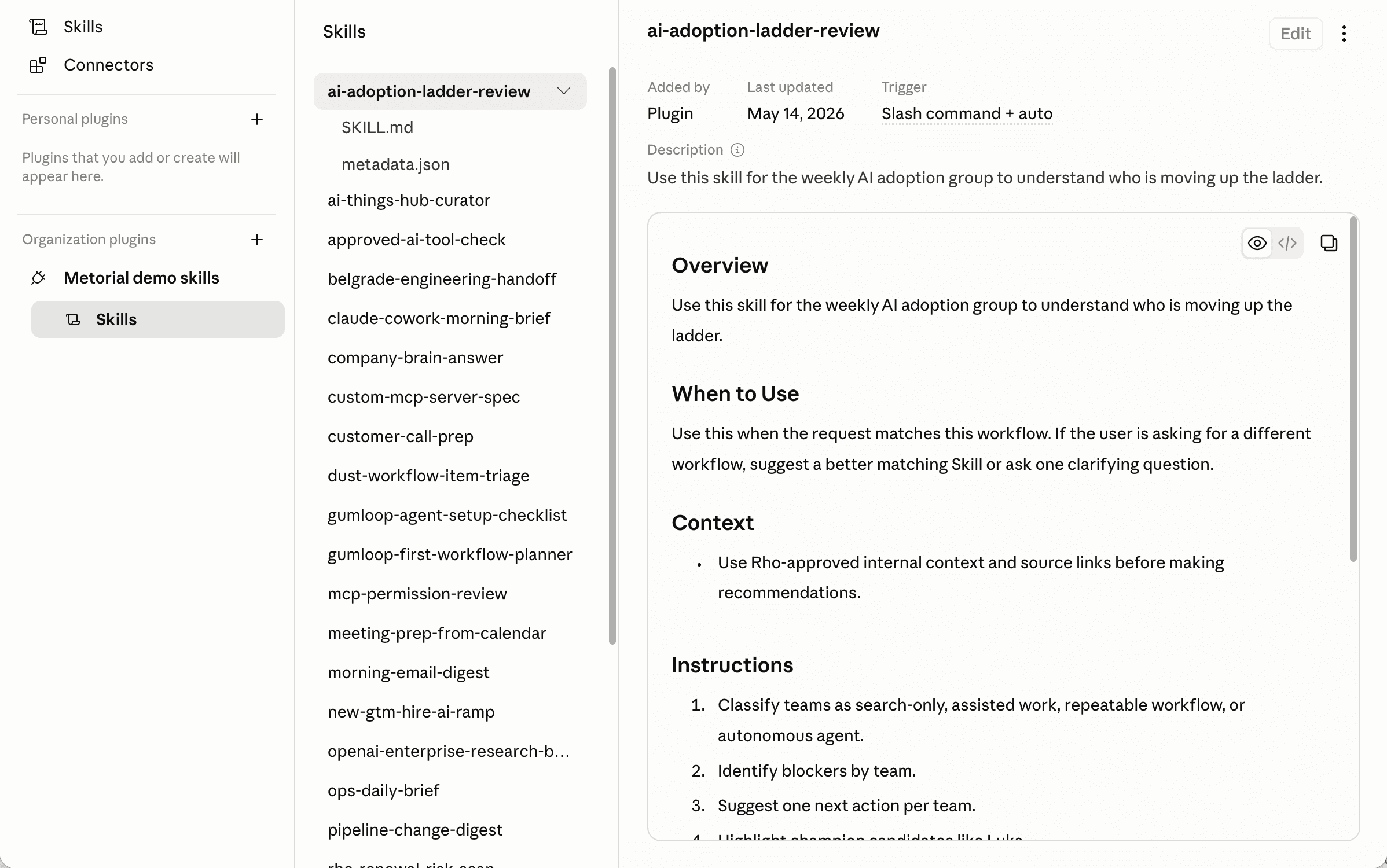
Skill Plugins
Bring your skills into the tools people already use
A skill is only useful if people can reach it where they work. Skill plugins package your skills, authored in a collaborative document editor. They appear directly inside the agent tools your teams use every day, with the tools they need, kept up to date automatically and governed by your policies.
- 01
Meet people in their tools.
Package a skill as a plugin and it works inside Claude Code, Claude Cowork, Codex, Copilot, Cursor, Antigravity, and more.
- 02
Bring the tools along.
A plugin includes access to the MCP resources its skill links to, governed by your access policies. It works without manual setup.
- 03
Keep everyone current and in control.
Plugins sync automatically when a skill changes, and access stays governed by policies and access control, including SAML and role-based access.
Works across agent tools
One skill, many clients
Skill plugins use the plugin systems these tools already support. Your skills fit in natively.
Claude Code and Cowork
OpenAI and Cursor
Google Antigravity
What plugins cover
Wide reach, full control
- Supported clientsClaude Code, Codex, Cursor, Antigravity, and more
- Updates synchronizedAutomatically
- Access controlSAML and role-based
Package a skill as a plugin. Deliver it to any agent tool. Update it once. Keep everyone in sync.
FAQ
Answers to common questions about skill plugins and how they fit into governed AI agent infrastructure.
What is a skill plugin?
A skill plugin packages a Metorial skill so it works inside an agent tool's own plugin system. People use the skill directly in their tool, and Metorial keeps it in sync and governed.Do plugins include the tools a skill needs?
Yes. A skill plugin includes access to the MCP resources its skill relies on, governed by your policies and access control. It works without manual setup but stays within your rules.Where do plugins come from?
From your skill marketplaces, the centralized catalog your team installs with a single URL. Plugins are how those skills are delivered into agent tools.Which tools are supported?
Claude Code, Claude Cowork, Codex, Copilot, Cursor, Antigravity, and more. Each of these supports plugins that can bundle skills and related capabilities.How do plugins work in Claude Code?
Claude Code plugins extend it with skills, agents, hooks, and MCP servers, installed from plugin marketplaces using the `/plugin` command. See Claude Code's plugin docs.How do plugins work in Cursor and Codex?
How do plugins work in Antigravity?
Antigravity plugins are bundles that group skills, rules, MCP servers, and hooks, added from Google's built-in plugins or by placing plugin folders in a designated directory. See Antigravity's plugin docs.Do plugins stay up to date?
Yes. When a skill is updated in Metorial, its plugins synchronize automatically. People don't end up using outdated versions.Is plugin access governed?
Yes. Access is controlled by Metorial's policies and access control, including SAML and role-based access. You decide who can install and use each plugin.