Crunched
What is an MCP gateway?
An MCP gateway sits between AI clients (Claude, ChatGPT, Cursor, your own agents) and the MCP servers that connect them to company tools. Instead of every person configuring servers and tokens on their laptop, the gateway gives everyone one URL, signs them in through your identity provider, and applies the same access rules and audit log to every tool call.
- 01
MCP servers configured per laptop
Each person wires up their own servers, so no two setups match.
- 02
Tokens pasted into local config files
Personal API keys end up on laptops with no owner and no expiry.
- 03
Every new tool means another security review
Without one control point, each integration is approved and logged separately. A gateway puts sign-in, access rules, and the audit log in one place.
How the Metorial MCP gateway works
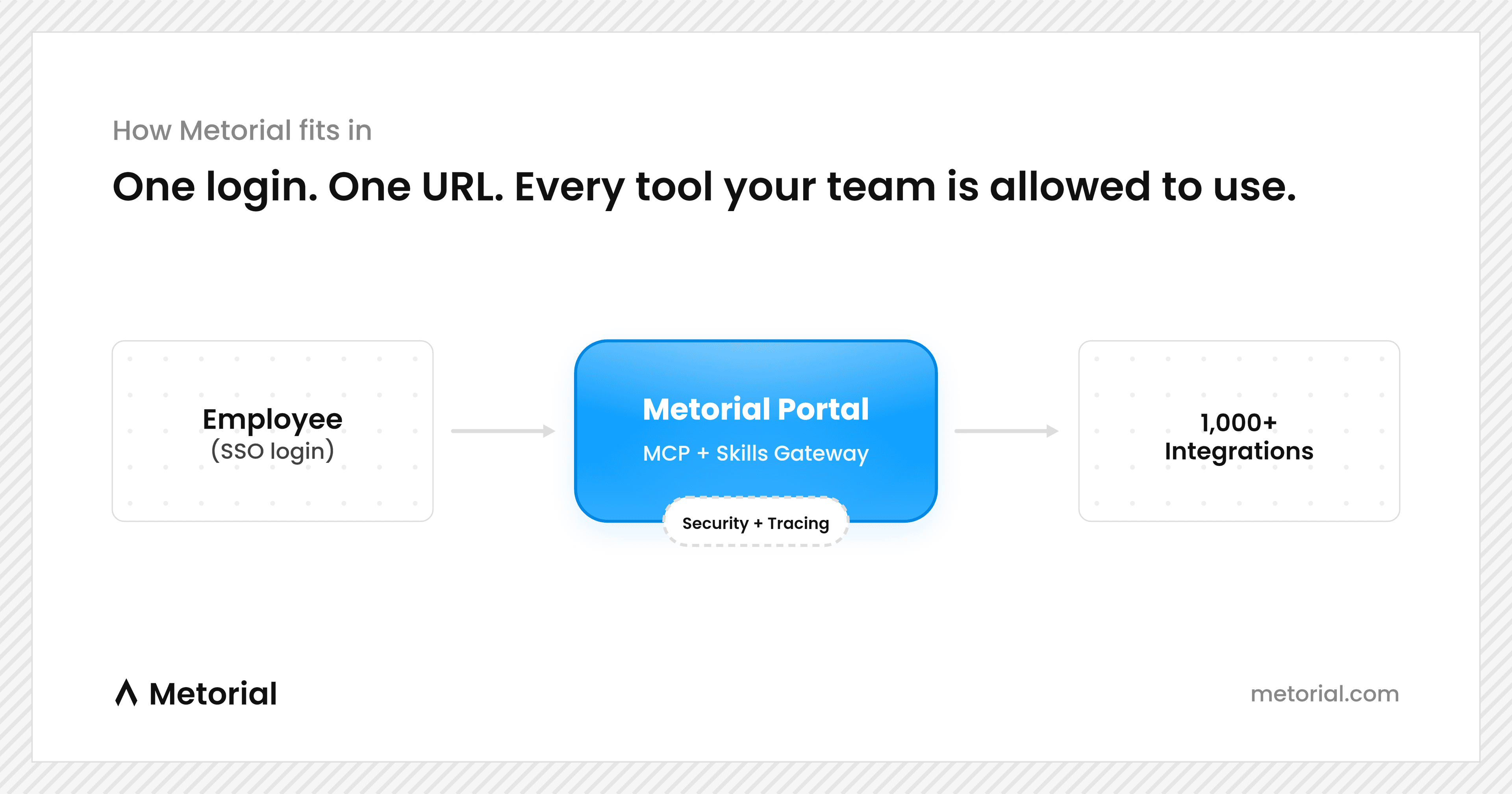
Every AI client in your company reaches company tools through one governed path, on the identity of the person using it.
Sign in once with SSO
People sign in to their portal with your identity provider. Their groups decide which integrations and skills they see.
Paste one URL into any client
Each person adds their Magic MCP URL to Claude, ChatGPT, Cursor, Codex, or their own agent. The same approved tools show up everywhere.
Every call goes through the gateway
Each tool call is checked against policy, runs on that person's own connected account, and is recorded with their identity.
Connect your AI client
Every client uses the same Magic MCP URL. Each person copies theirs from their portal, adds it once, and signs in with SSO. No API keys go into config files.
- Open Customize, then Connectors. Select Add, then Custom, then Web.
- Name it Metorial, paste your Magic MCP URL (<your-magic-mcp-url>) and continue.
- Select Add and sign in to load your tools.
Tools appear based on the access your groups grant, and every call is logged with your identity.
- On ChatGPT web, open Plugins, select +, then Add custom MCP server.
- Name it Metorial, paste your Magic MCP URL (<your-magic-mcp-url>), choose OAuth and accept the risk notice.
- Select Create as a plugin, install it and sign in to load your tools.
Tools appear based on the access your groups grant, and every call is logged with your identity.
- Use ~/.cursor/mcp.json for every project, or .cursor/mcp.json for one.
- Open Customize in the sidebar, find Metorial and sign in to load your tools.
Tools appear based on the access your groups grant, and every call is logged with your identity.
{"mcpServers": {"metorial": {"url": "<your-magic-mcp-url>"}}}
- Add --scope user to use it in every project.
- Run /mcp, select Metorial and sign in to load your tools.
Tools appear based on the access your groups grant, and every call is logged with your identity.
claude mcp add --transport http metorial <your-magic-mcp-url>
- The Codex CLI, IDE extension and ChatGPT desktop app share this config.
- Type /mcp in Codex to see Metorial and its your tools.
Tools appear based on the access your groups grant, and every call is logged with your identity.
codex mcp add metorial --url <your-magic-mcp-url>codex mcp login metorial
- Run MCP: Add Server from the Command Palette, or add Metorial to .vscode/mcp.json in your workspace.
- Confirm that you trust the server when VS Code asks, then sign in with your company account. your tools appear in Chat under Configure Tools.
Tools appear based on the access your groups grant, and every call is logged with your identity.
{"servers": {"metorial": {"type": "http","url": "<your-magic-mcp-url>"}}}
- Open Settings, then AI, then MCP Servers. Select Add Server and choose Add Remote Server, or add Metorial to your settings file.
- With no Authorization header set, Zed starts the MCP OAuth sign-in. Sign in with your company account to load your tools.
Tools appear based on the access your groups grant, and every call is logged with your identity.
{"context_servers": {"metorial": {"url": "<your-magic-mcp-url>"}}}
- In the Cline panel, select the MCP Servers icon, open Configure, then the Remote Servers tab.
- Name it Metorial, paste your Magic MCP URL (<your-magic-mcp-url>), choose Streamable HTTP, and select Add Server.
- Complete the sign-in with your company account, then check that your tools are listed under Metorial.
Tools appear based on the access your groups grant, and every call is logged with your identity.
- In Goose Desktop, open Extensions and choose Add custom extension. In the CLI, run goose configure, then Add Extension, then Remote Extension (Streamable HTTP).
- Name it Metorial and enter your Magic MCP URL (<your-magic-mcp-url>) as the Streamable HTTP endpoint. Skip custom headers; you sign in with OAuth instead.
- Sign in with your company account when Goose asks, then your tools are available in your sessions.
Tools appear based on the access your groups grant, and every call is logged with your identity.
goose configure
- In the Control UI, open Settings, then MCP, and select Add server with the Streamable HTTP transport. Or add it from the CLI.
- Run openclaw mcp login metorial to sign in with your company account, then openclaw mcp probe metorial to confirm the your tools.
Tools appear based on the access your groups grant, and every call is logged with your identity.
openclaw mcp add metorial --url <your-magic-mcp-url> --transport streamable-http
- Add Metorial as a remote MCP server from your terminal.
- Open OpenCode, run /mcps, select Metorial, and sign in with your company account to load your tools.
Tools appear based on the access your groups grant, and every call is logged with your identity.
opencode mcp add metorial --url <your-magic-mcp-url>
- Open Settings, then Tools, then Windsurf Settings, and select Add Server. Or choose View Raw Config and add Metorial to mcp_config.json.
- Select Metorial in the server list and choose Add Server so Cascade can use its tools.
- Sign in with your company account when Cascade asks, then your tools are available.
Tools appear based on the access your groups grant, and every call is logged with your identity.
{"mcpServers": {"metorial": {"serverUrl": "<your-magic-mcp-url>"}}}
- Add Metorial to the mcpServers section of config.yaml, or as a block file in .continue/mcpServers/.
- Switch Continue to agent mode; MCP tools, including your, are only available there.
Tools appear based on the access your groups grant, and every call is logged with your identity.
mcpServers:- name: Metorialtype: streamable-httpurl: <your-magic-mcp-url>
- Run the Install MCP Server command. Name it Metorial, choose HTTP, paste your Magic MCP URL (<your-magic-mcp-url>), and set OAuth Type to Dynamic.
- Install it, choose Sign In, and approve with your company account. Raycast then loads the your tools.
Tools appear based on the access your groups grant, and every call is logged with your identity.
- Add Metorial as an HTTP server that signs in with OAuth.
- Run kimi mcp auth metorial and sign in with your company account. your tools appear in new sessions.
Tools appear based on the access your groups grant, and every call is logged with your identity.
kimi mcp add --transport http --auth oauth metorial <your-magic-mcp-url>
- Go to grok.com/connectors, select New Connector, then Custom.
- Enter your Magic MCP URL (<your-magic-mcp-url>) and complete the sign-in with your company account.
- Grok discovers the your tools and makes them available in your conversations.
Tools appear based on the access your groups grant, and every call is logged with your identity.
- Add Metorial as an HTTP server. Add --scope project to share it through the repository.
- Your browser opens on first connection. If it does not, run /mcps, select metorial, and press i to sign in and load your tools.
Tools appear based on the access your groups grant, and every call is logged with your identity.
grok mcp add --transport http metorial <your-magic-mcp-url>
- In a chat, ask Muse to create a custom connector for a remote MCP server named Metorial at your Magic MCP URL (<your-magic-mcp-url>), signing in with OAuth.
- Approve the sign-in Muse shows with your company account.
- Ask Muse to list the Metorial tools to confirm your is there, then keep the connector for later chats.
Tools appear based on the access your groups grant, and every call is logged with your identity.
- Add Metorial under mcp_servers in ~/.hermes/config.yaml, with OAuth sign-in.
- Run /reload-mcp. Hermes opens your browser on first connection; sign in with your company account to load your tools.
Tools appear based on the access your groups grant, and every call is logged with your identity.
mcp_servers:metorial:url: "<your-magic-mcp-url>"auth: oauth
- In your client's MCP or connector settings, add a new remote (HTTP) MCP server.
- Use your Magic MCP URL (<your-magic-mcp-url>) as the server address. No API key goes into the client.
- Sign in with your company account when the client asks, then your tools appear.
Tools appear based on the access your groups grant, and every call is logged with your identity.
What you get
Give every employee and agent the approved tools and skills they need, inside the AI clients they already use. One sign-in, one policy, one audit log.
- 01
One URL behind your SSO
People sign in with your identity provider, such as Okta or Entra, and existing groups carry over. Each role sees only the tools it is approved for.
- 02
1,000+ integrations, plus your own
Verified integrations work out of the box, versioned and with per-user OAuth. Bring custom, remote, or Docker-based MCP servers for internal systems.
- 03
Shared skills
Teams edit skills in the browser, sync them to Git, and deliver them by role, so a workflow written once reaches everyone who needs it.
- 04
Every call on the record
Each tool call is tied to the person behind it and recorded, so security can answer who did what without asking around.
- 05
Works in the clients you already use
Claude, ChatGPT, Cursor, Codex, or an agent you build: anything that speaks MCP connects through the same URL and reaches the same approved tools.
- 06
Open source, self-host if you need to
The core is open source on GitHub. Run it in your own cloud or on-prem, or use the hosted platform.
One link to every tool
Paste a single Magic MCP link into any client and the agent reaches 1000+ verified integrations, custom providers, and internal systems. No servers to wire up.
Agents act as the real person
People sign in with company SSO and connect through one link. Agents use that identity and can never exceed what the person behind them is allowed to do.
See every call underneath
Tracing records each tool call and provider response, so you can debug behavior and review what agents did across every connection from one place.
Customer stories

Solution
Metorial Platform
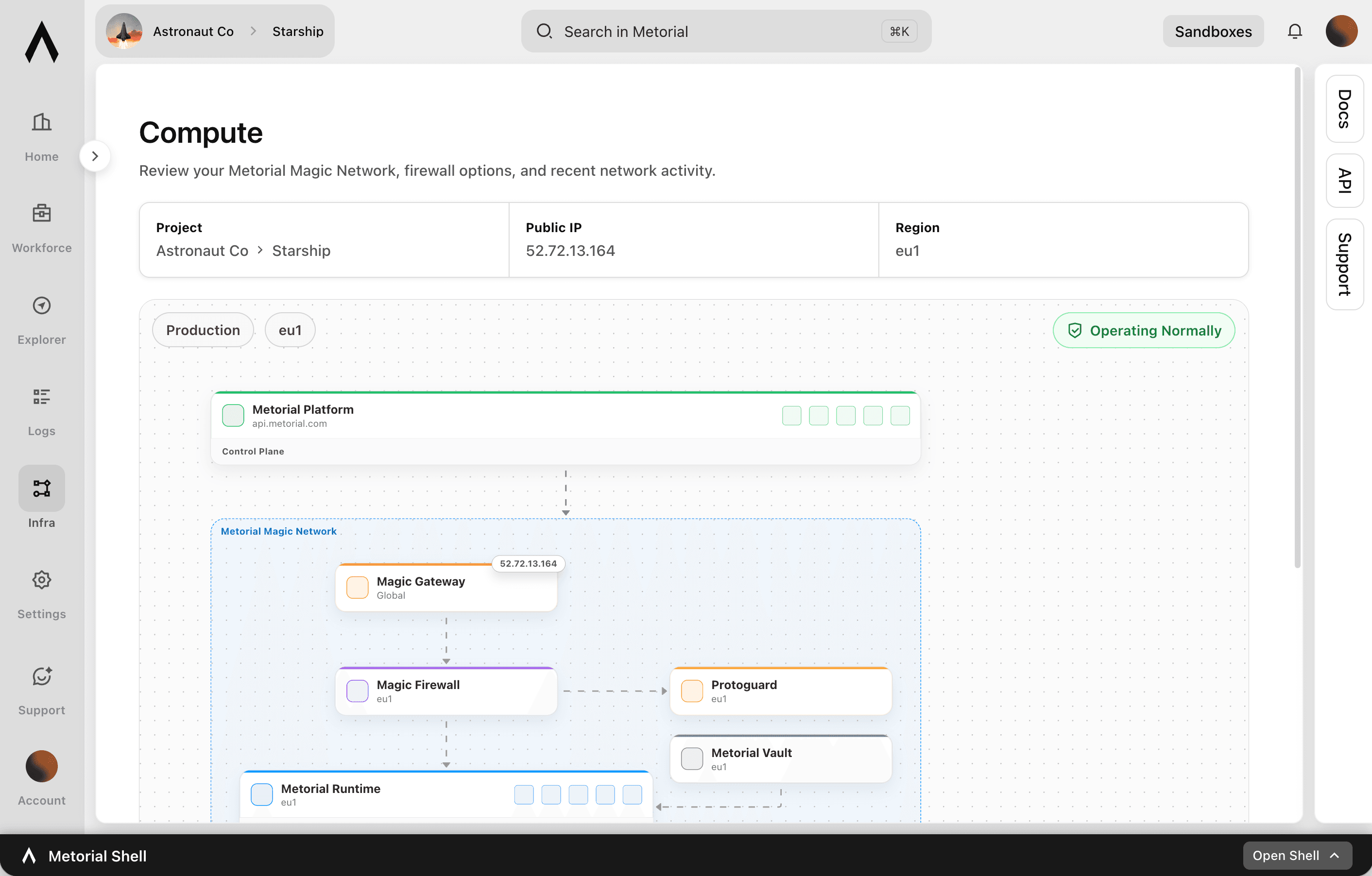
Metorial connects AI agents to your tools, data, and providers, and keeps every connection governed, secure, and observable. One gateway, with access control, tracing, and isolated infrastructure underneath.
lumon-industries.metorial.com
- Foundation
One access layer for every agent surface
Give every team shared integrations, providers, policies, and tracing instead of a separate connector stack for each AI product.
- Control
Manage providers and access centrally
Register and operate providers from one place, with access control and identity built into how agents use tools.
- Trust
Built for production security and visibility
Run connections in isolated infrastructure, check risky traffic, and trace every call so teams can rely on what they ship.
Product
Magic MCP
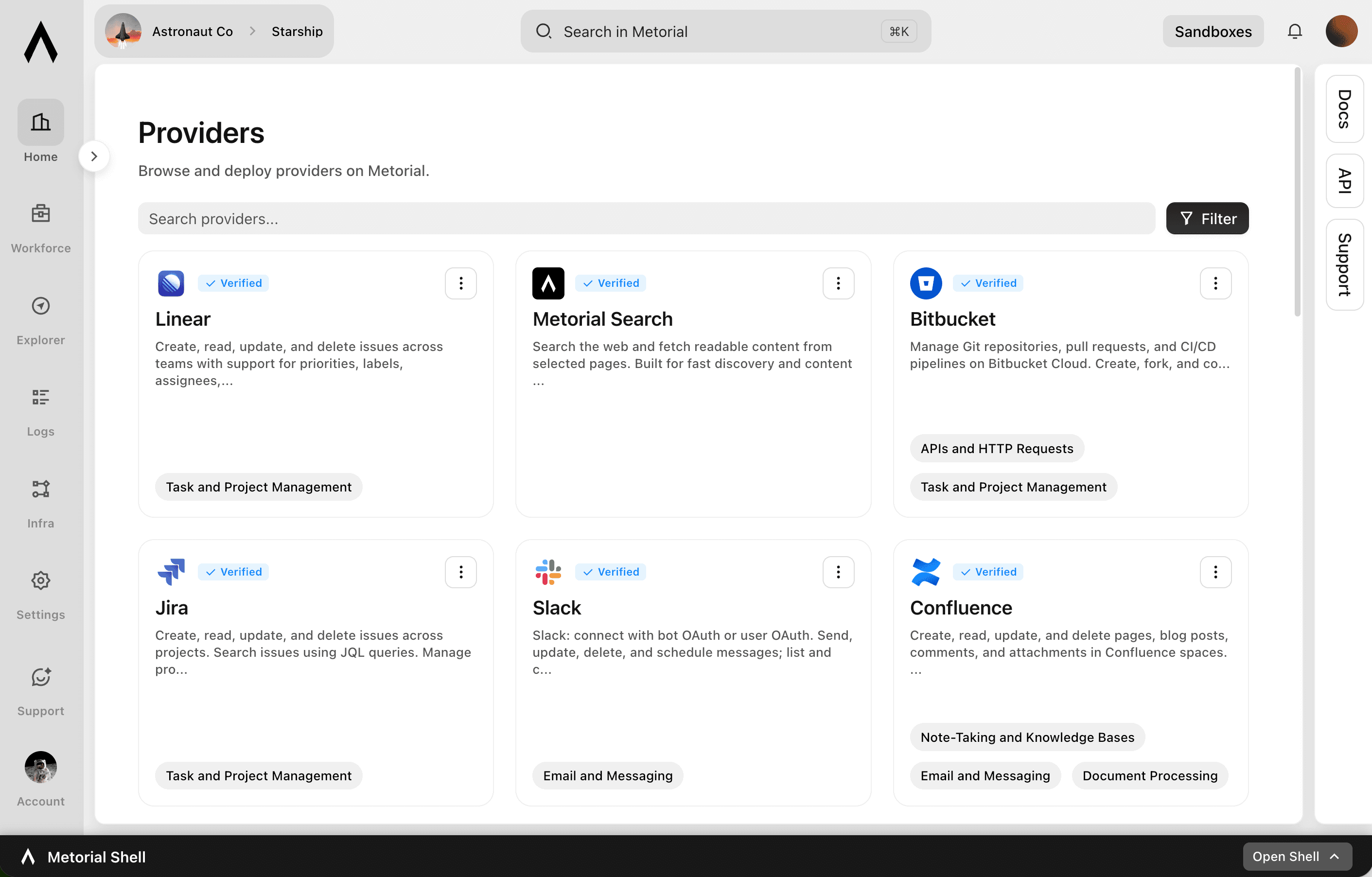
Magic MCP is a single URL you paste into your AI client. Sign in with the login you already use, and your agent reaches every integration and tool you allow it to use.
lumon-industries.metorial.com
- One URL
Paste one link into any agent
Drop a single Magic MCP URL into any MCP-compatible client. Nothing to install and no integration to wire up tool by tool.
- Every tool
1000+ integrations, plus your own
The same link reaches a growing catalog of verified integrations and the custom or remote MCP servers only your team has, kept current for you.
- Your access
Only what you allow, never more
Sign in with the identity you already use and stay tokenless. Behind the link, every call runs on the real user and reaches only the tools they’re allowed.
Product
Integrations
Start from 1000+ verified integrations or add your own, and give every one a governed path to your agents under existing SSO and access policies.
lumon-industries.metorial.com
- Connect
Any tool, ours or yours
Start with 1000+ verified integrations or add the internal systems and private APIs only your team has as custom, remote, or Docker-based providers.
- Reach
One link for every approved tool
Agents reach the integrations they’re allowed to use through a single connection, with no connector project per tool.
- Govern
Scoped and traceable by default
Access follows the groups and policies you already manage, down to individual tools and actions, and every call stays on the record.
Integrations

Slack
Slack: connect with bot OAuth or user OAuth to work with messages, conversations, search, files, Canvases, Lists, profiles, reactions, reminders, and workspace productivity settings.

GitHub
Manage repositories, issues, and pull requests. Create and configure branches, star repositories, review code, and merge changes. Automate CI/CD workflows with GitHub Actions, manage workflow runs, secrets, and artifacts. Track issues with labels, milestones, and assignees. Search across code, repositories, issues, and users. Manage organizations, teams, and memberships. Create and manage projects, gists, packages, deployments, and environments. Access security alerts including code scanning, secret scanning, and Dependabot alerts. Read and write file contents in repositories. Manage webhooks, notifications, and codespaces.

Hubspot
Create, read, update, and delete CRM objects including contacts, companies, deals, tickets, and custom objects. Manage associations between CRM records. Track engagements such as calls, emails, meetings, notes, and tasks. Send transactional and marketing emails, manage campaigns, and handle subscription preferences. Build and manage marketing workflows, sequences, and automation actions. Manage CMS content including blog posts, landing pages, and HubDB tables. Handle commerce data including products, orders, invoices, quotes, and payments. Create and manage contact lists for segmentation. Configure deal, ticket, and order pipelines with custom stages. Search and filter CRM records. Bulk import and export CRM data. Manage users, teams, and account settings.

Linear
Create, read, update, and delete issues across teams with support for priorities, labels, assignees, due dates, and workflow states. Manage projects that group related issues, and organize work into time-boxed cycles (sprints). Create and manage documents, comments, and file attachments. Search issues using vector similarity or rich filters. Configure teams, workflow states, and labels. Track customers and link them to issues.

Salesforce
Manage CRM data including Accounts, Contacts, Leads, Opportunities, Cases, and custom objects. Create, read, update, and delete records. Query data using SOQL and search across objects using SOSL. Perform bulk data operations for large-scale imports, exports, and migrations. Execute composite requests to batch multiple operations in a single API call. Access analytics, reports, and dashboards. Manage files and attachments associated with records. Interact with Chatter feeds, posts, and groups for social collaboration. Manage org metadata including custom objects, fields, layouts, and workflows. Query data using GraphQL for precise data retrieval across related objects.

Microsoft Teams
Send, read, edit, and delete messages in Microsoft Teams channels and chats, with @mentions. Create and manage teams, channels, members, and tags. Schedule and look up online meetings, read user presence, and manage Shifts schedules. Connect a Teams bot to receive and reply to messages in chats and channels.
How Metorial compares to other MCP gateways
The main differences are who can run it, what comes in the catalog, and whether teams can share skills. For ten gateways in more depth, see the best MCP gateways in 2026.
| Feature | Metorial | Runlayer | Mintive (formerly MintMCP) | Cloudflare MCP portals | Build in-house |
|---|---|---|---|---|---|
| Open source | Open core on GitHub, self-host or cloud | No | No | No | Your own code |
| Integration catalog | 1,000+ verified integrations | Scans 18,000+ public MCP servers for admins to approve | 100+ hosted integrations | None, bring your own servers | You build each one |
| SSO and per-role tool access | Yes, SAML SSO on the Enterprise plan | Yes | Yes, SSO and SCIM listed as enterprise options | Access policies per server, tool allowlists per portal | You build it |
| Shared skills | Edited in the browser, synced to Git | Pushed from a Git repo with a CLI | Only inside Coworker Agents (beta) | None | You build it |
| Works in Claude, ChatGPT and Cursor | Yes | Yes | Yes | Claude documented, ChatGPT and Cursor not documented | Depends on what you build |
| Public pricing | Yes, free Dev plan, Scale at $250 a month | No, book a demo | No, custom pricing | Yes, within Cloudflare Zero Trust plans | Engineering time |
Checked against each vendor's own site and docs on October 16, 2026.
Frequently asked questions
Common questions about MCP Gateway.
What is an MCP gateway?
A single control point between your AI clients and every MCP server they call. It handles sign-in, access control, and logging once, centrally, instead of once per tool and per client. You need one when more than one team or more than one AI client needs the same integrations.What is the difference between an MCP server and an MCP gateway?
An MCP server exposes the tools of one app or system. A gateway sits in front of many servers and decides who may call which tool, runs the sign-in, and records each call, so those rules are not rebuilt inside every server.Is an MCP gateway the same as an API gateway?
They solve the same class of problem at different layers. An API gateway fronts HTTP endpoints and routes by path and method. An MCP gateway fronts tools that a model chooses at runtime, so it also has to handle per-user credentials and record which identity a call ran as.What is shadow MCP, and how does a gateway stop it?
Shadow MCP is MCP servers people set up on their own machines, with personal tokens and no record of what they call. A gateway replaces those setups with one approved URL behind SSO, so tool use is visible and follows company policy. See what is shadow AI.Which AI clients work with Metorial?
Any MCP-compatible client: Claude, ChatGPT, Cursor, Codex, or your own agent. Each connects through one Magic MCP link and reaches the same approved tools.Can we self-host it?
Yes. The core is open source on GitHub and can run on your own infrastructure or on-prem. The hosted platform is there if you would rather not operate it.How is access controlled per team or role?
People sign in with company SSO and existing groups carry over. Policies and access control decide which tools each group can call, and an agent never exceeds the access of the person behind it.Can we bring our own MCP servers?
Yes. Register custom, remote, or Docker-based servers you already run, and they get the same sign-in, policy, and logging as the 1000+ verified integrations. You do not rewrite a server to put it behind the gateway.Does an MCP gateway slow down tool calls?
It adds one network hop plus policy evaluation, typically a few milliseconds. That is small next to the model inference and the upstream API call in the same request, and it removes the per-client credential lookups a direct setup repeats.Do I need an MCP gateway for a single AI client?
Usually not. One developer with one client and a few servers is better off configuring them directly. The gateway earns its place when a second client or a second person needs the same integrations, because that is when per-person setup and shared credentials start.