Moonfire
Use cases
Metorial connects AI agents to the client, portfolio, CRM, and document systems wealth teams work in. Advisors sign in with company SSO and connect through one Magic MCP link, with access tied to who they are.
- 01
Advisor preparation
Agents pull holdings, recent interactions, and relevant notes before meetings so advisors arrive with the full picture.
- 02
Portfolio research
Agents surface market context, position summaries, and investment history for advisor review, without manual data gathering.
- 03
Client service
Agents retrieve client records, preference notes, and service history so relationship teams respond faster and more accurately.
- 04
Document review
Agents surface relevant contracts, disclosures, and records for compliance work, with privileged material staying within each advisor’s access.
Agents reach your client systems
Give agents access to client, portfolio, CRM, and document systems through verified integrations and your own custom providers.
Advisors connect in one step
Sign in with company SSO and connect through one Magic MCP link, with no tokens to manage and no code to write. Access is tied to each advisor’s identity.
Every action stays reviewable
Because access follows the advisor, an agent only reaches the clients they serve, and every interaction is traced for compliance.
Customer stories

Solution
Metorial for Workforce
Connect agents to your real systems, share the knowledge that makes them helpful, and keep every action governed and visible, no tokens or code required.
lumon-industries.metorial.com
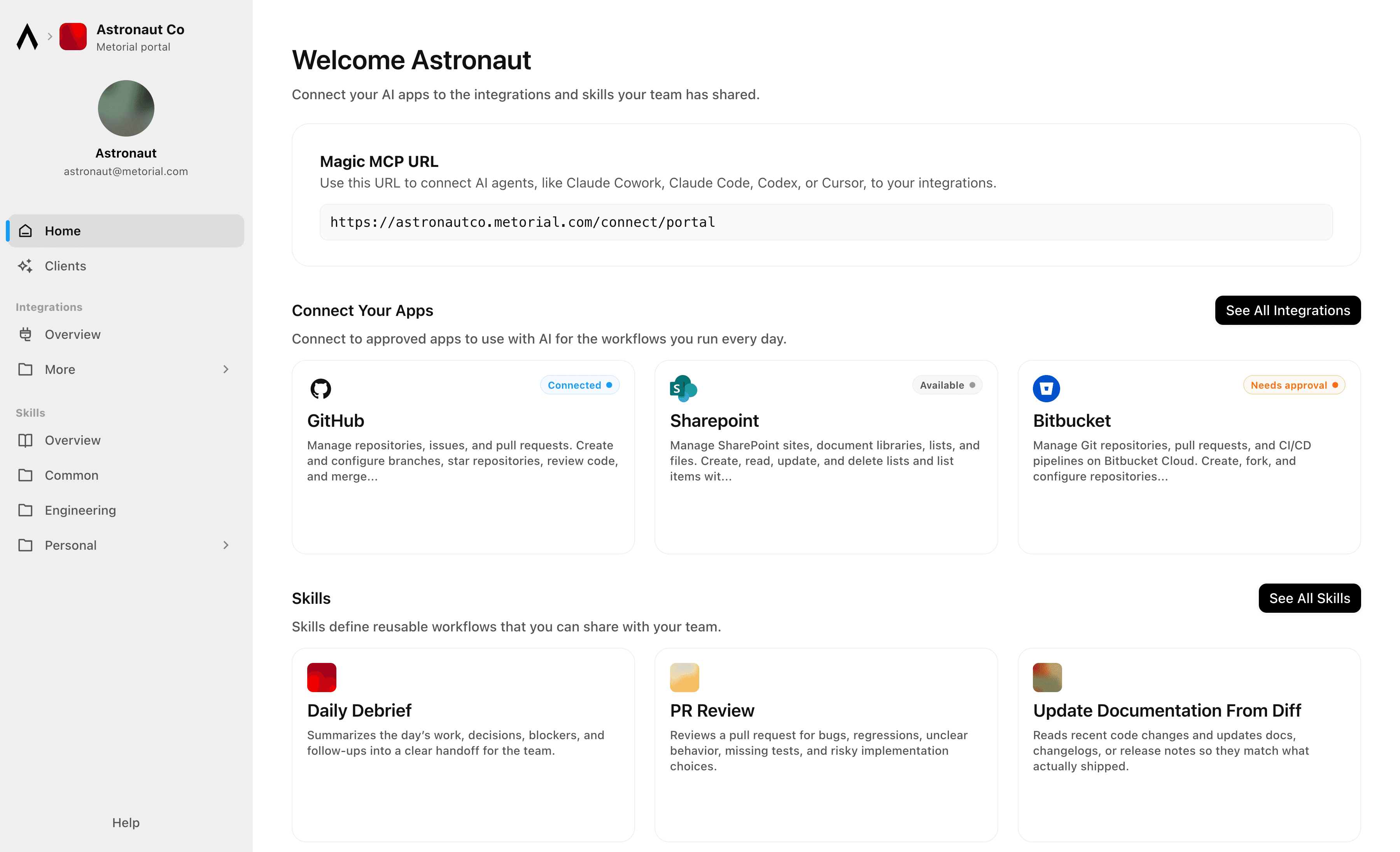
- Connect
Agents reach the systems where work happens
Give teams access to agents that can use business tools, data sources, and enterprise systems through governed integrations and MCP-compatible providers.
- Govern
Access follows users and teams
Apply policies across users, groups, providers, and tools so agents act with the right permissions instead of unmanaged shared credentials.
- Observe
Every interaction is traceable
See which agent acted, which user authorized it, which tool was called, and what happened, so AI adoption stays visible to security and operations teams.
Solution
Metorial for Enterprise
Connect AI agents to the tools and data your teams already use, onboard people in minutes with company SSO and one link, and keep the access control, security, and visibility the enterprise needs underneath.
lumon-industries.metorial.com
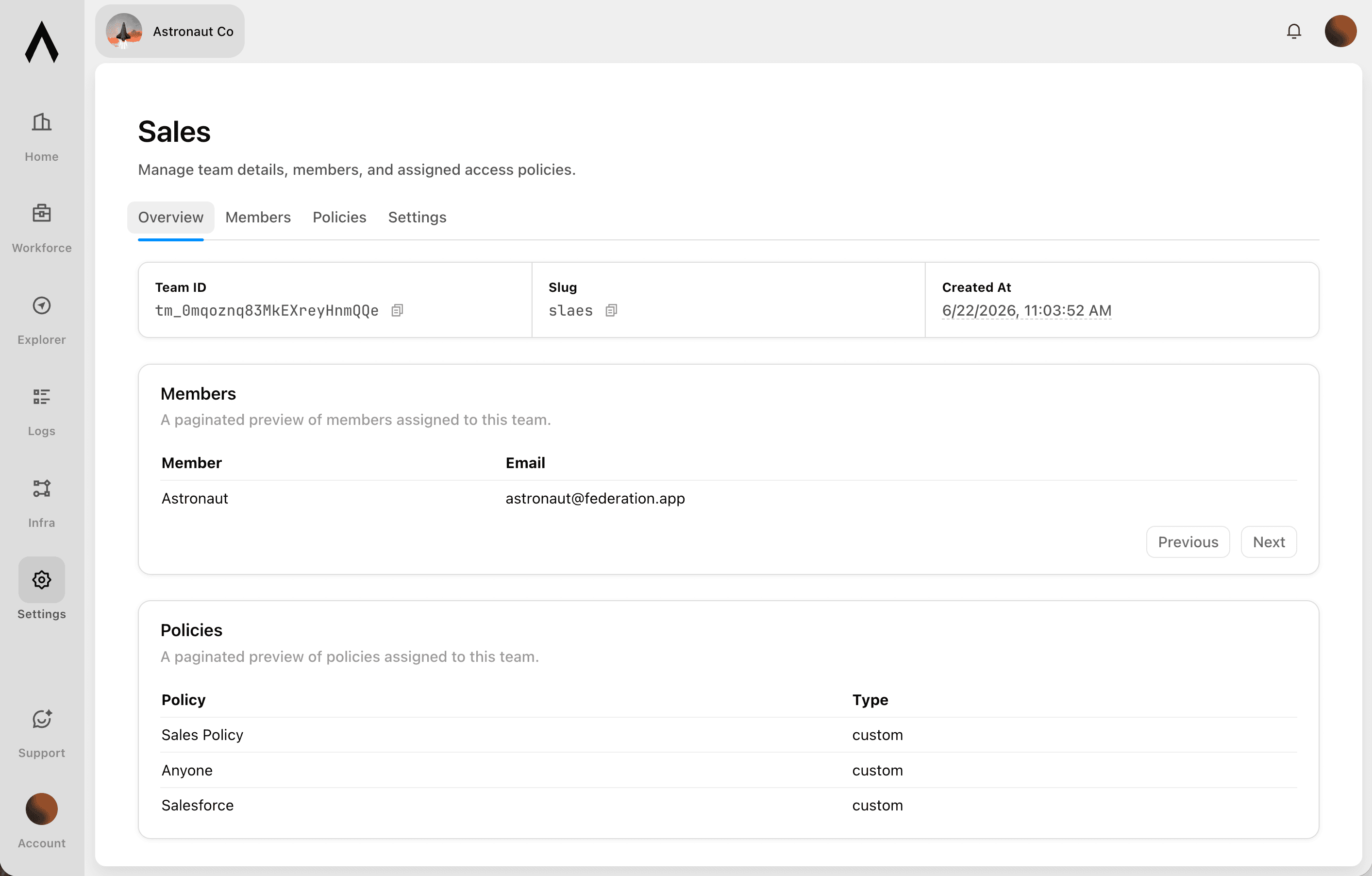
- Adopt
Agents that do real work
Give every team agents that reach the tools and data they already use, so people get value on day one instead of waiting on setup.
- Connect
Onboarding that just works
People sign in with company SSO and connect through one Magic MCP link, with no tokens to manage and no code to write.
- Enterprise-ready
The controls you need, built in
Access control, security checks, and full tracing come standard, so broad adoption stays governed without slowing anyone down.
Product
Portals
Metorial Portals lets employees connect AI agents to the integrations and skills your company already uses. People sign in with company SSO and connect through one Magic MCP URL. Admins decide who gets access to what.
lumon-industries.metorial.com
- Browse
A catalog of approved tools and skills
Employees open Metorial Portals to find the integrations and skills your company approved, in one familiar place, with no setup to figure out.
- Connect
One link to start working
People connect their agent through a single Magic MCP URL and sign in with the company login they already have, with no tokens to manage.
- Govern
Each person sees only what they should
Access groups and policies decide which tools and skills appear for each person, and people can request more when they need it.
Product
Magic MCP
Magic MCP is a single URL you paste into your AI client. Sign in with the login you already use, and your agent reaches every integration and tool you allow it to use.
lumon-industries.metorial.com
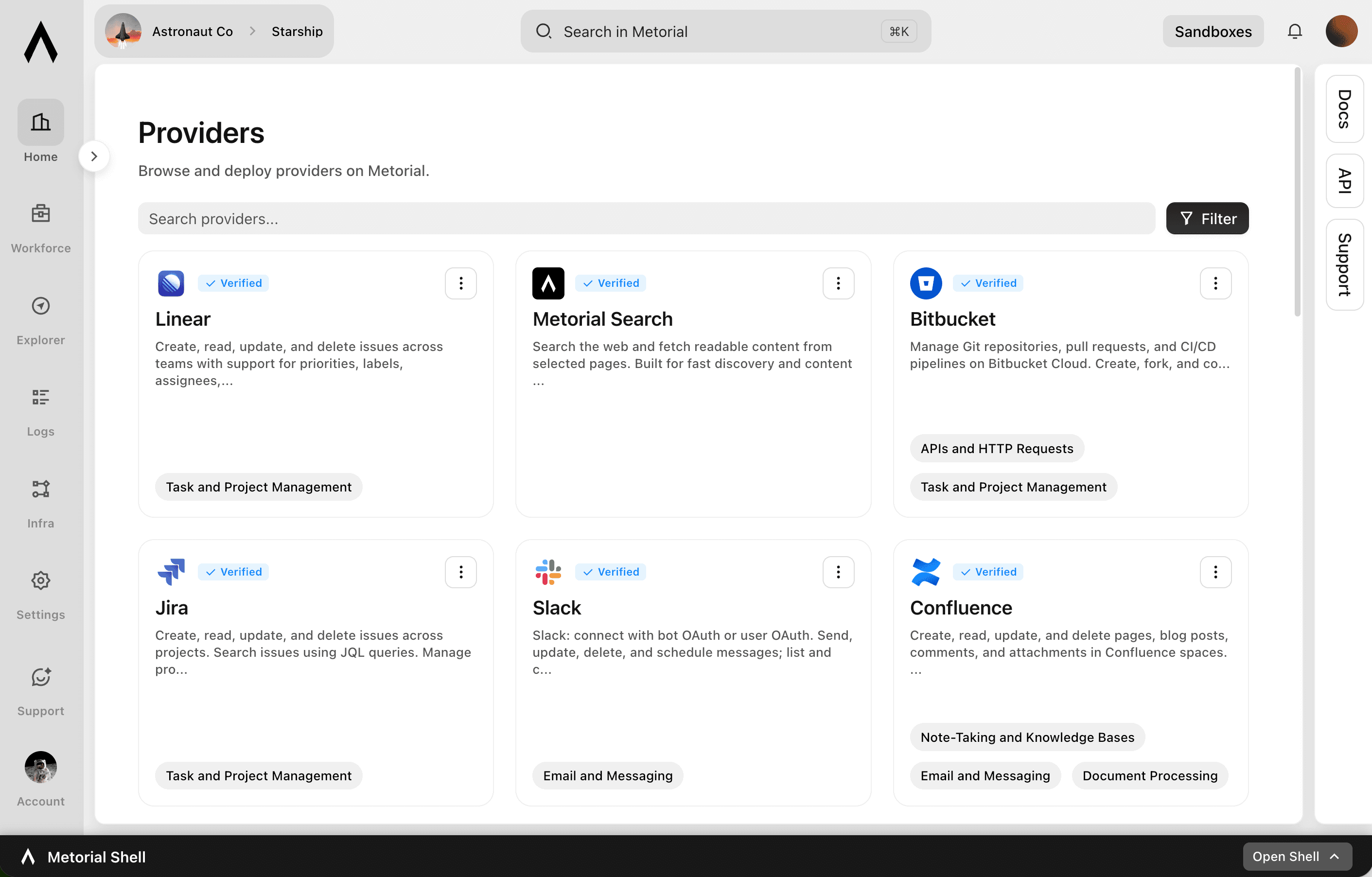
- One URL
Paste one link into any agent
Drop a single Magic MCP URL into any MCP-compatible client. Nothing to install and no integration to wire up tool by tool.
- Every tool
1000+ integrations, plus your own
The same link reaches a growing catalog of verified integrations and the custom or remote MCP servers only your team has, kept current for you.
- Your access
Only what you allow, never more
Sign in with the identity you already use and stay tokenless. Behind the link, every call runs on the real user and reaches only the tools they’re allowed.
Product
Access Control
Sign in with company SSO, set policies per user and group, and let agents act on real identity across Portals and Magic MCP.
lumon-industries.metorial.com
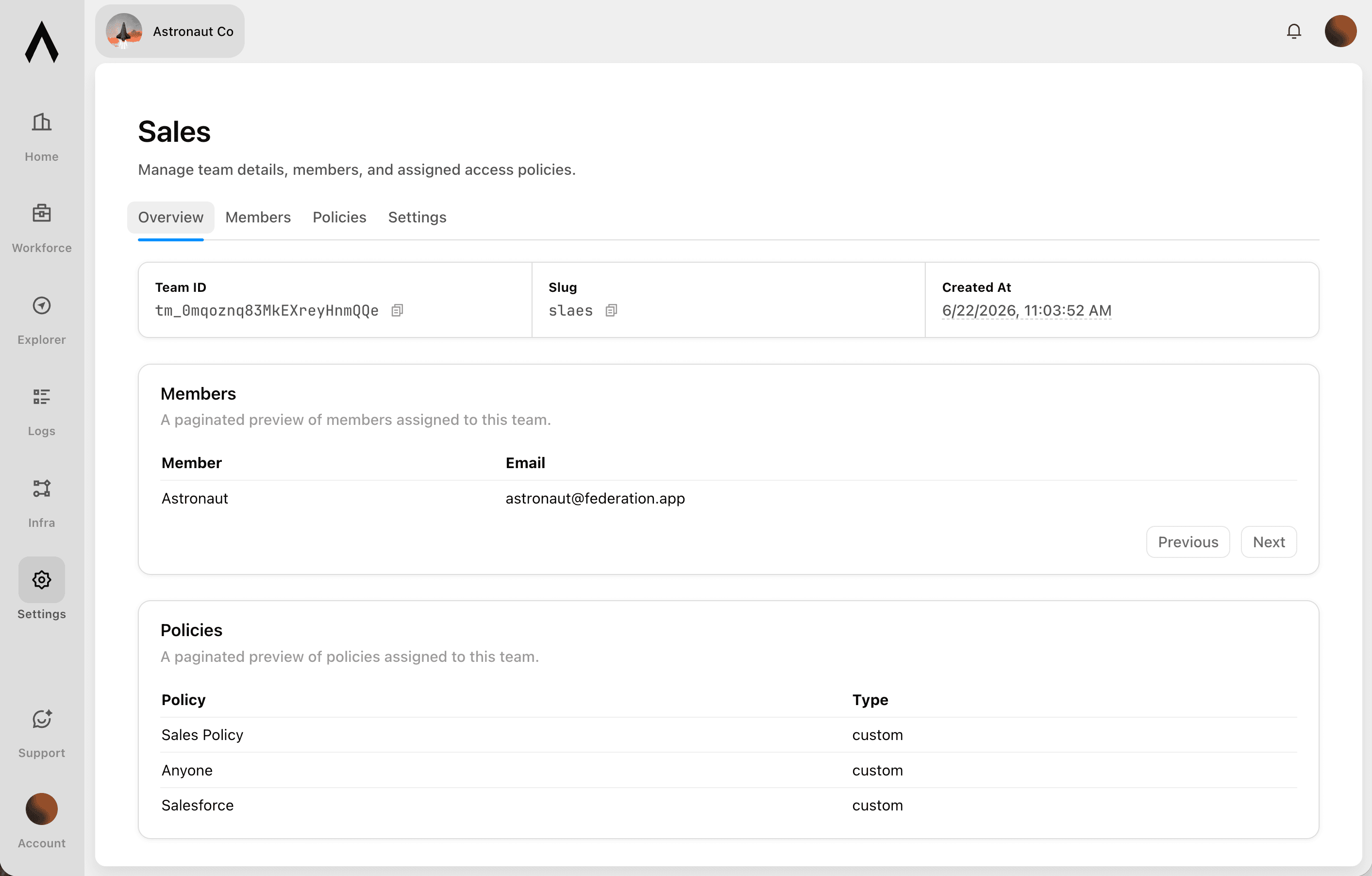
- Who
People, groups, and agents
People sign in with your existing identity, and groups, service accounts, and each agent are governed the same way. Non-human access is never an exception.
- What
Agents, tools, and providers
Decide which agents can act and which tools, actions, and providers each one can reach. Allow a provider while still blocking specific tools.
- How
Set once, enforced everywhere
Policies follow the real user behind every agent, cap what any single agent can do, and can be revoked the moment someone leaves.
Product
Tracing
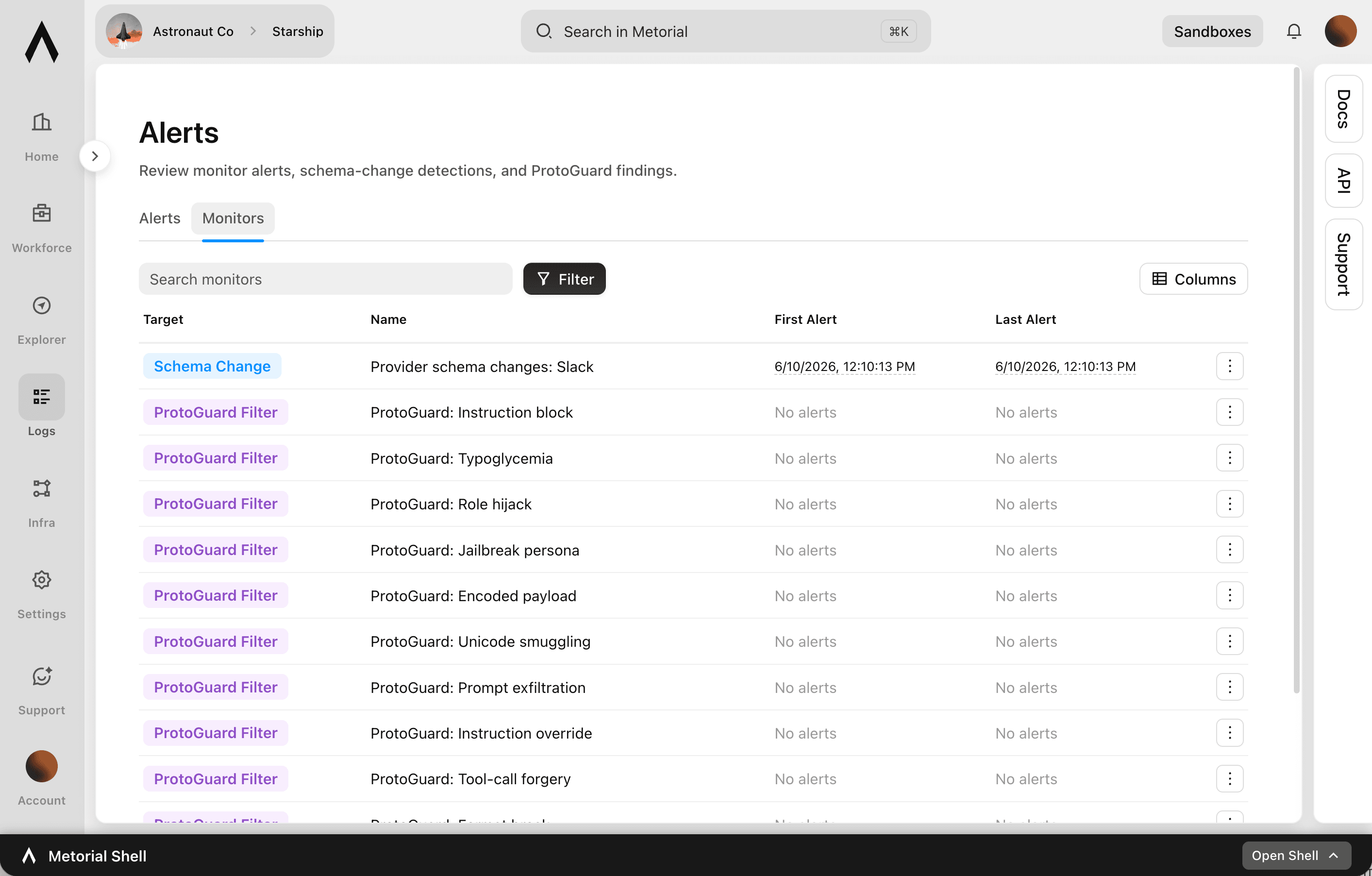
Metorial keeps a complete, searchable record of everything your agents, team, and machines do. See exactly what happened and trust AI in production.
lumon-industries.metorial.com
- Capture
Recorded automatically
Every session, message, and tool call is recorded the moment it happens, with nothing for your team to set up.
- Attribute
Which agent, on whose behalf
Every action ties back to the exact agent that took it and the real person behind it. Nothing happens anonymously.
- Review
Search and replay anything
Monitor activity as it happens, then search past interactions and replay full sessions to answer questions from security and leadership.
Workflows


Aggregate Customer Health Signals from Salesforce and Slack for Success Reviews
Customer success managers prepare for quarterly business reviews by manually pulling together account data from multiple sources. This workflow queries Salesforce for account and opportunity data, searches Slack for recent customer mentions, and compiles a health summary ready for the QBR meeting.


Analyze Tableau Dashboard Usage and Report Access Anomalies via Email
BI and data governance teams need visibility into who is accessing sensitive Tableau dashboards and whether permissions are correctly scoped. This workflow audits Tableau workbook permissions, identifies users with access beyond their role, and sends a summary report to the data governance team via Outlook.


Audit SharePoint Document Permissions Across Sites and Report Violations
Scan SharePoint sites and document libraries to identify files with overly broad sharing permissions or unexpected external access, compile an audit report, and send it to the compliance team via email.

Auto-Generate OpenAI Embeddings for SharePoint Documents to Power Search
The agent scans a SharePoint document library for new or recently updated files, extracts their text content, generates embeddings via OpenAI, and stores them in a vector store to enable semantic search across the knowledge base.


Automate Client Appointment Reminders via Acuity and Gmail
Service businesses with high appointment volumes see no-show rates climb when reminder workflows are manual or inconsistent. This workflow checks upcoming Acuity appointments, reviews each client record, and sends personalized reminder emails via Gmail with appointment details and any required preparation instructions.

Compile Wealth Management Client Briefings from Web Research and Outlook Calendar
Before a client meeting, automatically research the client's company and portfolio context online, pull upcoming calendar details from Outlook, and compile a structured pre-meeting briefing for the advisor.

Coordinate Client Meeting Scheduling Across Calendly and Outlook
Advisors and client-facing teams waste time juggling availability windows and sending manual calendar invites. This workflow checks Calendly availability, finds open time slots that work for both parties, books the meeting, and creates a corresponding Outlook calendar event with all necessary details.

Microsoft Outlook Meeting Scheduling with Asana Task Follow-up
Find optimal meeting times for client or internal meetings using Outlook availability data, create calendar events, and automatically generate follow-up Asana tasks from the meeting agenda so action items are tracked from the moment the meeting is scheduled.


Reconcile Affinity CRM Contacts with Apollo and Update Relationship Notes
The agent cross-references contacts in Affinity with Apollo's database to identify stale records, enrich missing data, and write updated relationship notes back to Affinity with recent interaction context.
Research Prospect Accounts with Web Search Before Salesforce Outreach
Before a sales rep makes contact, the agent searches the web for recent company news, funding announcements, and product changes, then updates the Salesforce account record with a structured research brief and logs a task for follow-up.
Salesforce Account Research with Live Web Context
Enrich Salesforce account records with current market intelligence gathered from the web, including recent news, funding rounds, and product changes, so account executives have fresh context before every customer meeting.
SharePoint Document Library Audit and Permission Review
Audit SharePoint document libraries across sites to identify files with overly broad permissions, review version histories for sensitive documents, and produce a structured access report for compliance review.
Sync Affinity Deal Pipeline Updates to Slack and Schedule Follow-Up Meetings via Outlook
When a deal in Affinity moves to a key stage such as term sheet or due diligence, the agent posts a pipeline update to the deal team's Slack channel and schedules a follow-up meeting with the relevant contacts via Microsoft Outlook.
Track Affinity Relationship Reminders and Send Daily Digest via Slack
Each morning, the agent retrieves due and overdue relationship reminders from Affinity, groups them by owner, and sends each team member a personalized Slack digest listing which contacts or deals they need to follow up on today.

Verify Customer Identities via Twilio Before Salesforce Record Updates
Before an agent updates sensitive Salesforce customer records, trigger a Twilio OTP verification to the customer's phone number and only proceed with the record change after the code is confirmed.
Integrations
Salesforce
Manage CRM data including Accounts, Contacts, Leads, Opportunities, Cases, and custom objects. Create, read, update, and delete records. Query data using SOQL and search across objects using SOSL. Perform bulk data operations for large-scale imports, exports, and migrations. Execute composite requests to batch multiple operations in a single API call. Access analytics, reports, and dashboards. Manage files and attachments associated with records. Interact with Chatter feeds, posts, and groups for social collaboration. Subscribe to real-time change events via Change Data Capture and Platform Events. Manage org metadata including custom objects, fields, layouts, and workflows. Query data using GraphQL for precise data retrieval across related objects.
Microsoft Outlook
Send, read, reply to, forward, and manage email messages in user mailboxes. Organize messages into folders, apply categories, flags, and importance levels. Manage file and item attachments. Create, update, delete, and respond to calendar events and meetings. Find available meeting times, manage attendees, handle recurrence, and work with shared or delegated calendars. Create, read, update, and delete contacts, organize them into contact folders, and manage contact photos. Manage tasks and task lists via Microsoft To Do, including due dates, reminders, recurrence, and checklist items. Subscribe to webhook notifications for changes to messages, calendar events, and contacts. Support for Focused Inbox, @-mentions, mail tips, send-on-behalf, and send-as capabilities.
Metorial Search
Search the web and fetch readable content from selected pages. Built for fast discovery and content extraction.
Slack
Slack: connect with bot OAuth or user OAuth to work with messages, conversations, search, files, Canvases, Lists, profiles, reactions, reminders, and workspace productivity settings.
Affinity
Manage contacts, organizations, and deal pipelines in a relationship intelligence CRM. Create, search, update, and delete people, organizations, and opportunities. Track interactions including emails, meetings, and calls. Manage custom lists with configurable fields and field values. Query relationship strength scores between team members and external contacts. Create and manage notes, file attachments, and reminders on any entity. Access enrichment data from Affinity's proprietary database. Subscribe to webhooks for real-time notifications on record changes, list updates, and field value modifications.
Sharepoint
Manage SharePoint sites, document libraries, lists, and files. Create, read, update, and delete lists and list items with custom columns. Resolve site users to numeric Person/Group LookupId values. Upload, download, move, copy, and version files in document libraries. Search across sites, files, folders, lists, and list items using Microsoft Search. Manage permissions at site, list, and item levels with granular access control. Define and manage content types and site columns. Subscribe to webhooks for list and library change notifications. Retrieve site properties and search for sites across Microsoft 365.
Twilio
Send and receive SMS, MMS, WhatsApp, and RCS messages. Make, receive, and monitor phone calls with programmable call control. Verify user identities via OTP, TOTP, and silent network authentication. Look up phone number intelligence including carrier, line type, caller name, and SIM swap detection. Manage multi-channel conversations across chat, SMS, and WhatsApp. Search for and purchase phone numbers, configure voice and messaging endpoints, schedule messages for future delivery, and inspect call recording metadata.
Frequently asked questions
Common questions about Wealth Management.
What systems can agents connect to?
Agents reach CRM, portfolio, document, and client relationship systems through verified integrations and your own custom providers, all through the same link.Can an agent reach clients an advisor doesn’t serve?
No. Connections are tied to each advisor’s identity, so an agent only ever reaches the clients and records that advisor is permitted to access. Access control lets you scope this further.Does it meet our audit and compliance needs?
Yes. Every interaction is recorded with full tracing and audit logs on the real identity behind it, so compliance teams have the trail they need.Does it work with our identity provider?
Yes. Connect your provider with SSO and SAML and we import your groups, so the access advisors already have maps straight into Metorial.