Hand the busywork to agents

Metorial connects AI agents to the tools operators live in: tickets, CRM, docs, spreadsheets, internal systems, and chat. Sign in with company SSO, connect through one Magic MCP link, and skip the tokens and code.

Use cases

Metorial connects AI agents to the tools operators live in: tickets, CRM, docs, spreadsheets, internal systems, and chat. Sign in with company SSO, connect through one Magic MCP link, and skip the tokens and code.

  1. 01

    Clear the repetitive work

    Agents handle ticket triage, record updates, and status checks across tools so operators focus on decisions, not coordination.

  2. 02

    Prepare context across systems

    Agents gather the records, history, and status behind a task from every relevant tool so you start with the full picture.

  3. 03

    Loop in a human when it matters

    Callbacks and alerts surface the edge cases that need a person, keeping agents and operators in sync on judgment calls.

  4. 04

    Keep actions in bounds

    Access stays tied to your identity, so an agent only touches what you can, and every step is traced.

Agents do real cross-system work

Give agents access to tickets, internal systems, docs, spreadsheets, and chat through verified integrations and your own custom providers.

No setup, no code

Sign in with company SSO and connect through one Magic MCP link. Nothing to wire up, no tokens to manage, and access is tied to who you are.

Capture a workflow once

Write down how your team does a task as a Skill, and every agent that needs it follows the same steps.

Customer stories

Solution

Connect agents to your real systems, share the knowledge that makes them helpful, and keep every action governed and visible, no tokens or code required.

lumon-industries.metorial.com
The Metorial Workforce console showing teams, agents, connected tools, and access policies.
  1. Connect

    Agents reach the systems where work happens

    Give teams access to agents that can use business tools, data sources, and enterprise systems through governed integrations and MCP-compatible providers.

  2. Govern

    Access follows users and teams

    Apply policies across users, groups, providers, and tools so agents act with the right permissions instead of unmanaged shared credentials.

  3. Observe

    Every interaction is traceable

    See which agent acted, which user authorized it, which tool was called, and what happened, so AI adoption stays visible to security and operations teams.
Solution

Codex, Claude Code, Cursor, and any other agent can reach the systems your teams already use. Metorial handles the connections, the access, and the visibility, so you do not have to build them yourself.

lumon-industries.metorial.com
The Metorial agent access console showing providers, tool calls, and traces.
  1. Connect

    Reach the tools agents need

    Point an agent at Metorial and it can use 1,000 validated integrations, custom providers, and internal systems through one governed layer.

  2. Control

    Limit what agents can do

    Define access policies around users, groups, tools, and providers so each agent gets the right level of access.

  3. Trace

    Understand every tool call

    Record agent actions, tool inputs, provider responses, and downstream effects for debugging, audits, and operational visibility.

Product

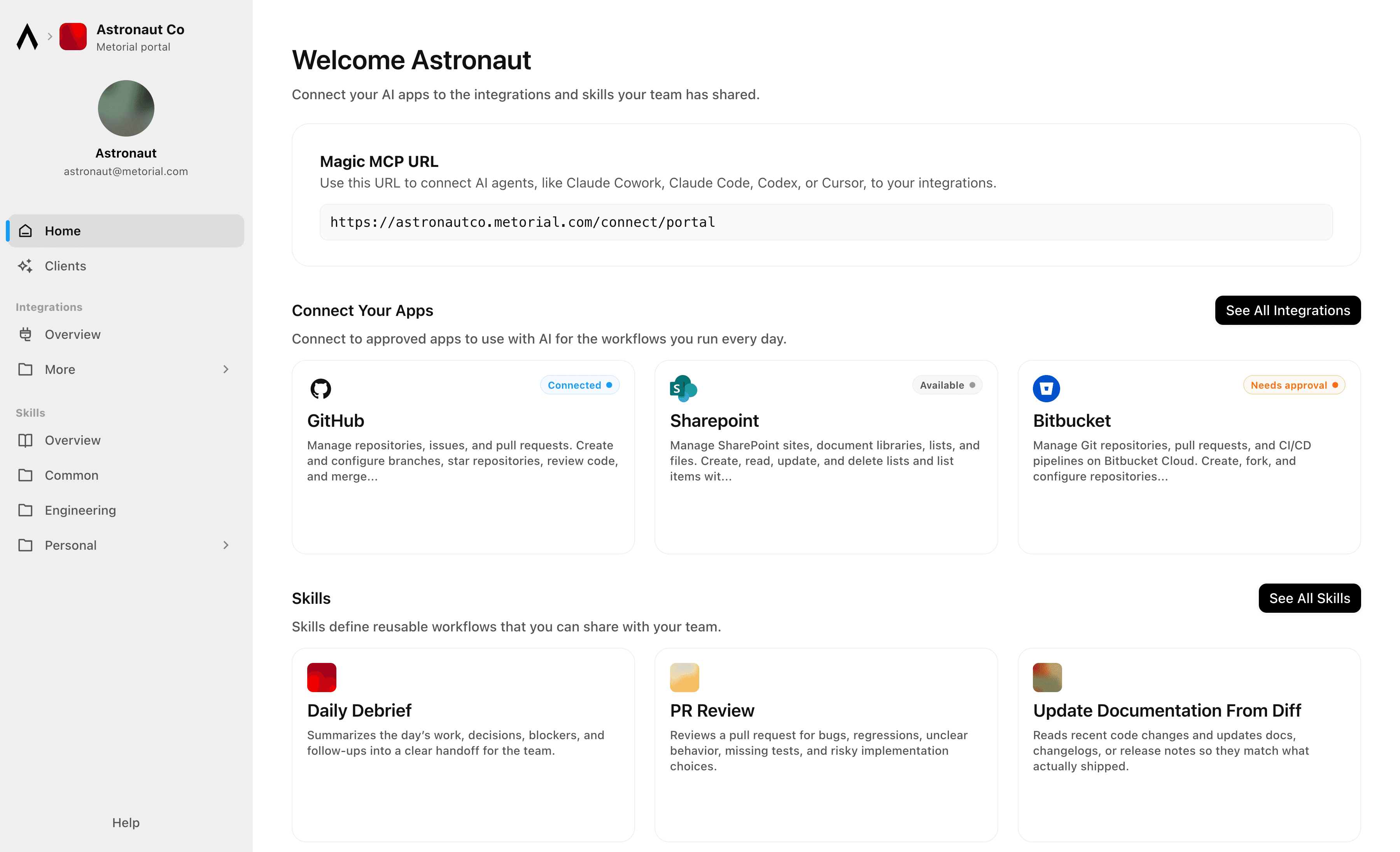
Metorial Portals lets employees connect AI agents to the integrations and skills your company already uses. People sign in with company SSO and connect through one Magic MCP URL. Admins decide who gets access to what.

lumon-industries.metorial.com
Metorial Portals showing the integrations and skills an employee can connect their agent to.
  1. Browse

    A catalog of approved tools and skills

    Employees open Metorial Portals to find the integrations and skills your company approved, in one familiar place, with no setup to figure out.

  2. Connect

    One link to start working

    People connect their agent through a single Magic MCP URL and sign in with the company login they already have, with no tokens to manage.

  3. Govern

    Each person sees only what they should

    Access groups and policies decide which tools and skills appear for each person, and people can request more when they need it.

Product

Magic MCP is a single URL you paste into your AI client. Sign in with the login you already use, and your agent reaches every integration and tool you allow it to use.

lumon-industries.metorial.com
A single Magic MCP URL connecting an AI agent to the integrations a person is allowed to use.
  1. One URL

    Paste one link into any agent

    Drop a single Magic MCP URL into any MCP-compatible client. Nothing to install and no integration to wire up tool by tool.

  2. Every tool

    1000+ integrations, plus your own

    The same link reaches a growing catalog of verified integrations and the custom or remote MCP servers only your team has, kept current for you.

  3. Your access

    Only what you allow, never more

    Sign in with the identity you already use and stay tokenless. Behind the link, every call runs on the real user and reaches only the tools they’re allowed.

Product

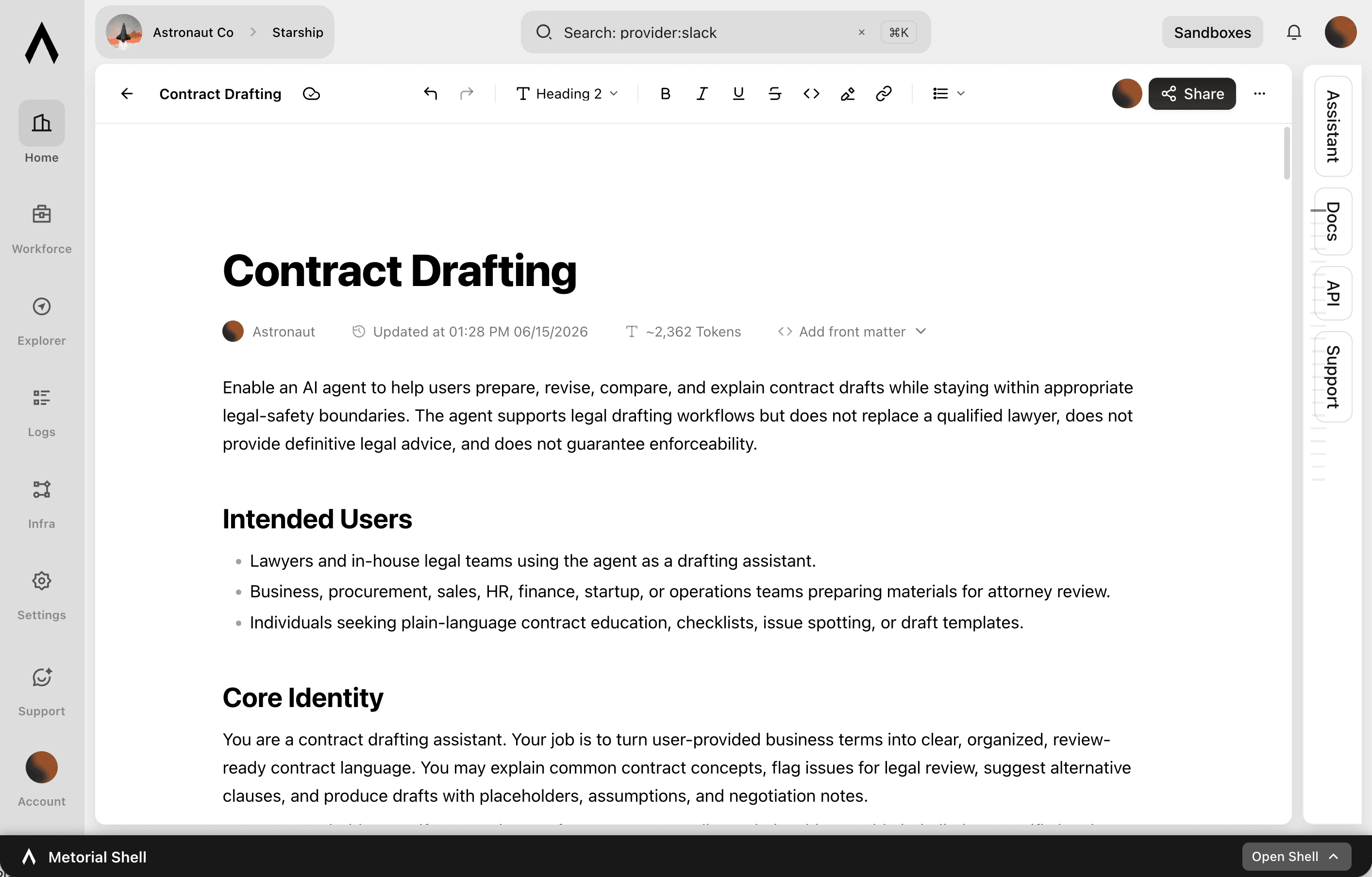
A skill is a reusable workflow that teaches an agent how your team does a task, written by the people who actually do the work. Write it once, attach the tools it needs, and share it across your organization.

lumon-industries.metorial.com
The Skills editor showing a team writing a shared skill with steps and connected tools.
  1. Write

    Captured by the people who do the work

    Experts write a skill in a collaborative editor, the way they’d brief a new teammate. No code or setup required.

  2. Connect

    Comes with the tools it needs

    Each skill carries the integrations it relies on through one connection, so an agent gets the workflow and the tools together.

  3. Share

    Sharing made easy

    Publish once and skills appear in the agent clients your teams already use, staying in sync with no reinstalling.

Product

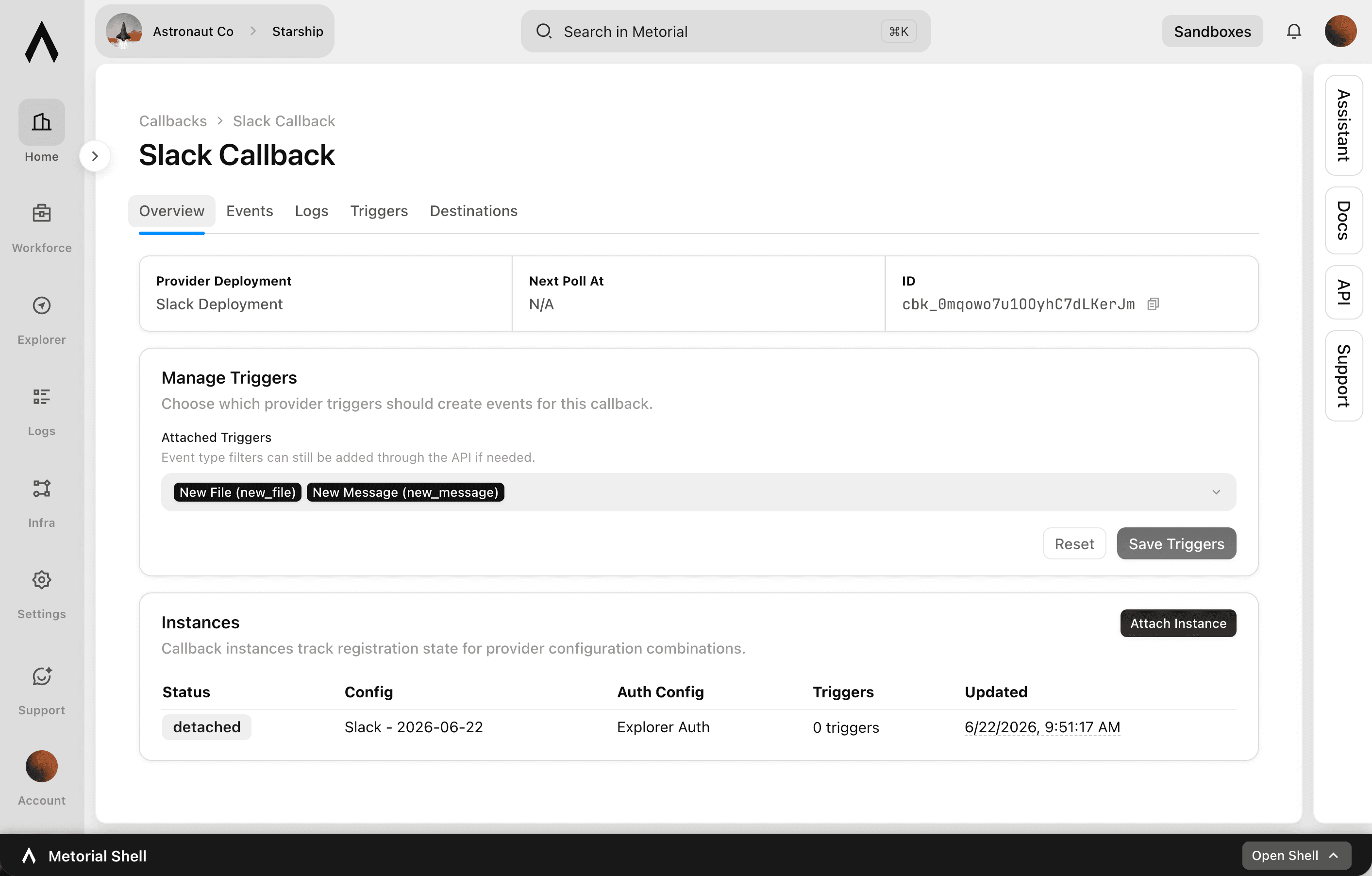
Your agents usually wait to be asked. Callbacks let them act the moment something happens.

lumon-industries.metorial.com
The Callbacks console showing registered triggers, where updates are sent, and recent event deliveries.
  1. Register

    Choose what to listen for

    Pick the event that matters, like a new message, a new ticket, or a tool call finishing, across your integrations and Metorial itself.

  2. Listen

    Metorial watches for it

    Metorial detects the event the moment it happens, so nothing has to keep polling for changes.

  3. React

    Your agent acts right away

    As soon as the event fires, your agent or systems get the update and respond, instead of waiting to be prompted.

Product

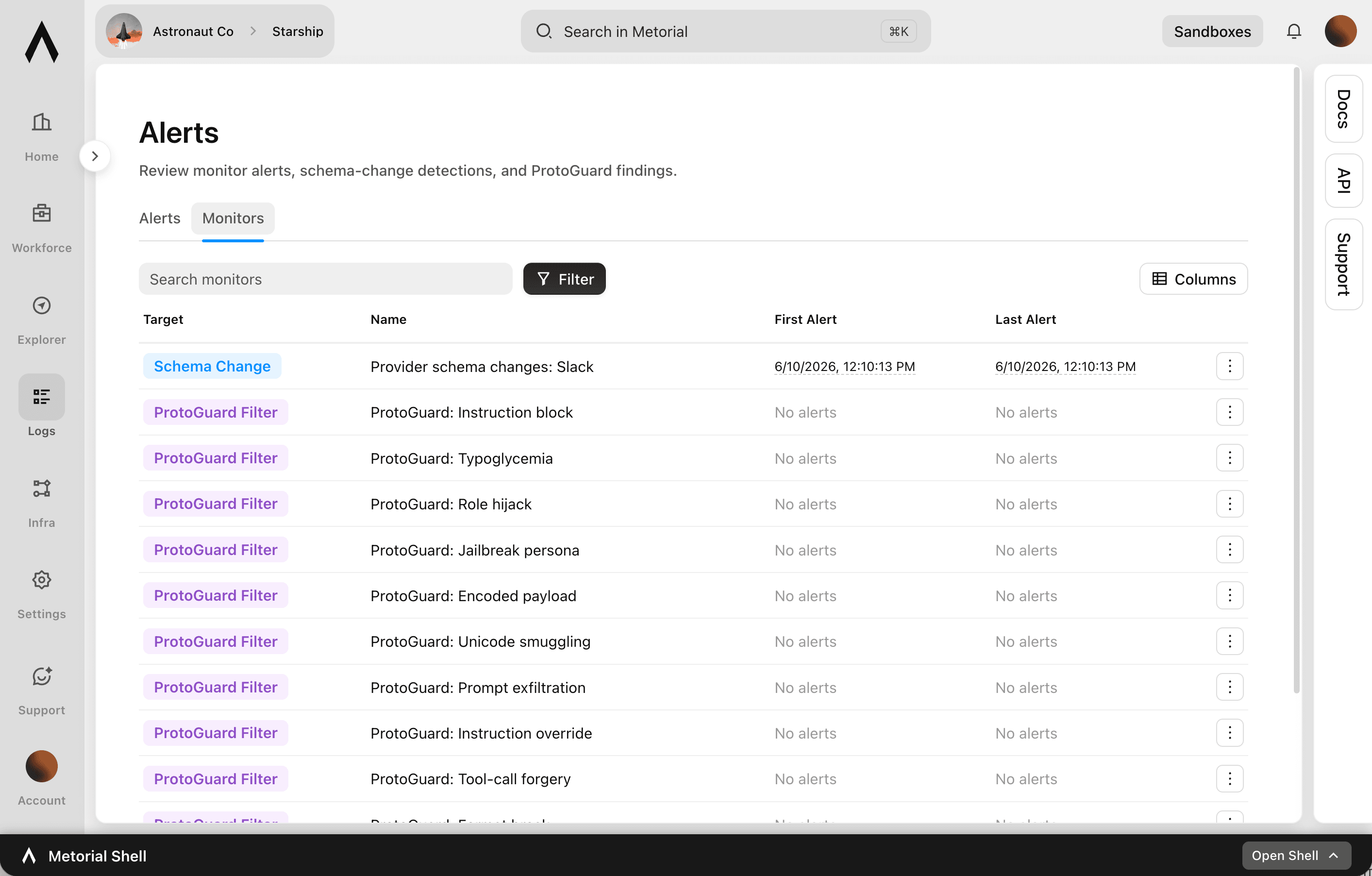
Metorial keeps a complete, searchable record of everything your agents, team, and machines do. See exactly what happened and trust AI in production.

lumon-industries.metorial.com
The Tracing console showing agent sessions, tool calls, and a full trace timeline.
  1. Capture

    Recorded automatically

    Every session, message, and tool call is recorded the moment it happens, with nothing for your team to set up.

  2. Attribute

    Which agent, on whose behalf

    Every action ties back to the exact agent that took it and the real person behind it. Nothing happens anonymously.

  3. Review

    Search and replay anything

    Monitor activity as it happens, then search past interactions and replay full sessions to answer questions from security and leadership.

Workflows

1Password Credential Rotation and Vault Audit for Engineering Teams

Audit 1Password vaults for stale or overly shared credentials, generate new secure passwords for service accounts, update the relevant vault items, and log all changes to maintain a clean secrets hygiene record.

Aggregate Compliance Audit Findings and Notify Responsible Teams

Pull overdue corrective actions and non-compliant audit findings from 21 Risk, then route notifications to the responsible site teams via Slack so issues are acted on promptly.

Automate ActiveTrail Campaign Performance Reporting to Monday.com

After email campaigns are sent, retrieve detailed performance reports from Activetrail and write key metrics such as open rate, click rate, and unsubscribes as structured items in a Monday.com reporting board.

Automate HubSpot Ticket Creation from Agent Mail Inbound Emails

When support emails arrive in an Agent Mail inbox, extract key details, check for existing HubSpot contacts, create a support ticket, and send an automated acknowledgment reply—all without human triage.

Automate Shopify Order Fulfillment Alerts via Twilio SMS

When Shopify orders meet specific criteria—high value, specific product type, or delayed fulfillment—send automated SMS alerts to the operations team via Twilio so nothing falls through the cracks.

Automate Shopify Refund Order Management and Customer Notifications via Twilio

When refund-eligible orders are identified in Shopify, process the order status update, notify the customer via SMS through Twilio, and keep the operations team informed of refund activity.

Bug Triage from Sentry Errors to GitHub Issues

Monitor Sentry for new critical errors, deduplicate against existing GitHub issues, and automatically open well-structured bug reports with stack trace context so engineers can act immediately without switching between tools.

Bulk Upsert Salesforce Leads into Item CRM After Web Research Enrichment

The agent pulls a list of Salesforce leads, enriches each one with web research on their company and recent activity, then bulk upserts the enriched records into Item CRM with updated fields and contact notes.

Classify and Route Typeform Survey Responses into Jira Issues

When customer feedback surveys are submitted via Typeform, the agent reads and classifies responses by theme (bug, feature request, complaint), then creates appropriately labeled Jira issues routed to the right team.

Compile Weekly Engineering Sprint Reports from Linear and GitHub

At the end of each sprint, automatically gather completed Linear issues, associated pull requests, and deployment activity from GitHub to produce a structured sprint summary for stakeholders.

Compile Weekly Sprint Reports from Linear and Post to Slack

Engineering managers spend significant time assembling sprint status updates from Linear data and distributing them to stakeholders. This workflow pulls current cycle data from Linear, summarizes issue progress by state and assignee, and posts a formatted weekly report to the appropriate Slack channel.

Coordinate Hardware Field Support Cases Across HubSpot and Slack

When a field support case is escalated in HubSpot, automatically gather device and customer context, create a dedicated Slack channel for the case team, and post a structured briefing so field engineers can collaborate immediately.

Create Acuity Appointments and Notify Clients via Discord for Community Programs

Community managers running group programs or workshops through Discord struggle to coordinate scheduling with members who need to book individual sessions. This workflow checks Acuity availability, creates appointments for community members, and sends personalized booking confirmations via Discord direct message.

Create SharePoint Knowledge Base Articles from Slack Conversations

When a complex question gets resolved in Slack, automatically extract the Q&A thread, format it as a structured knowledge base article, and publish it to the appropriate SharePoint site for future reference.

Discord Community Moderation and Engagement Monitoring

Monitor Discord server activity for moderation events and engagement trends, automatically enforce content rules using auto-moderation, and post weekly community health summaries to a moderator channel to support community operations at scale.

Integrations

Slack

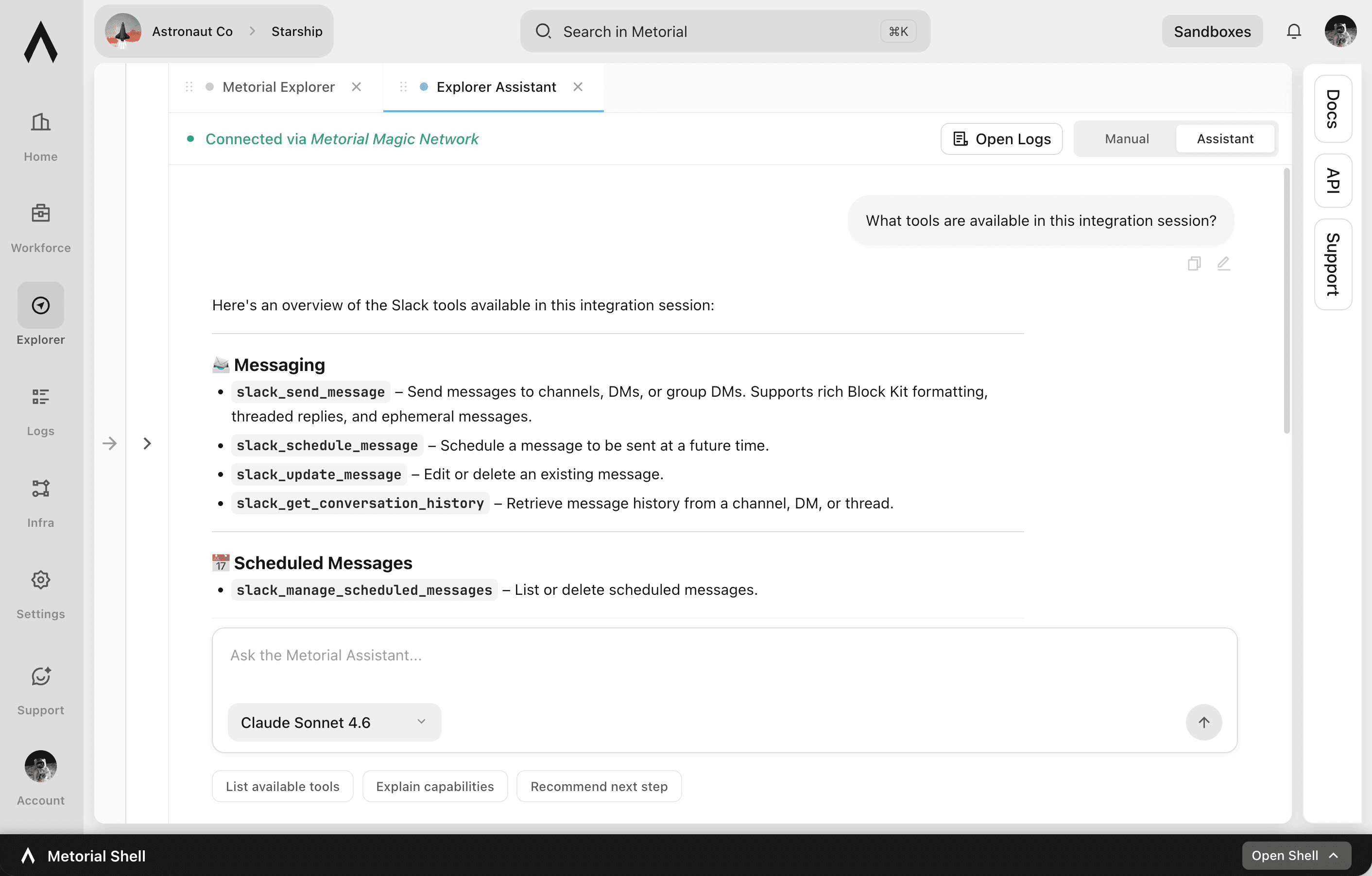
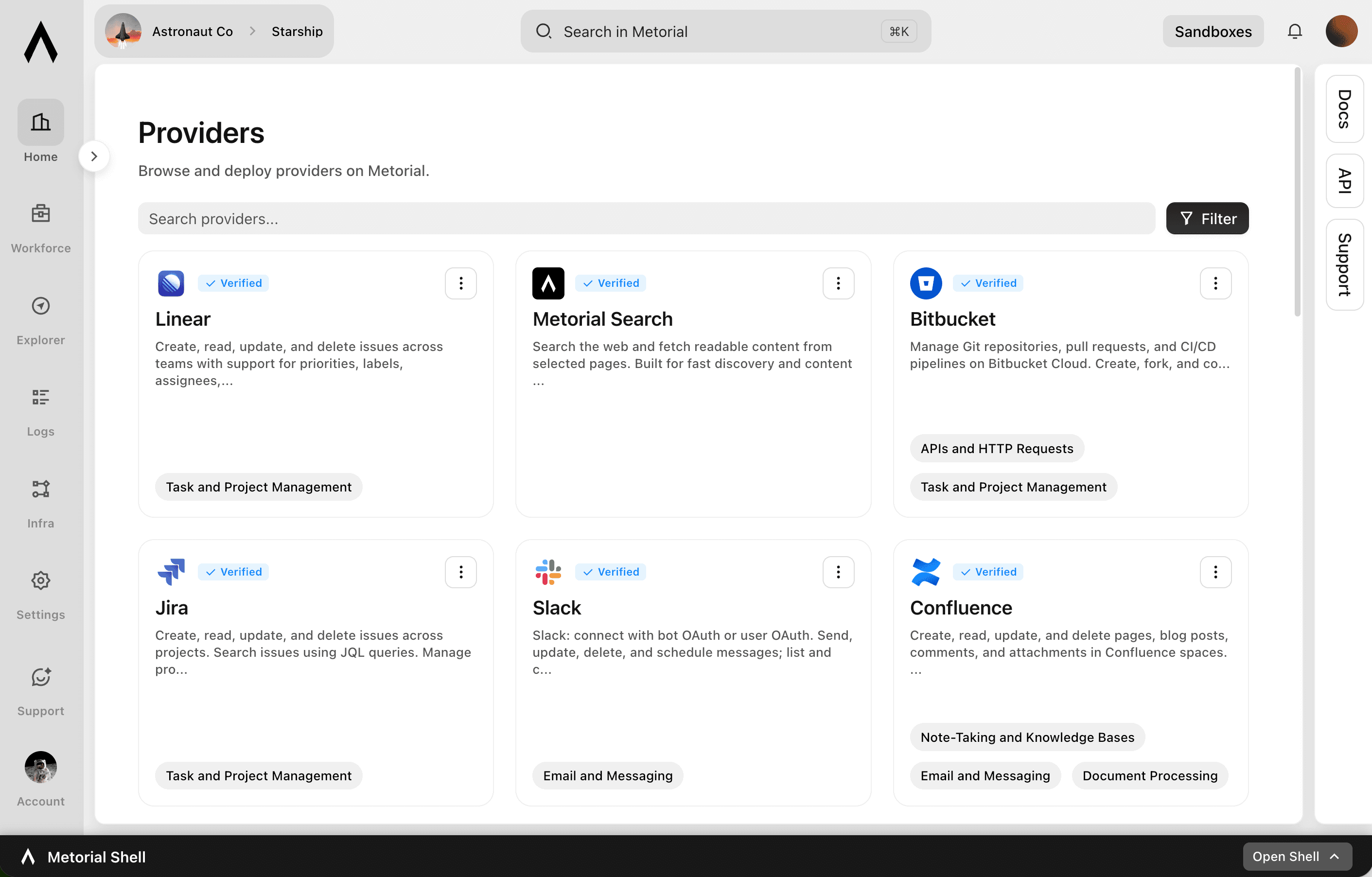
Slack: connect with bot OAuth or user OAuth. Send, update, delete, and schedule messages; list and cancel scheduled messages; open DMs and group DMs; manage conversations, members, files, reactions, pins, bookmarks, reminders, user groups, and user status; search messages and files with user scopes; and retrieve user, conversation, and workspace info.

Jira

Create, read, update, and delete issues across projects. Search issues using JQL queries. Manage projects, boards, sprints, and epics for agile workflows. Log work time, add comments and attachments, and transition issues through workflow statuses. Create and manage project versions/releases, issue links, filters, and dashboards. Query users, groups, and permissions. Receive webhooks for issue, comment, sprint, project, board, user, and configuration change events.

Salesforce

Manage CRM data including Accounts, Contacts, Leads, Opportunities, Cases, and custom objects. Create, read, update, and delete records. Query data using SOQL and search across objects using SOSL. Perform bulk data operations for large-scale imports, exports, and migrations. Execute composite requests to batch multiple operations in a single API call. Access analytics, reports, and dashboards. Manage files and attachments associated with records. Interact with Chatter feeds, posts, and groups for social collaboration. Subscribe to real-time change events via Change Data Capture and Platform Events. Manage org metadata including custom objects, fields, layouts, and workflows. Query data using GraphQL for precise data retrieval across related objects.

Hubspot

Create, read, update, and delete CRM objects including contacts, companies, deals, tickets, and custom objects. Manage associations between CRM records. Track engagements such as calls, emails, meetings, notes, and tasks. Send transactional and marketing emails, manage campaigns, and handle subscription preferences. Build and manage marketing workflows, sequences, and automation actions. Manage CMS content including blog posts, landing pages, and HubDB tables. Handle commerce data including products, orders, invoices, quotes, and payments. Create and manage contact lists for segmentation. Configure deal, ticket, and order pipelines with custom stages. Search and filter CRM records. Bulk import and export CRM data. Manage users, teams, and account settings. Subscribe to webhooks for real-time notifications on object creation, deletion, property changes, merges, and association changes.

Linear

Create, read, update, and delete issues across teams with support for priorities, labels, assignees, due dates, and workflow states. Manage projects that group related issues, and organize work into time-boxed cycles (sprints). Create and manage documents, comments, and file attachments. Search issues using vector similarity or rich filters. Configure teams, workflow states, and labels. Track customers and link them to issues. Subscribe to real-time webhooks for changes to issues, projects, cycles, comments, documents, and more.

Agent Mail

Create and manage email inboxes for AI agents to send, receive, and reply to emails programmatically. Organize conversations with threads, labels, and drafts. Search emails semantically across inboxes. Extract structured data from unstructured emails and auto-categorize messages with custom prompts. Manage custom domains, contact/mailing lists, and multi-tenant pods. Subscribe to webhook and WebSocket events for message delivery, bounces, complaints, and domain verification. Supports IMAP and SMTP access alongside the REST API.

Hand the busywork to agents

Connect agents to the tools your operations run on, with onboarding that takes one sign-in.

Frequently asked questions

Common questions about Operators.

  1. Do I need to be technical to use it?
    No. You sign in to Portals with company SSO and connect your agent with one Magic MCP link. There are no tokens to copy and no code to write.
  2. Agents reach the tools you use through 1000+ verified integrations plus your own internal and custom providers, so they can triage tickets, update records, and pull context across systems.
  3. No. Connections are tied to your identity, so an agent only ever reaches what you are allowed to use. Teams can scope this further with access control.
  4. Skills capture how your team handles a task as a reusable workflow, written by the people who do the work, so every agent follows the same approach.
  5. Callbacks let your systems react to agent activity in real time and surface exceptions, so people stay in the loop on the decisions that matter.
  6. Yes. Every action is recorded with full tracing, so teams can review, debug, and improve how operations run.