Moonfire
Solutions
Agents act on the real identity of the person behind them and can never exceed that person’s access. Policies apply across users, groups, tools, and providers. Protoguard inspects every call, and tracing records all of it — control built in, not bolted on.
- 01
No shared credentials to govern
Agents act on the real identity of the person behind them, so there are no broad service tokens to provision, rotate, or contain. An agent inherits exactly what its user is allowed to do, and nothing more.
- 02
One place to set policy
Apply policies across users, groups, tools, and providers from a single control plane. SSO/SAML and your existing groups import in, so access maps to the structure you already maintain.
- 03
Traffic inspected in line
Protoguard sits in front of every agent, catching prompt injection, watching for provider schema changes, and blocking out-of-policy tool calls before they reach your systems.
- 04
Built for where your data has to live
Run providers in isolated enclaves with firewalls, Vault, and KMS, and deploy multi-region or on-prem for data residency. Every interaction is traced against the identity behind it.
Agents inherit a person’s access
With tokenless auth and identity delegation, each agent acts as the person behind it — and can never reach anything that person can’t.
Every call is checked before it lands
Protoguard reviews incoming messages and tool requests, catches prompt injection, and blocks calls outside your policies before they reach your systems.
See exactly what happened
Tracing and audit logs record every interaction against the real identity behind it, so security and operations can review and report without chasing each team for its own logs.
Customer stories

Solution
Metorial for Enterprise
Connect AI agents to the tools and data your teams already use, onboard people in minutes with company SSO and one link, and keep the access control, security, and visibility the enterprise needs underneath.
lumon-industries.metorial.com
- Adopt
Agents that do real work
Give every team agents that reach the tools and data they already use, so people get value on day one instead of waiting on setup.
- Connect
Onboarding that just works
People sign in with company SSO and connect through one Magic MCP link, with no tokens to manage and no code to write.
- Enterprise-ready
The controls you need, built in
Access control, security checks, and full tracing come standard, so broad adoption stays governed without slowing anyone down.
Product
Protoguard
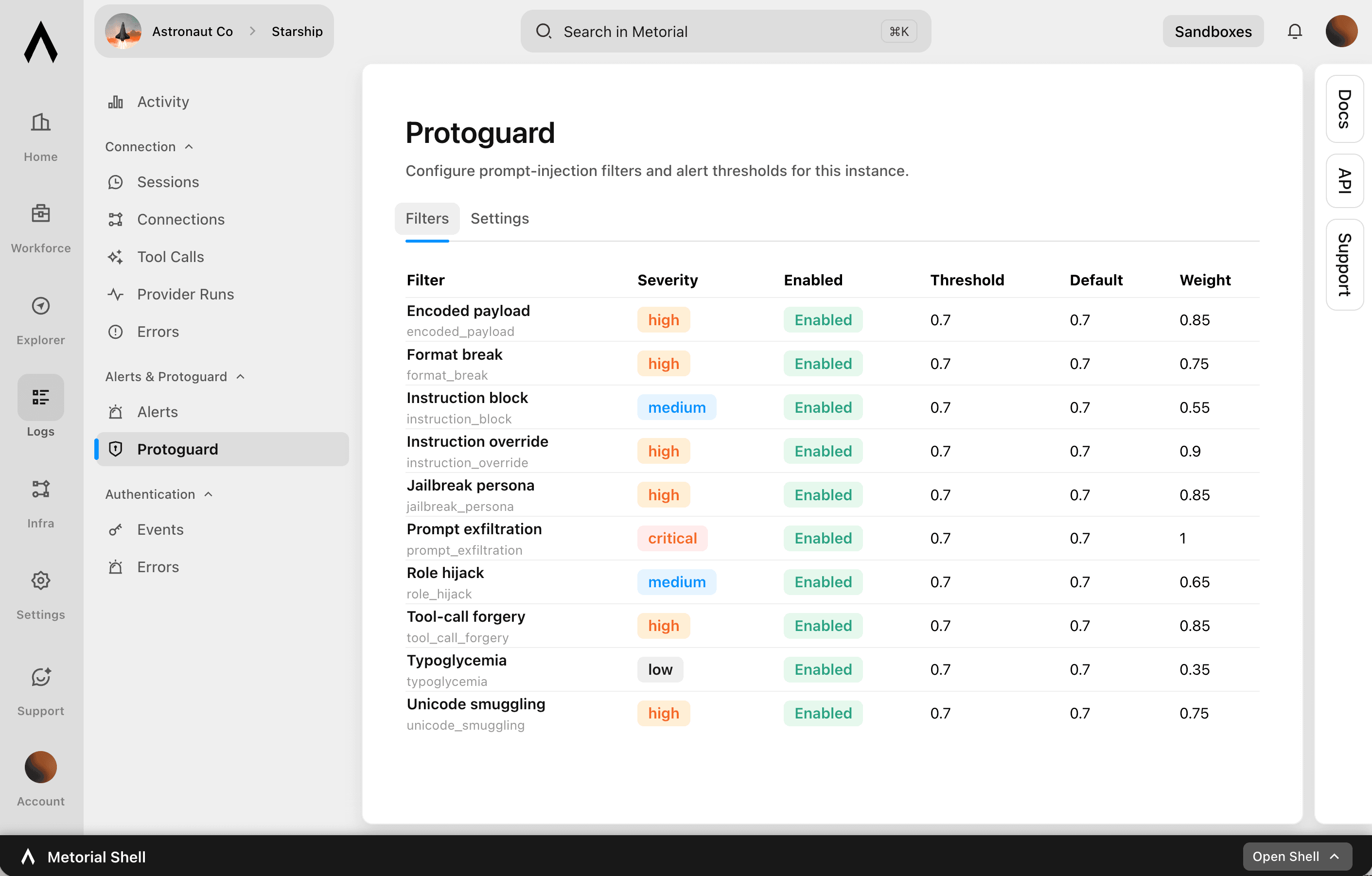
Protoguard is Metorial’s security layer for AI agents. It reviews incoming messages and tool requests before an agent acts, catches prompt injection, watches for provider schema changes, and blocks anything outside your policies before it reaches your systems.
lumon-industries.metorial.com
- Review
Check every message and request
Protoguard scans incoming messages for prompt injection and checks each tool request against your filters and policies before an agent acts.
- Monitor
Watch for risky changes and activity
Monitors track provider schema changes and suspicious behavior, turning flagged activity into alerts with the context your security team needs.
- Block
Stop and contain anything unsafe
Requests outside your rules are blocked before they reach connected systems, and what does run stays contained on isolated infrastructure.
Product
Access Control
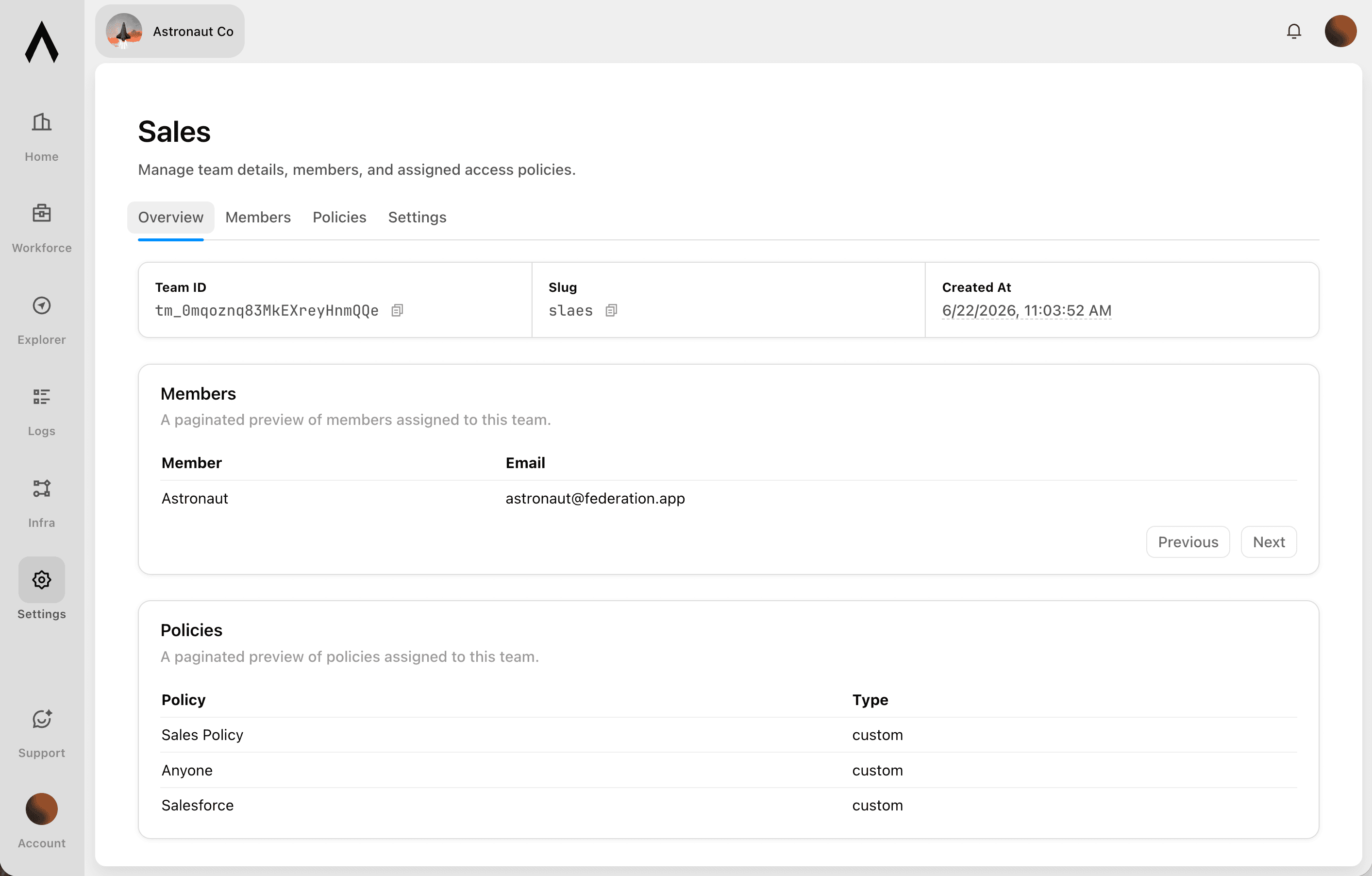
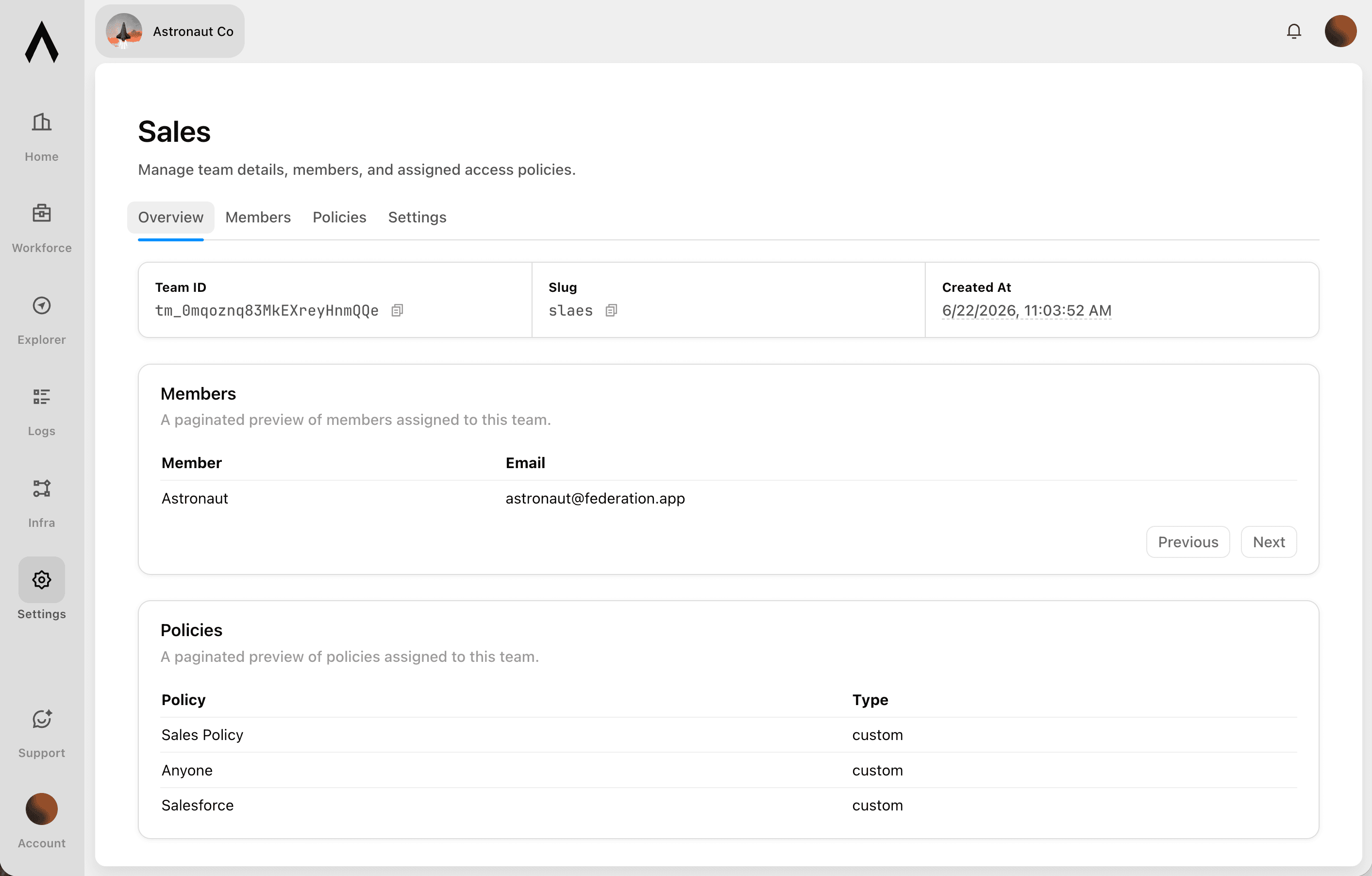
Sign in with company SSO, set policies per user and group, and let agents act on real identity across Portals and Magic MCP.
lumon-industries.metorial.com
- Who
People, groups, and agents
People sign in with your existing identity, and groups, service accounts, and each agent are governed the same way. Non-human access is never an exception.
- What
Agents, tools, and providers
Decide which agents can act and which tools, actions, and providers each one can reach. Allow a provider while still blocking specific tools.
- How
Set once, enforced everywhere
Policies follow the real user behind every agent, cap what any single agent can do, and can be revoked the moment someone leaves.
Workflows


Aggregate Compliance Audit Findings and Notify Responsible Teams
Pull overdue corrective actions and non-compliant audit findings from 21 Risk, then route notifications to the responsible site teams via Slack so issues are acted on promptly.


Aggregate Snowflake Revenue Data into Microsoft Fabric for Finance Reporting
The agent queries Snowflake for monthly revenue, churn, and expansion metrics, stages the results in Microsoft Fabric's OneLake, and triggers a Data Factory pipeline to refresh the finance reporting dataset.


Analyze Tableau Dashboard Usage and Report Access Anomalies via Email
BI and data governance teams need visibility into who is accessing sensitive Tableau dashboards and whether permissions are correctly scoped. This workflow audits Tableau workbook permissions, identifies users with access beyond their role, and sends a summary report to the data governance team via Outlook.


Audit SharePoint Document Permissions Across Sites and Report Violations
Scan SharePoint sites and document libraries to identify files with overly broad sharing permissions or unexpected external access, compile an audit report, and send it to the compliance team via email.

Automate Salesforce Opportunity Updates from Email Conversations
Revenue teams lose deal context when key email exchanges never make it back to Salesforce. This workflow searches Outlook for recent email threads related to open opportunities, summarizes the key developments, and updates the corresponding Salesforce opportunity records to keep the CRM accurate.

Compile Wealth Management Client Briefings from Web Research and Outlook Calendar
Before a client meeting, automatically research the client's company and portfolio context online, pull upcoming calendar details from Outlook, and compile a structured pre-meeting briefing for the advisor.
Enrich Salesforce Accounts with Live Web Intelligence
Keep Salesforce account records current by periodically researching each account online, extracting key firmographic signals, and writing enriched data back without manual data entry.

Finance Procurement Request Processing
When a procurement request arrives by email, validate the vendor IBAN, check currency exchange rates for international payments, create a tracked task in Outlook, and notify the finance team in Microsoft Teams.
FP&A Reporting Support with Exchange Rate Normalization
Pull financial records from Salesforce, normalize multi-currency revenue figures using live exchange rates, and compile a consolidated revenue report posted to the finance Microsoft Teams channel.
Integrations
Salesforce
Manage CRM data including Accounts, Contacts, Leads, Opportunities, Cases, and custom objects. Create, read, update, and delete records. Query data using SOQL and search across objects using SOSL. Perform bulk data operations for large-scale imports, exports, and migrations. Execute composite requests to batch multiple operations in a single API call. Access analytics, reports, and dashboards. Manage files and attachments associated with records. Interact with Chatter feeds, posts, and groups for social collaboration. Subscribe to real-time change events via Change Data Capture and Platform Events. Manage org metadata including custom objects, fields, layouts, and workflows. Query data using GraphQL for precise data retrieval across related objects.
Microsoft Outlook
Send, read, reply to, forward, and manage email messages in user mailboxes. Organize messages into folders, apply categories, flags, and importance levels. Manage file and item attachments. Create, update, delete, and respond to calendar events and meetings. Find available meeting times, manage attendees, handle recurrence, and work with shared or delegated calendars. Create, read, update, and delete contacts, organize them into contact folders, and manage contact photos. Manage tasks and task lists via Microsoft To Do, including due dates, reminders, recurrence, and checklist items. Subscribe to webhook notifications for changes to messages, calendar events, and contacts. Support for Focused Inbox, @-mentions, mail tips, send-on-behalf, and send-as capabilities.
Sharepoint
Manage SharePoint sites, document libraries, lists, and files. Create, read, update, and delete lists and list items with custom columns. Resolve site users to numeric Person/Group LookupId values. Upload, download, move, copy, and version files in document libraries. Search across sites, files, folders, lists, and list items using Microsoft Search. Manage permissions at site, list, and item levels with granular access control. Define and manage content types and site columns. Subscribe to webhooks for list and library change notifications. Retrieve site properties and search for sites across Microsoft 365.
Slack
Slack: connect with bot OAuth or user OAuth to work with messages, conversations, search, files, Canvases, Lists, profiles, reactions, reminders, and workspace productivity settings.
Tableau
Manage Tableau Cloud and Tableau Server resources through the Tableau REST API. Query and manage workbooks, data sources, views, custom views, flows, users, groups, projects, permissions, favorites, collections, jobs, and data-driven alerts. Export views as CSV, PNG, or PDF.

Jira
Create, read, update, and delete issues across projects. Search issues using JQL queries. Manage projects, boards, sprints, and epics for agile workflows. Log work time, add comments and attachments, and transition issues through workflow statuses. Create and manage project versions/releases, issue links, filters, and dashboards. Query users, groups, and permissions. Receive webhooks for issue, comment, sprint, project, board, user, and configuration change events.
Frequently asked questions
Common questions about AI governance and security.
How do agents get access without shared credentials?
Each agent acts as the person behind it through tokenless auth and identity delegation, so it can never exceed what that person is allowed to do. There are no broad service tokens to issue or rotate. Access control applies policies across users, groups, tools, and providers.Can we review everything agents do?
Yes. Tracing and audit logs record every interaction against the real identity behind it, so security and operations can see exactly what happened.What stops a malicious or out-of-policy call?
Protoguard inspects incoming messages and tool requests before an agent acts, catching prompt injection and blocking calls outside your policies. Sensitive providers can also run in isolated enclaves, and you can deploy multi-region or on-prem for data residency.