Moonfire
Agent connectivity
Give agents access without losing control
Point your agent at Metorial and let it reach the integrations, providers, and internal systems you allow, without unmanaged credentials or brittle connector work.
Connect to the tools teams use
Metorial gives agents access to validated, first-party connections for the systems your teams already rely on.
- 1,000 integrations
- Maintained provider connections
- Tools and data sources in one catalog
Works with the agents you have
Codex, Claude Code, Cursor, and any MCP-compatible client connect the same way, with no change to how the agent is built.
Built to hold up in real use
Connections stay governed, secured, and traced, so what works in a demo keeps working once teams depend on it.
- Policies through Access Control
- Traffic checks with Protoguard
- Every tool call stays visible
How it works
From a new agent to governed tool access in four steps
The same path works whether one developer is wiring up a coding agent or an entire company is rolling agents out across teams.
- 1
Connect your agent
Add Metorial to Codex, Claude Code, Cursor, or your own agent through Magic MCP or the CLI. - 2
Choose its tools
Give it access to 1,000 validated integrations or your own custom providers. - 3
Set the rules
Decide which users, tools, and providers each agent is allowed to reach. - 4
Run in production
Every call stays secure, governed, and traced as teams come to depend on it.

Product
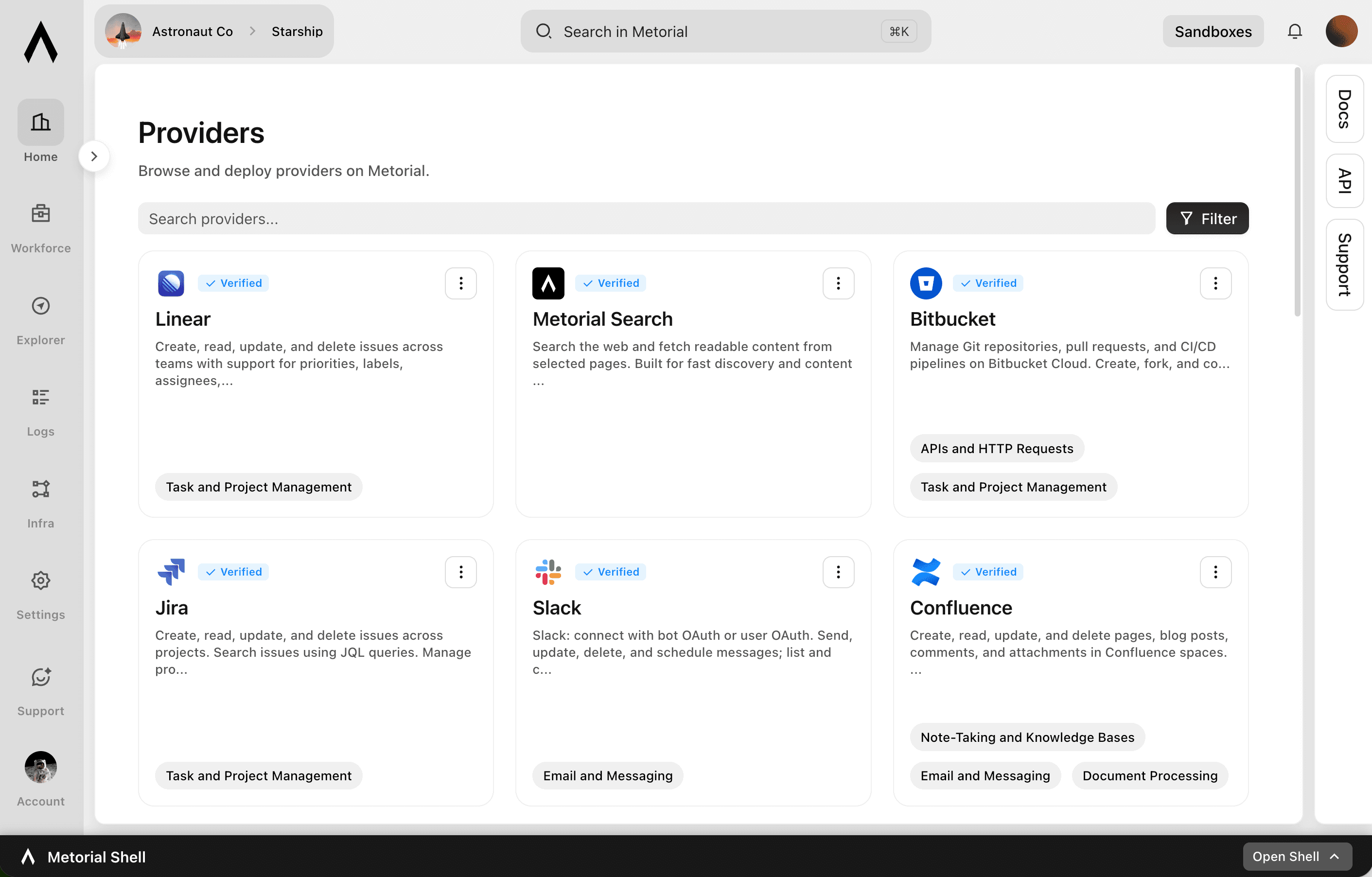
Integrations
Start from 1000+ verified integrations or add your own, and give every one a governed path to your agents under existing SSO and access policies.
lumon-industries.metorial.com
- Connect
Any tool, ours or yours
Start with 1000+ verified integrations or add the internal systems and private APIs only your team has as custom, remote, or Docker-based providers.
- Reach
One link for every approved tool
Agents reach the integrations they’re allowed to use through a single connection, with no connector project per tool.
- Govern
Scoped and traceable by default
Access follows the groups and policies you already manage, down to individual tools and actions, and every call stays on the record.
Product
Magic MCP
Magic MCP is a single URL you paste into your AI client. Sign in with the login you already use, and your agent reaches every integration and tool you allow it to use.
lumon-industries.metorial.com
- One URL
Paste one link into any agent
Drop a single Magic MCP URL into any MCP-compatible client. Nothing to install and no integration to wire up tool by tool.
- Every tool
1000+ integrations, plus your own
The same link reaches a growing catalog of verified integrations and the custom or remote MCP servers only your team has, kept current for you.
- Your access
Only what you allow, never more
Sign in with the identity you already use and stay tokenless. Behind the link, every call runs on the real user and reaches only the tools they’re allowed.
Product
CLI
Let agents use the CLI for native integration work. Skip unnecessary tool schema overhead.
- Connect
Set up an integration in minutes
Install the CLI, sign in, and connect a provider, then list its tools and inspect each one, all from the terminal.
- Call
Run tools as commands
Agents use commands, flags, and help text they already understand, with no large tool schema to load before they can act.
- Automate
The same workflow anywhere
Run integration work locally, in scripts, and in CI, so it fits the automation your team already has.
Make agent access ready for production
After the first connection, teams still need controls. Metorial checks risky calls, scopes access, supports team self-service, and gives internal tools the same managed path.
Security
Check risky calls before they run
Protoguard reviews agent traffic for prompt injection and risky actions before it reaches connected systems.
Access control
Scope access by user, tool, and provider
Set policies for who can use each provider and which tools each agent is allowed to call.
Portals
Let teams connect approved agents
Portals give teams a simple sign-in flow for connecting agents without setup work or shared credentials.
Custom providers
Add internal systems when needed
Expose internal tools as custom providers when teams need agent access beyond the managed catalog.

Frequently asked questions
Common questions about Metorial for Agents.
Does Metorial support MCP?
Yes. Magic MCP gives an agent one link to every tool and integration it is allowed to use, so you connect once instead of wiring up servers by hand.How many integrations does Metorial have?
Metorial maintains 1,000 validated, first-party integrations for the tools and data sources teams already use, with new providers added regularly.Can I connect internal or custom tools?
Yes. When an off-the-shelf integration does not exist yet, expose your own systems as custom providers and agents reach them the same way.How do I control what an agent can access?
Access control lets you set policies across users, groups, tools, and providers, so each agent gets exactly the access it should and nothing more.How does Metorial keep agent actions secure?
Protoguard inspects agent traffic for prompt injection and risky calls before they reach your systems, and every action stays traced.Can non-technical teams connect agents?
Yes. Portals let any team connect their own agent through a simple sign-in, with no setup or credentials to manage.