Build AI agents. Don't rebuild the integration layer.

Connect agents to real tools with the Metorial API, SDKs, and CLI. Access control, identity, and tracing are built in, so you ship to production without hand-rolling the parts around your agent.

Built for devs.

Sign up today.
Integrate tonight.

Metorial gives developers official TypeScript, Python, and Go SDKs to connect AI agents to tools in minutes.

TypeScript SDK
GitHub
npm install metorial @metorial/openai openai
Python SDK
GitHub
pip install metorial openai
Agent integration
1import Metorial from 'metorial';
2import { metorialOpenAI } from '@metorial/openai';
3import OpenAI from 'openai';
4
5let metorial = new Metorial({ apiKey: process.env.METORIAL_API_KEY! });
6let openai = new OpenAI({ apiKey: process.env.OPENAI_API_KEY! });
7
8let session = await metorial.connect({
9 adapter: metorialOpenAI.chatCompletions(),
10 providers: [
11 {
12 providerDeploymentId: 'github-deployment-id',
13 providerAuthConfigId: 'github-auth-config-id'
14 }
15 ]
16});
17
18await openai.chat.completions.create({
19 model: 'gpt-4o',
20 messages: [{ role: 'user', content: 'Summarize my open GitHub issues.' }],
21 tools: session.tools() // Pass tools to the agent.
22});
1import os
2from metorial import Metorial, metorial_openai
3from openai import AsyncOpenAI
4
5metorial = Metorial(api_key=os.environ["METORIAL_API_KEY"])
6openai = AsyncOpenAI(api_key=os.environ["OPENAI_API_KEY"])
7
8session = await metorial.connect(
9 adapter=metorial_openai(),
10 providers=[
11 {
12 "provider_deployment_id": "github-deployment-id",
13 "provider_auth_config_id": "github-auth-config-id",
14 }
15 ],
16)
17
18await openai.chat.completions.create(
19 model="gpt-4o",
20 messages=[{"role": "user", "content": "Summarize my open GitHub issues."}],
21 tools=session.tools(), # Pass tools to the agent.
22)

Connect any provider.

The hard part is everything around the agent

Agents need more than a tool call to run in production. Metorial gives developers the API, SDKs, access control, and tracing needed to connect agents to real systems without rebuilding the surrounding infrastructure.

  1. The connection is the easy part

    One API, SDKs for Node, Python, and Go, and a CLI give developers standard ways to build agent access.

  2. Tools and providers ready to use

    Agents can reach 1,000 integrations, plus remote and custom providers, through the same governed platform.

  3. Behavior you need to see

    Tracing records the agent, tool, request, and response, so debugging and audits work the same in production.

From local prototype to production agent

Build, connect, govern, and observe with the same tools you already work in, from first call to production rollout.

  1. 1

    Build with your stack

    Work through the API, Node, Python, and Go SDKs, and the CLI.
  2. 2

    Connect to real tools

    Reach 1,000 integrations and your own custom providers through MCP.
  3. 3

    Govern access

    Apply access control policies and SSO and SAML without sharing credentials.
  4. 4

    Observe everything

    Tracing and callbacks keep agent activity visible to you and your security team.

Product

Integrations

Start from 1000+ verified integrations or add your own, and give every one a governed path to your agents under existing SSO and access policies.

lumon-industries.metorial.com
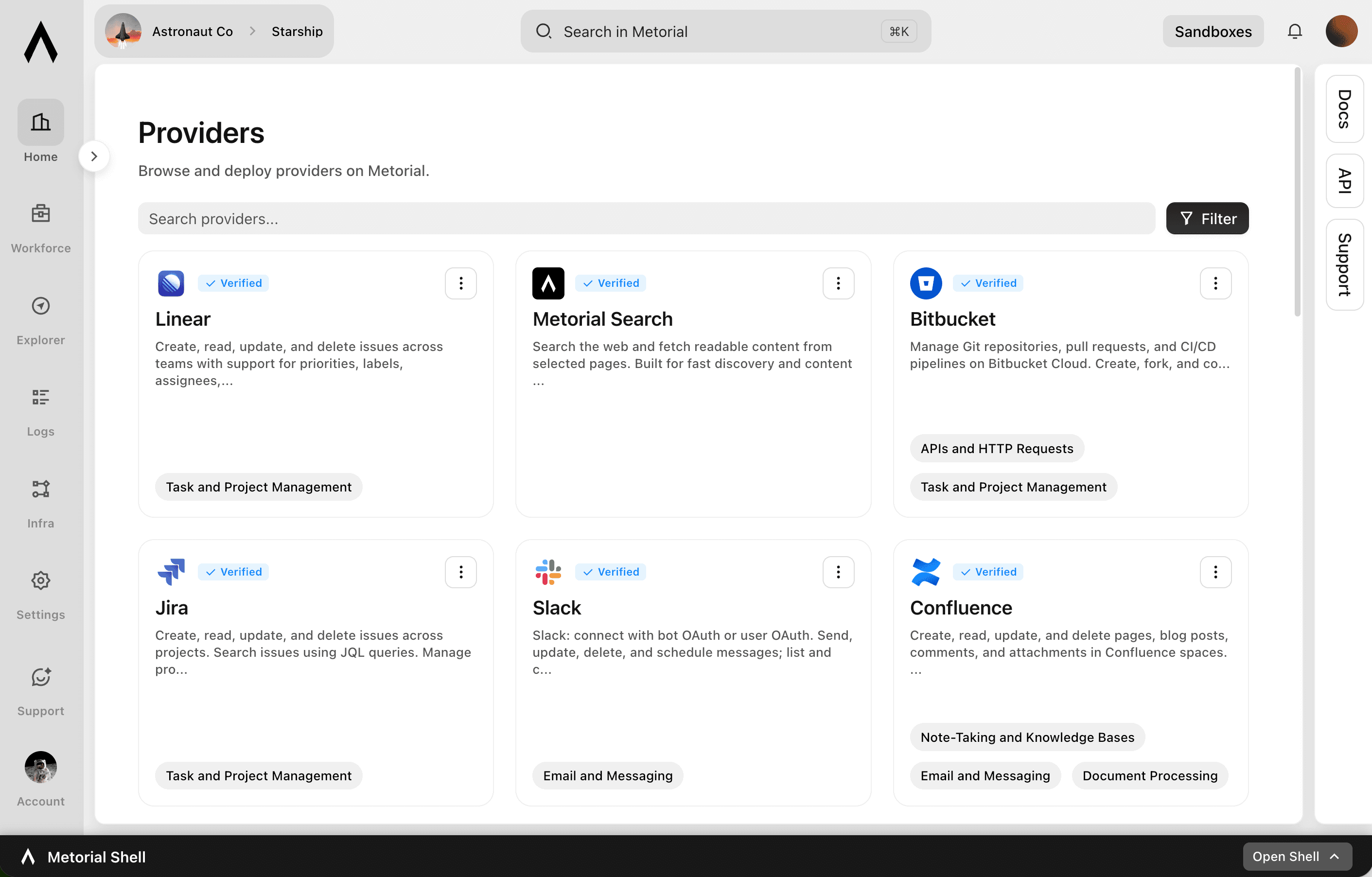
The Metorial integrations catalog showing verified providers, tools, and access controls.
  1. Connect

    Any tool, ours or yours

    Start with 1000+ verified integrations or add the internal systems and private APIs only your team has as custom, remote, or Docker-based providers.

  2. Reach

    One link for every approved tool

    Agents reach the integrations they’re allowed to use through a single connection, with no connector project per tool.

  3. Govern

    Scoped and traceable by default

    Access follows the groups and policies you already manage, down to individual tools and actions, and every call stays on the record.

Product

CLI

Let agents use the CLI for native integration work. Skip unnecessary tool schema overhead.

  1. Connect

    Set up an integration in minutes

    Install the CLI, sign in, and connect a provider, then list its tools and inspect each one, all from the terminal.

  2. Call

    Run tools as commands

    Agents use commands, flags, and help text they already understand, with no large tool schema to load before they can act.

  3. Automate

    The same workflow anywhere

    Run integration work locally, in scripts, and in CI, so it fits the automation your team already has.

Crunched

Metorial lets us turn customer connector requests into something we can actually ship. We can focus on building the AI analyst experience, while Metorial handles the OAuth, permissions, and MCP infrastructure underneath.

Markus Skagemo
Markus SkagemoHead of AI, Crunched
Read Story

Product

Callbacks

Your agents usually wait to be asked. Callbacks let them act the moment something happens.

lumon-industries.metorial.com
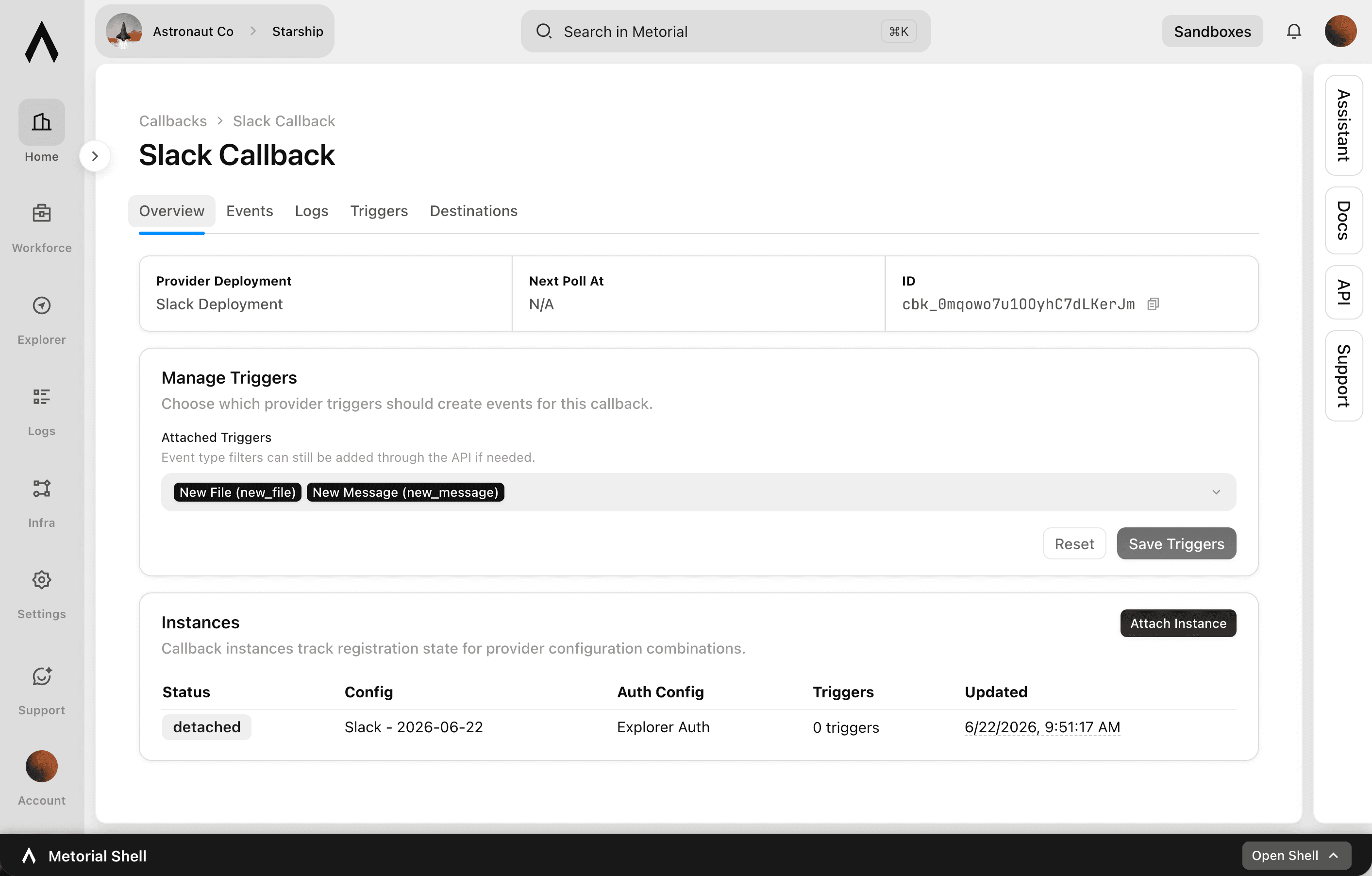
The Callbacks console showing registered triggers, where updates are sent, and recent event deliveries.
  1. Register

    Choose what to listen for

    Pick the event that matters, like a new message, a new ticket, or a tool call finishing, across your integrations and Metorial itself.

  2. Listen

    Metorial watches for it

    Metorial detects the event the moment it happens, so nothing has to keep polling for changes.

  3. React

    Your agent acts right away

    As soon as the event fires, your agent or systems get the update and respond, instead of waiting to be prompted.

Everything around your agent, built in

The pieces you would otherwise build yourself come with the platform: a full API, access control, identity, and tracing, all governed the same way.

API

Control the platform from your code

Manage integrations, access, identities, and skills programmatically, with SDKs for Node, Python, and Go.

Explore the API

Access control

Scope what every agent can do

Set policies across users, groups, tools, and providers so each agent gets exactly the access it should.

Explore Access Control

SSO and SAML

Reuse your identity provider

Sign in with existing SSO and SAML, and agents act with the right user permissions instead of shared credentials.

Explore SSO and SAML

Tracing

See every agent interaction

Review the agent, user, tool, and outcome behind each call for debugging, audits, and security.

Explore Tracing

Build agents on infrastructure you don't have to maintain

Connect agents to real tools with governance, identity, and tracing already built in. Book a demo, or read the docs.

Frequently asked questions

Common questions about Metorial for Developers.

  1. Which languages and SDKs does Metorial support?
    Metorial ships official SDKs for Node, Python, and Go, plus a CLI and a fully API-controlled platform, so you can build in the stack you already use.
  2. Expose your own systems as custom MCP providers and agents reach them the same way they reach the 1,000 ready-made integrations.
  3. Access control applies policies across users, groups, tools, and providers, so each agent gets exactly the access it should without a permission layer you build per project.
  4. Yes. Connect your identity provider with SSO and SAML and agents act with the right user permissions instead of shared credentials.
  5. Every call is recorded with tracing, and callbacks let your own systems react to agent activity in real time, so debugging and audits work the same in production.
  6. Use Magic MCP for protocol-native, dynamic tool access, and the CLI when a workflow is better expressed as commands and scripts. Both run under the same governance model.
  7. Yes. Integrations, access control, policies, identities, skills, and Magic MCP are all available through the Metorial API, not just the dashboard.