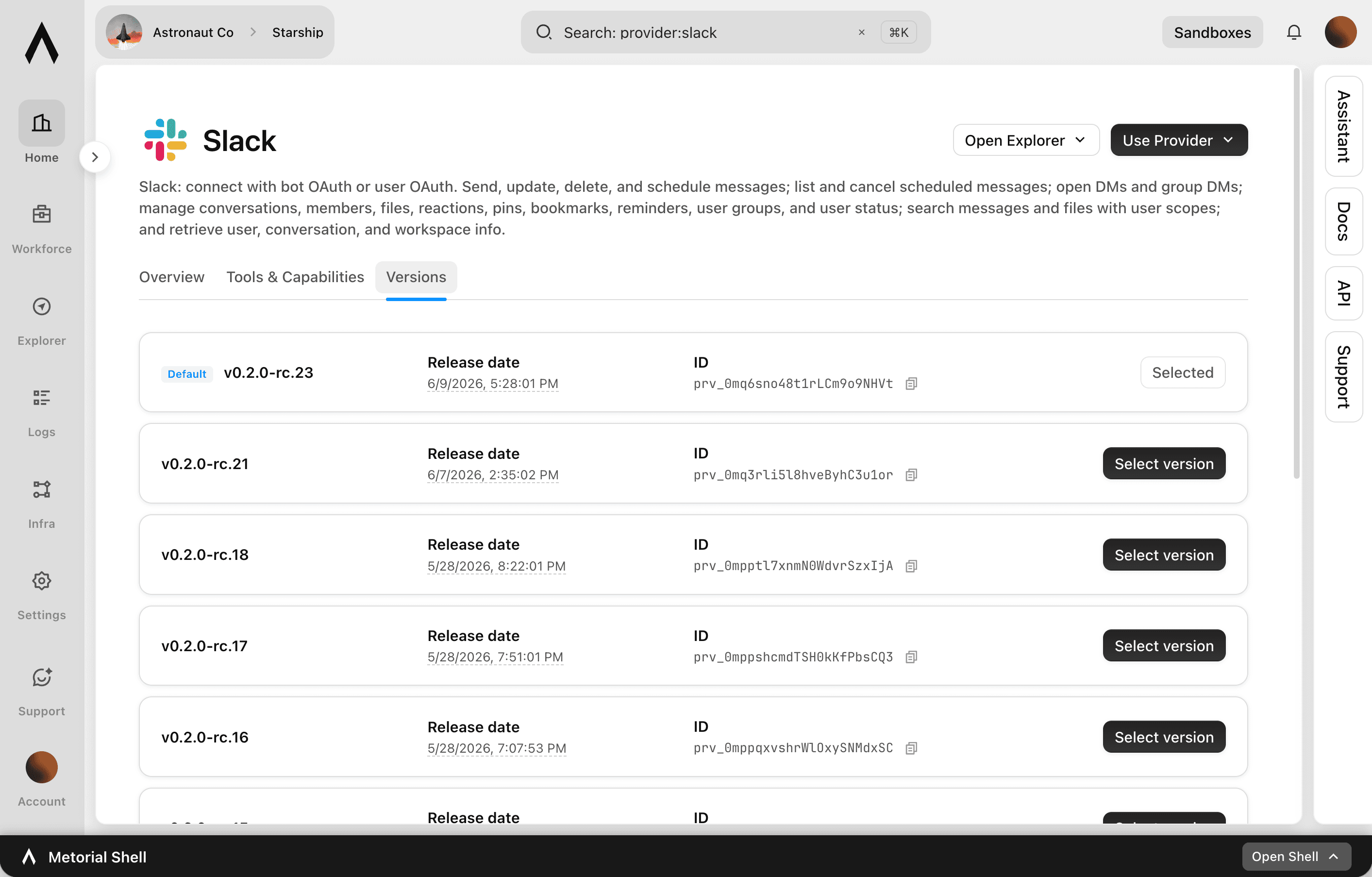
Version Pinning
Know your integrations won't break unexpectedly
When an agent depends on an integration, an upstream change you didn't ask for can break it overnight. Version pinning lets you lock that integration to a version you've verified. You know it will keep behaving the way you expect. Metorial still tracks what's changing, and you can move to a newer version deliberately, on your own schedule.
- 01
Lock to a known-good version.
Pin an integration to a specific version to avoid breaking changes from upstream updates.
- 02
Stay informed while pinned.
Changes are still monitored and alerts can be configured. Pinning doesn't mean losing sight of what's new.
- 03
Update on your schedule.
Move to a new version when you're ready, after reviewing what changed, rather than being forced into it.
What pinning gives you
Stability you control
- Pin to a versionYes
- Change monitoring while pinnedYes
- Alerts on changesConfigurable
- CoverageFirst-party, custom, Docker
Pin a version you trust. Know nothing breaks unexpectedly. Stay informed of updates. Move when you're ready.
FAQ
Answers to common questions about version pinning and how they fit into governed AI agent infrastructure.
What is version pinning?
It lets you lock an integration to a specific version. Upstream changes don't break an agent that depends on it. The integration keeps behaving as you expect until you choose to update.Can I still see what's changing while pinned?
Yes. Changes are monitored and alerts can be configured. You stay aware of new versions even while pinned. See schema change monitoring.When do I update a pinned integration?
Whenever you're ready. You decide when to move to a new version, typically after reviewing what changed, instead of being forced to update.Which integrations can I pin?
First-party integrations, custom MCP servers, and Docker MCP servers.How does pinning relate to provider versions?
Provider versions is the underlying version control that tracks every version. Version pinning is the choice to lock to a specific one.Why pin instead of always updating?
Pinning protects production agents from unexpected changes. It's the safer default when stability matters, while still letting you adopt updates deliberately.