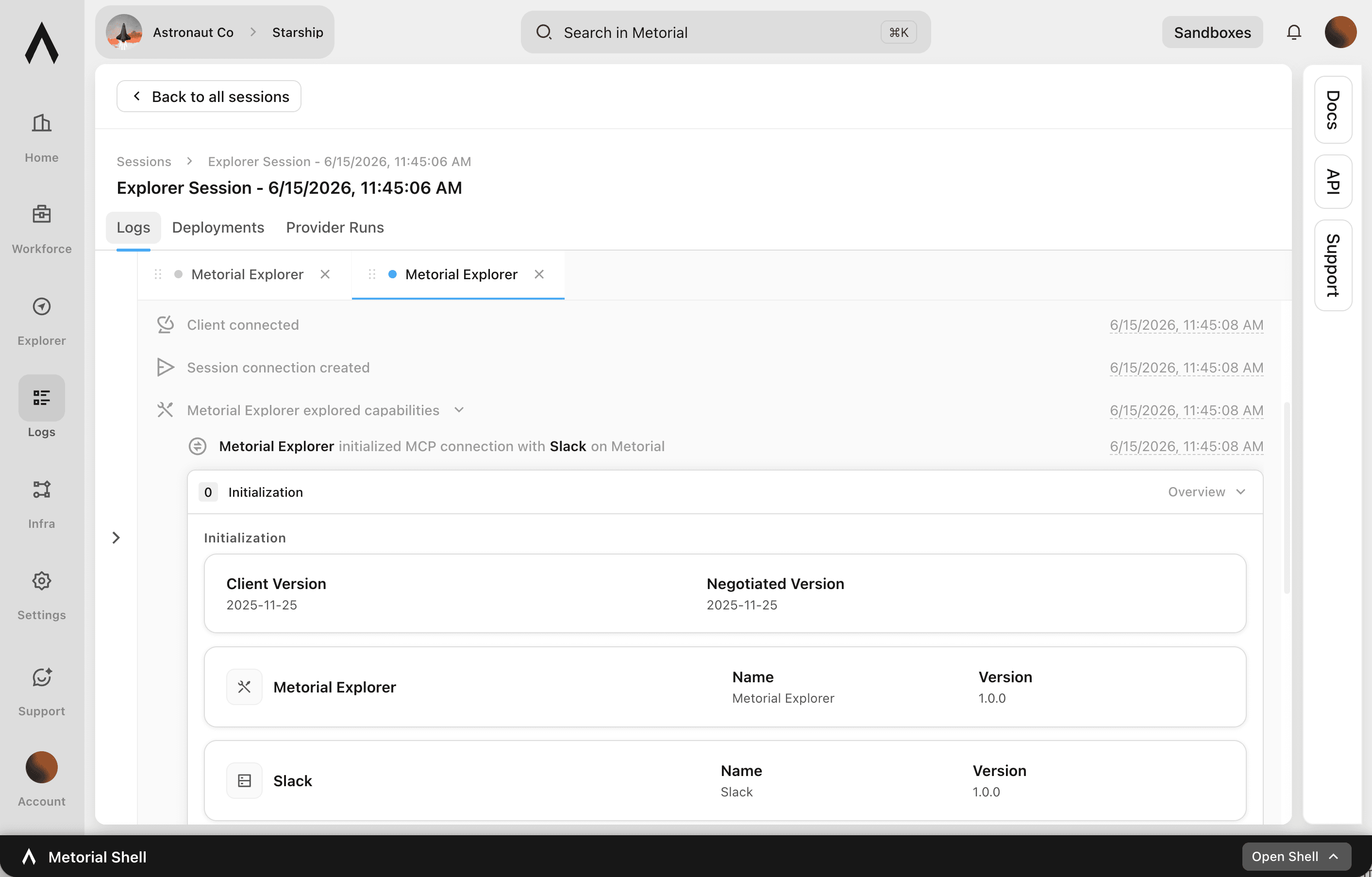
Session Logs
The full story of every connection
When you need to understand what an agent actually did, isolated events aren't enough, you need the whole session. Metorial logs every MCP connection in detail, capturing each tool call, message, and execution. You can follow a session end to end to troubleshoot, monitor, or explain agent behavior.
- 01
Follow a session end to end.
Every tool call, message, and execution in a connection is captured. You can trace exactly what happened in order.
- 02
Debug and explain with confidence.
Use the full session to find the cause of an issue or to show exactly how an agent interacted with your integrations and skills.
- 03
Filter and retain as needed.
Narrow logs by user, agent, integration, or skill, and configure retention to meet compliance requirements.
What's captured
Every connection, in detail
- MCP connections loggedEvery
- Captured per sessionTool calls, messages, executions
- Filter byUser, agent, integration, skill
- RetentionConfigurable
Capture every connection. Follow it call by call. Filter to what matters. Keep it as long as needed.
FAQ
Answers to common questions about session logs and how they fit into governed AI agent infrastructure.
What are session logs?
Session logs capture every MCP connection to Metorial in detail, including each tool call, message, and execution. You can review exactly what happened in a session.What can I use session logs for?
Troubleshooting issues, monitoring performance, and understanding how your agents interact with your integrations and skills, with the full sequence of a session in view.Can I filter session logs?
Yes. Logs can be filtered by user, agent, integration, skill, and more. You can find a specific session or action quickly.How long are session logs kept?
Retention is configurable to meet your compliance requirements, and logs can be exported for auditing and compliance.How are session logs different from observability?
Observability gives you real-time operational health across everything. Session logs give you the detailed, end-to-end record of an individual connection.How do session logs relate to audit logs?
Audit logs are the accountability record of who did what. Session logs are the detailed technical record of a specific connection, useful for debugging and deep review.