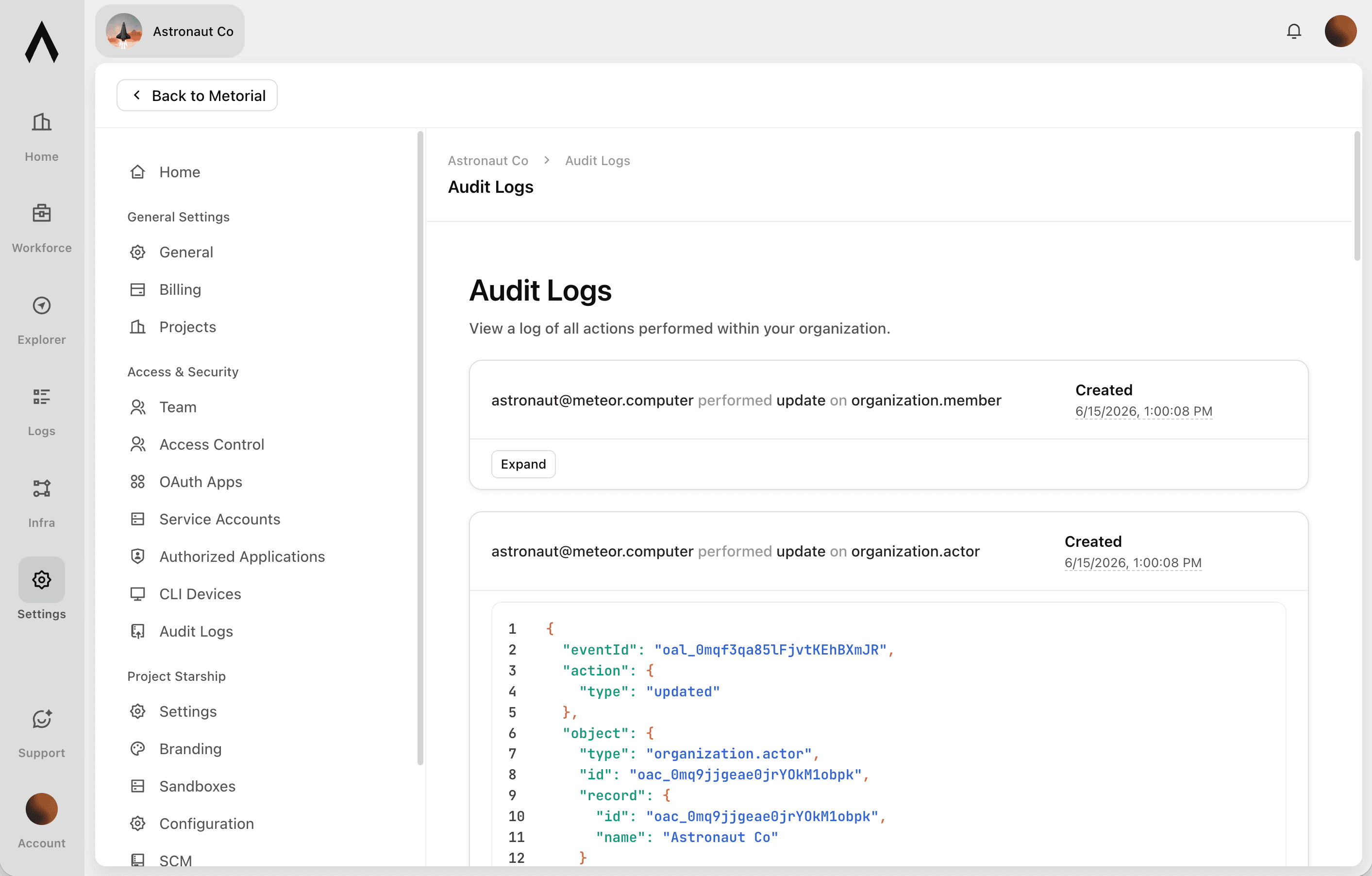
Audit Logs
Answer "who did this?" with confidence
Before a security or compliance team approves AI, they need to know every action can be accounted for, no matter who took it. Metorial logs every interaction with the platform, whether it came from a person, an AI agent, or a machine user, and keeps it in a form you can search, export, and retain. The answer is always on record.
- 01
Cover every actor, not just agents.
Actions from people in the dashboard, AI agents calling tools, and service accounts using the API are all recorded in one history. Nothing happens off the record.
- 02
Find the exact event you need.
Filter logs by user, agent, service account, integration, skill, and more to move from "something happened" to the specific action in seconds.
- 03
Meet compliance and audit requirements.
Export logs for auditors and configure retention to match the rules your organization has to follow.
Logs that fit your obligations
Built for security reviews and audits
Audit logs are most useful alongside the rest of Metorial's visibility and governance, where attribution and retention come together.
Tie actions to an owner
Keep records as long as required
Act on what the logs show
What gets logged
A record across every interaction
- Actors coveredPeople, agents, and machine users
- Coverage of platform actions100%
- Export for complianceSupported
- Retention periodConfigurable
Record every interaction. Filter to the exact action. Export it for your auditors. Keep it as long as you need.
FAQ
Answers to common questions about audit logs and how they fit into governed AI agent infrastructure.
What do Metorial audit logs capture?
Audit logs record every interaction with the platform, including actions taken by people, AI agents, and machine users such as service accounts, across integrations and skills. The goal is a complete history you can rely on for security reviews and audits.Do audit logs cover human users, not just agents?
Yes. Actions taken by people in the dashboard, AI agents calling tools, and service accounts using the API all land in the same history, each attributed to the actor that performed it.Can I filter audit logs?
Yes. Logs can be filtered by user, agent, service account, integration, skill, and more. You can quickly narrow a large history down to the specific event you're investigating.Can I export audit logs?
Yes. Logs can be exported for compliance and auditing. Hand auditors a record, or bring the data into your own systems.How long are audit logs kept?
Retention is configurable to meet your compliance requirements. You can keep logs for shorter or longer periods depending on the rules your organization follows, using Metorial's data retention controls.How are audit logs different from observability and session logs?
Observability focuses on performance, errors, and usage patterns, and session logs capture the detail of individual connections. Audit logs are the accountability record: who did what, when, and through which actor.Can audit logs tell me exactly who performed an action?
Yes. Each action is attributed to the actor behind it, a person, an agent with its own identity, or a service account. You can always trace an event back to its source.