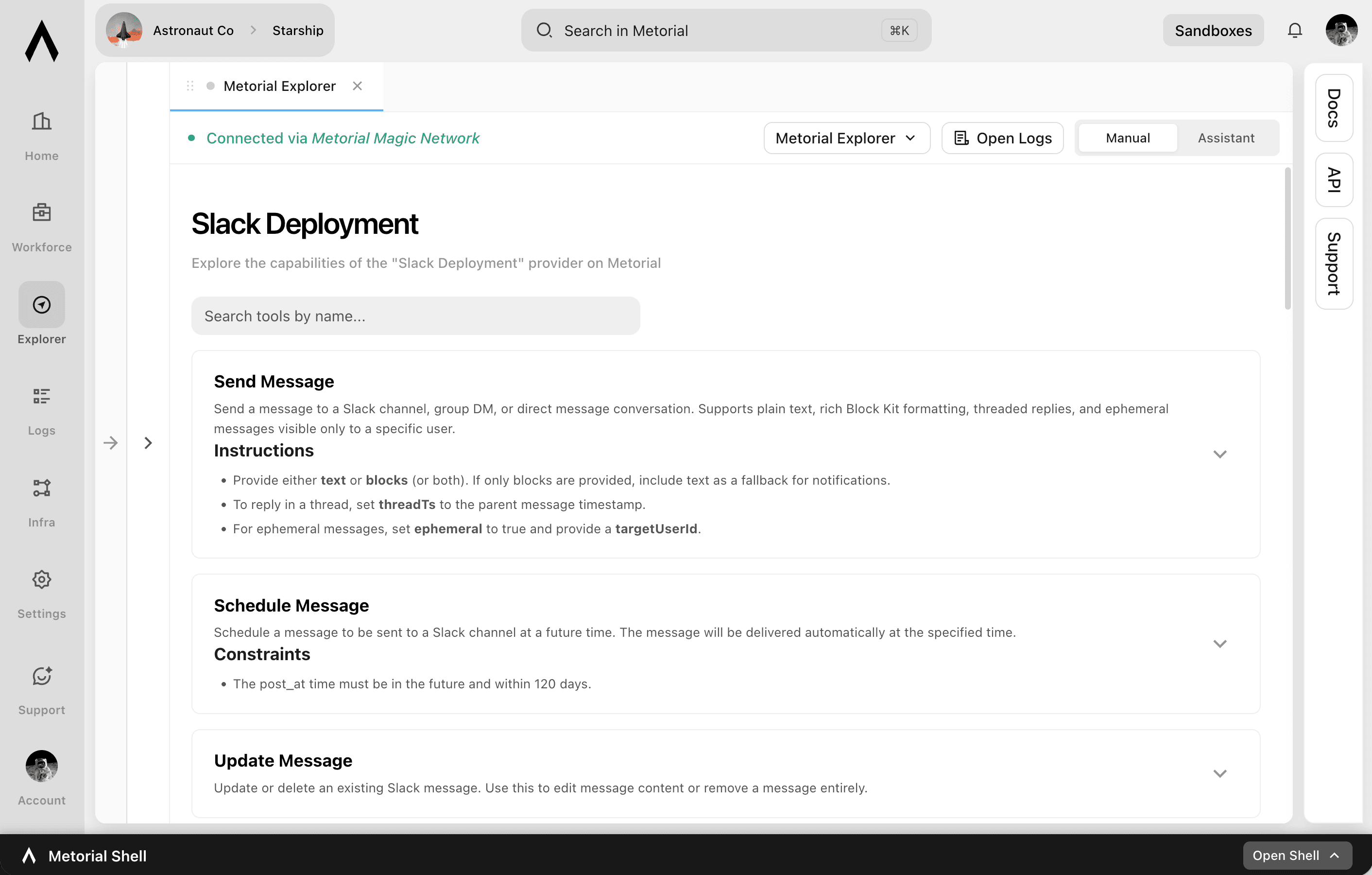
Metorial Explorer
Understand an integration before you depend on it
Before an integration goes into production, you need to know how it really works. Metorial Explorer lets you connect to any integration, explore its capabilities, and test it, with logs and performance right there. Try it yourself, or connect it to AI agents from vendors like Anthropic, OpenAI, and Google with Agent Explorer. You can see how a real model uses it before anyone relies on it.
- 01
Explore and test integrations.
Connect to any integration, browse what it can do, and try it out. You understand it firsthand.
- 02
Bring in a real AI agent.
Through Agent Explorer, connect an integration to AI agents from different vendors and watch how a model actually uses it with real data.
- 03
See real behavior.
View logs and monitor performance as you test either way. You understand how the integration actually works rather than guessing from docs.
Two ways to explore
Test it yourself, or with an AI agent
Explorer is the home for trying integrations, and Agent Explorer is the agent-driven mode within it. Use whichever fits what you're checking.
Explore it yourself
Explore with an AI agent
Same visibility
What you can explore
Test any integration, any kind
- Integrations you can exploreAny in Metorial
- Provider typesManaged, custom, remote, Docker
- Exploration modesDirect or with an AI agent
- Logs and error insightIn view
Connect any integration. Explore it yourself. Or connect it to an AI agent. Fix issues before production.
FAQ
Answers to common questions about metorial explorer and how they fit into governed AI agent infrastructure.
What is Metorial Explorer?
It's a tool for connecting to any integration in Metorial, exploring its capabilities, and testing it. You can understand how it works before relying on it. You can explore an integration yourself or connect it to AI agents with Agent Explorer.How does Agent Explorer fit in?
Agent Explorer is the agent-driven part of Explorer. Instead of trying an integration yourself, you connect it to AI agents from vendors like Anthropic, OpenAI, and Google and watch how a real model uses it with real data.What can I see while testing?
You can view logs and monitor performance as you test, plus detailed insight into errors and misconfigurations. You can troubleshoot quickly, whichever way you explore.Which integrations does it support?
Can Explorer help me troubleshoot?
Yes. It surfaces errors and misconfigurations with the context around them. You can pinpoint and fix issues before they reach production.Do I need to set up infrastructure to use it?
No. Explorer works against integrations already in Metorial. You can connect and start testing without extra setup.