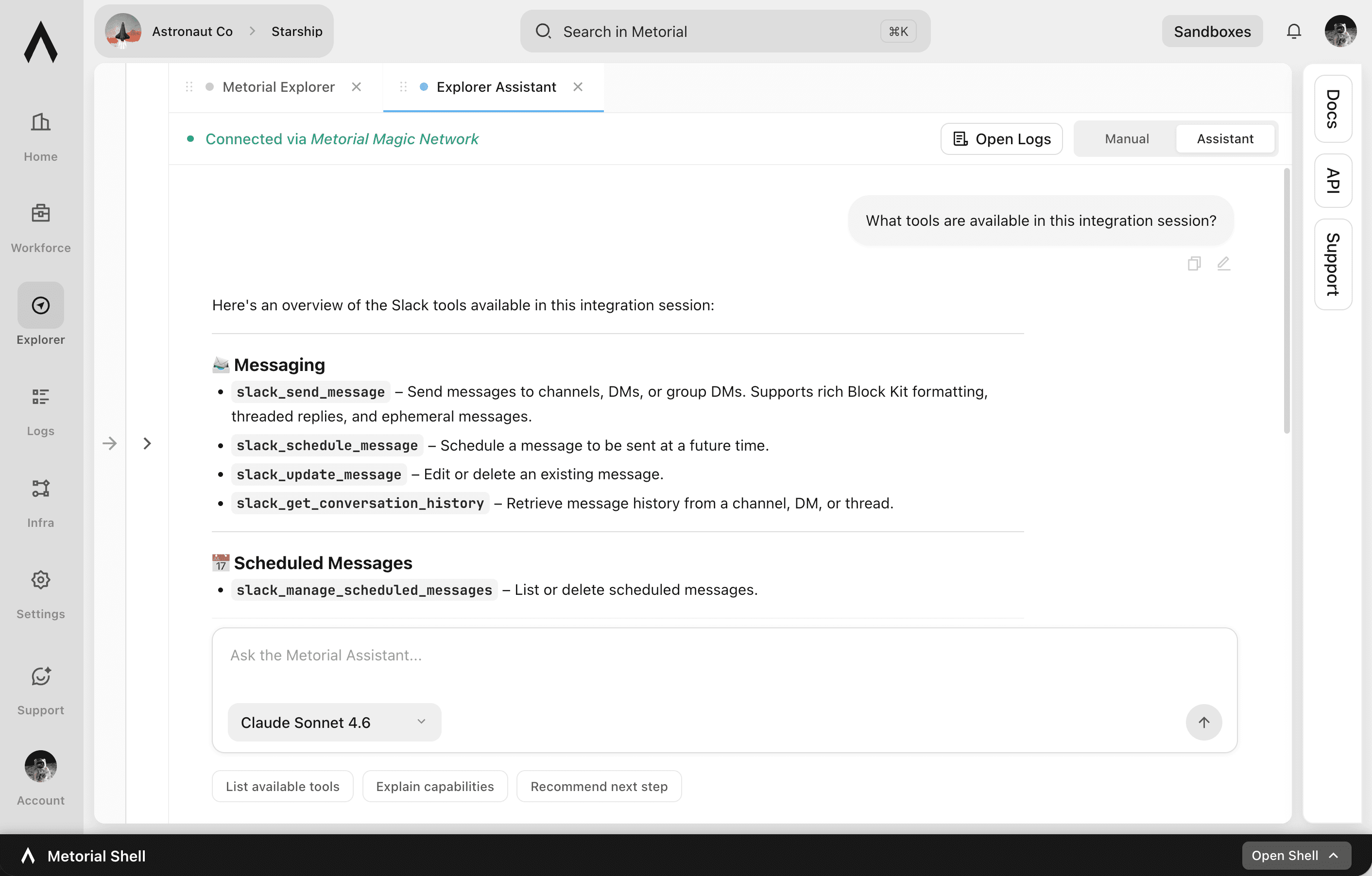
Agent Explorer
See how an agent uses your tools before anyone else does
Reading an integration's documentation tells you what it should do. Agent Explorer shows you what an AI model actually does with it. Connect any integration, hand it to a real agent, and watch it work against real data. Problems show up while you're testing instead of after you've shipped.
- 01
Watch a real agent work, not a mockup.
Pick a model, give it an integration, and see the actual tool calls, inputs, and results. You learn how the integration behaves in practice, including the rough edges a schema never reveals.
- 02
Try any model against the same tools.
Run the same integration with Claude, ChatGPT, Gemini, Grok, and others to find the model that works best for your use case, without changing your setup or committing to one provider.
- 03
Catch errors and misconfigurations early.
Agent Explorer surfaces failed calls, confusing tool descriptions, and setup mistakes during testing. You can fix them before they reach the people and agents that depend on them.
Works with every integration
Test anything you can connect to Metorial
Agent Explorer works the same way no matter where an integration comes from. The testing experience is identical across your whole setup.
Test from the catalog
Test your own servers
Keep the record
What you can test
One place to test every integration, with any model
- Integrations you can test1000+
- Model providers supportedAnthropic, OpenAI, Google, and more
- Provider types coveredAll
- Test runs captured for reviewEvery
Connect any integration. Hand it to a real agent. Try any model. Catch issues before production.
FAQ
Answers to common questions about agent explorer and how they fit into governed AI agent infrastructure.
What is Agent Explorer?
Agent Explorer is a place in Metorial where you connect an integration and test it with a real AI model against real data. It shows you how an agent actually uses your tools. You can find and fix problems before putting the integration into production.How is Agent Explorer different from Metorial Explorer?
Metorial Explorer lets you connect to an integration, browse its capabilities, and call tools yourself to understand how it works. Agent Explorer adds a real AI model that uses the integration for you. You can see how an agent will behave with it, not just what the integration is capable of.Which AI models can I use?
You can test with models from Anthropic (Claude), OpenAI (ChatGPT), Google (Gemini), X AI (Grok), DeepSeek, Kimi, and more. Because Metorial is vendor agnostic, you can run the same integration across different models to compare how each one handles it.What kinds of integrations can I test?
Anything you can connect to Metorial. That includes the 1000+ managed integrations, custom MCP servers, remote MCP servers, and Docker-based MCP servers. The testing experience is the same across all of them.Does testing with a real agent affect my production setup?
No. Test runs go through Metorial's access control and policies just like production traffic. An agent in Explorer can only do what its permissions allow. Each run is recorded with full tracing, which means you can review it later without exposing systems the agent shouldn't reach.Can Agent Explorer help me troubleshoot a broken integration?
Yes. When a tool call fails or a setup is wrong, Agent Explorer shows the error and the context around it. You can pinpoint misconfigurations, unclear tool descriptions, or auth issues and fix them quickly.