Monitors and Alerts
Know about issues before they cause problems
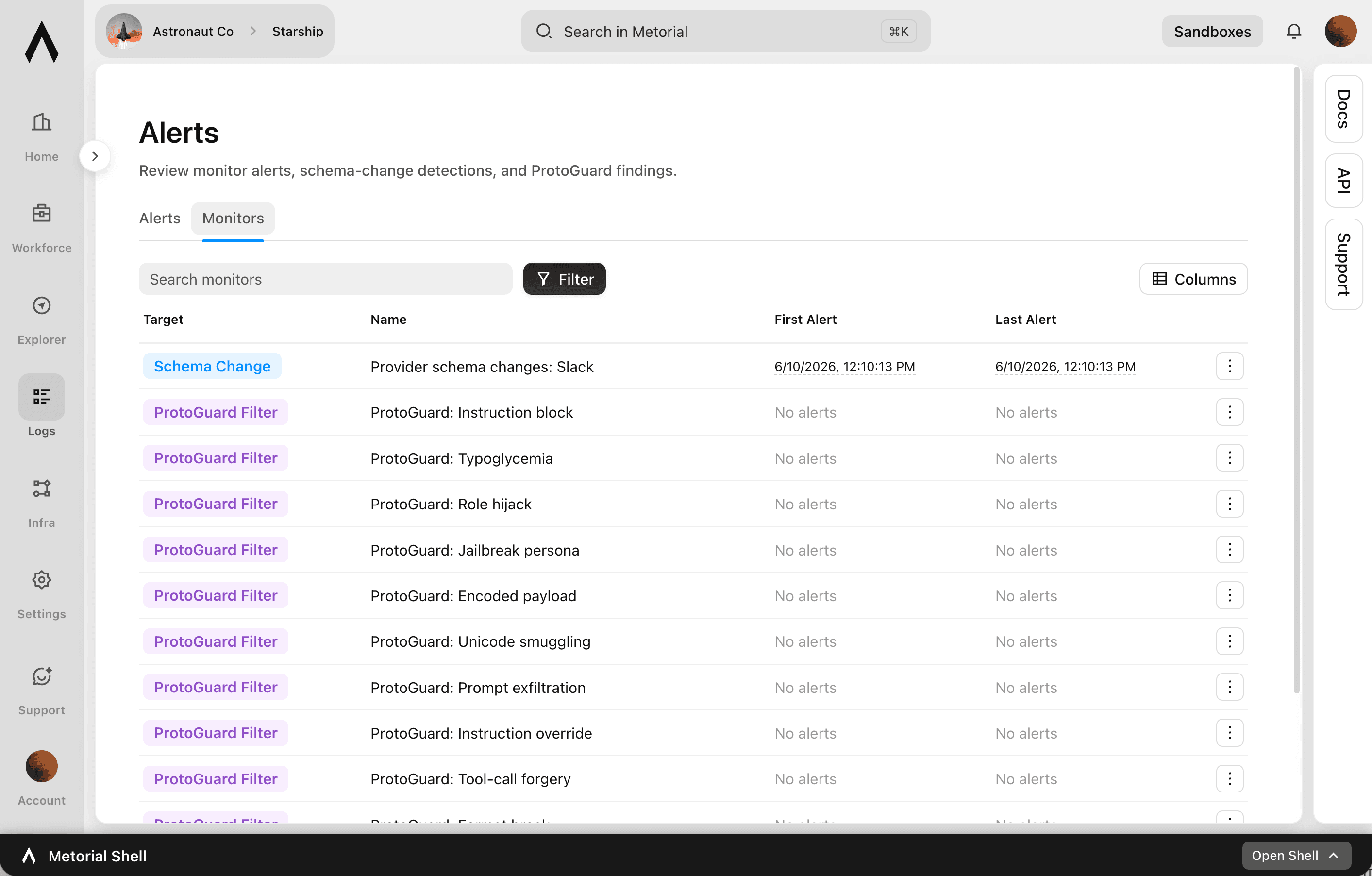
Running AI in production means small problems can turn into big ones quickly. Monitors and alerts watch your integrations, traffic, and logs and notify you when something looks wrong. You can act on a schema change, misconfiguration, or error before it disrupts work.
- 01
Get early warnings.
Monitors watch for issues and alert you when something needs attention, not after something breaks.
- 02
Track the signals that matter.
Quickly identify schema changes, misconfigurations, errors, and misbehaving integrations, the issues most likely to cause trouble.
- 03
Catch attacks, not just outages.
Alert on security threats that Protoguard detects, like prompt injection and other exploits. You hear about an attack as it's happening.
- 04
Watch everything in one place.
Monitor integrations, network traffic, audit logs, and more from a single, centralized view.
What you can watch
Proactive coverage across the platform
- MonitoredIntegrations, traffic, audit logs
- Alerts on events and thresholdsConfigurable
- Security alertsPowered by Protoguard
- CatchesSchema changes, errors, attacks
Watch your integrations. Set the thresholds. Get alerted early. Act before it breaks.
FAQ
Answers to common questions about monitors and alerts and how they fit into governed AI agent infrastructure.
What can monitors and alerts watch?
Monitors cover integrations, network traffic, audit logs, and more, with centralized monitoring and alerting for all your resources in Metorial.What kinds of issues do they catch?
They help you quickly identify schema changes, misconfigurations, errors, and misbehaving integrations, the issues most likely to disrupt work, as well as security threats.Can I get alerted on attacks?
Yes. Protoguard, Metorial's prompt security system, monitors traffic for prompt injection and other exploits, and you can configure alerts so the right people are notified when an attack is detected. See prompt injection monitoring.Can I configure alerts?
Yes. Alerts can be configured for different events and thresholds. You decide what's worth being notified about.Is monitoring centralized?
Yes. Monitoring and alerting are centralized across all resources. You don't have to watch each integration separately.How does this relate to observability?
Observability gives you the real-time data and detail. Monitors and alerts act on that data, notifying you when something crosses a threshold or looks wrong.Can I get alerted on schema changes specifically?
Yes. You can monitor and alert on schema changes to integrations and skills. Breaking changes don't catch you off guard.