Set up Protoguard in three steps
Configure the monitors you need, review the alerts they raise, and enable tool filters that block unsafe requests before they reach connected systems.
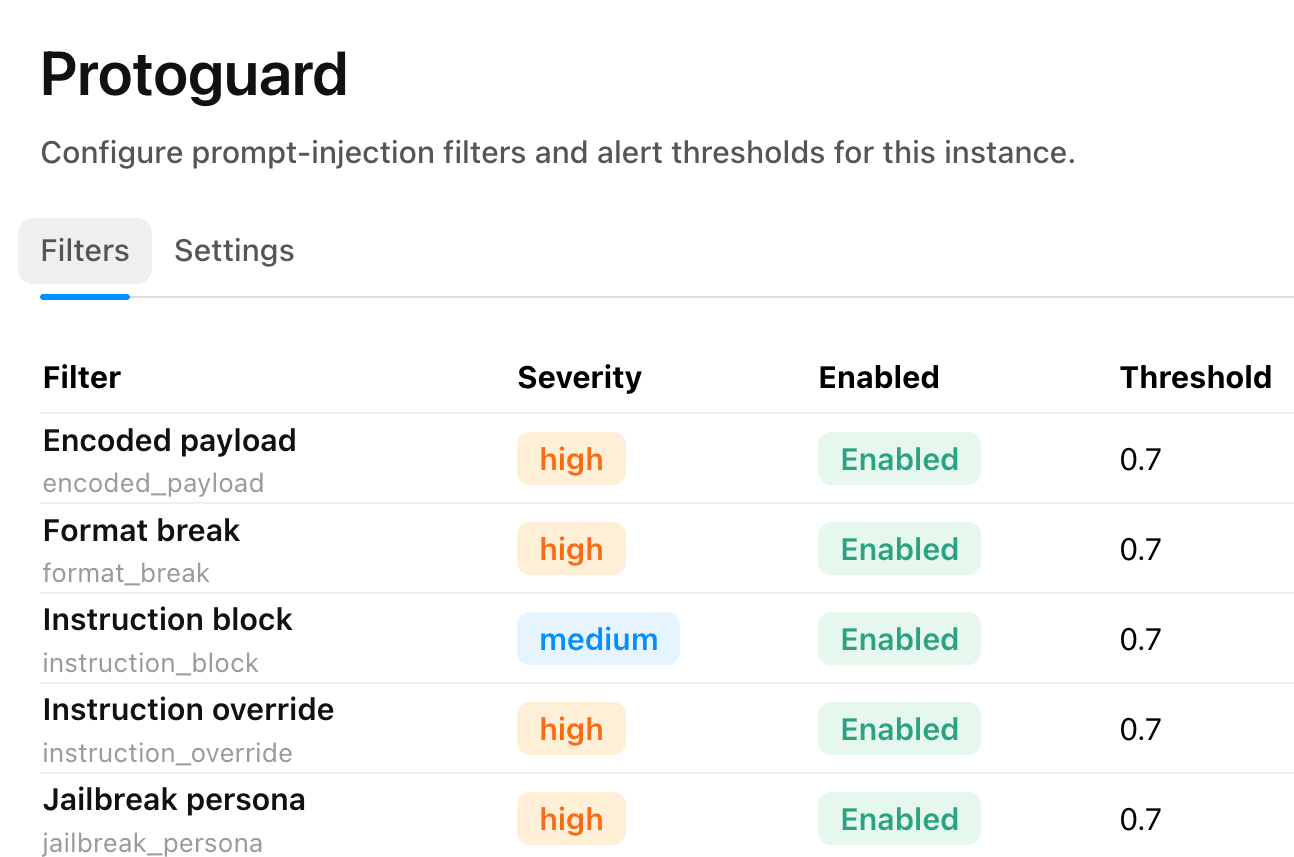
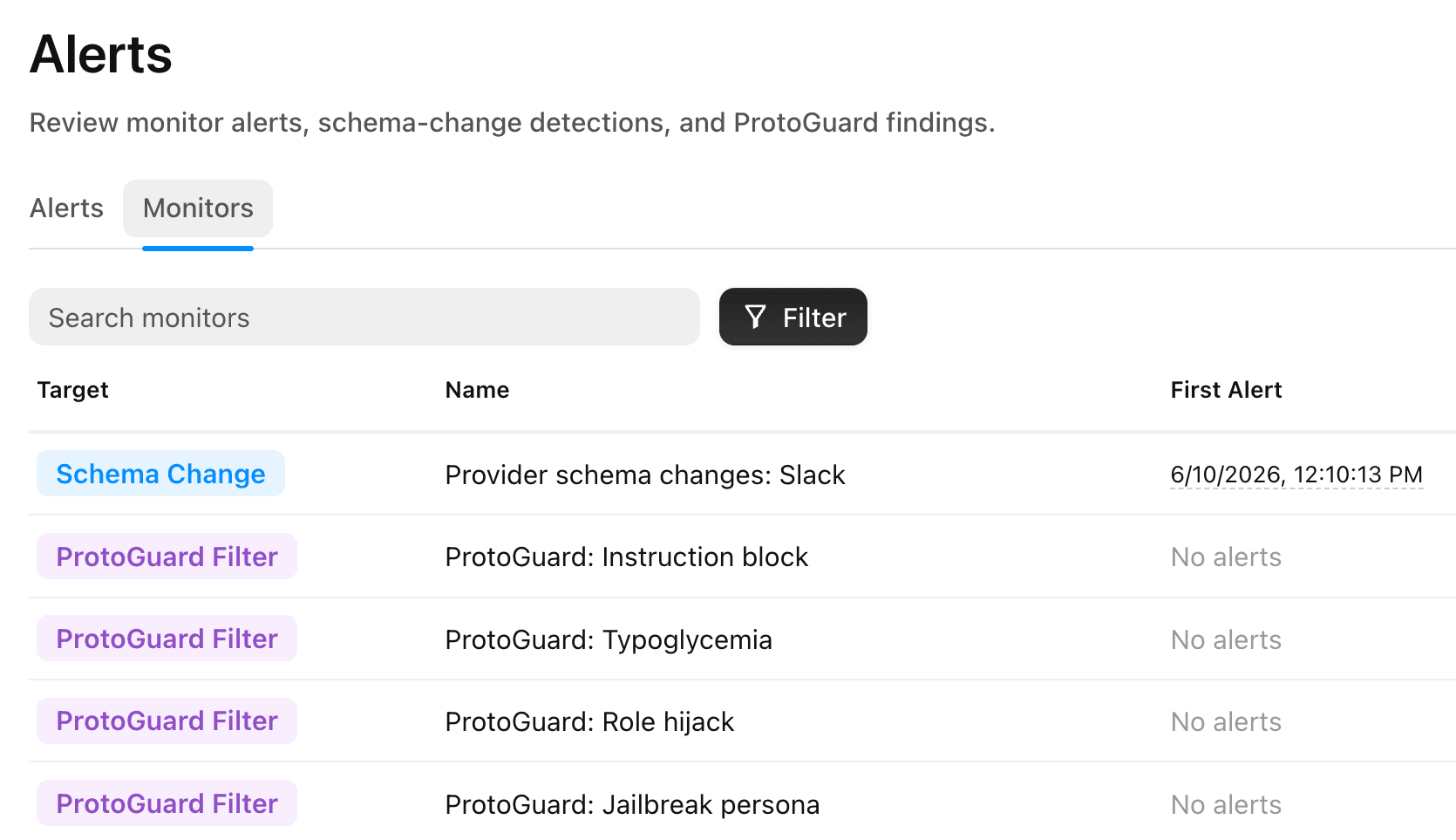
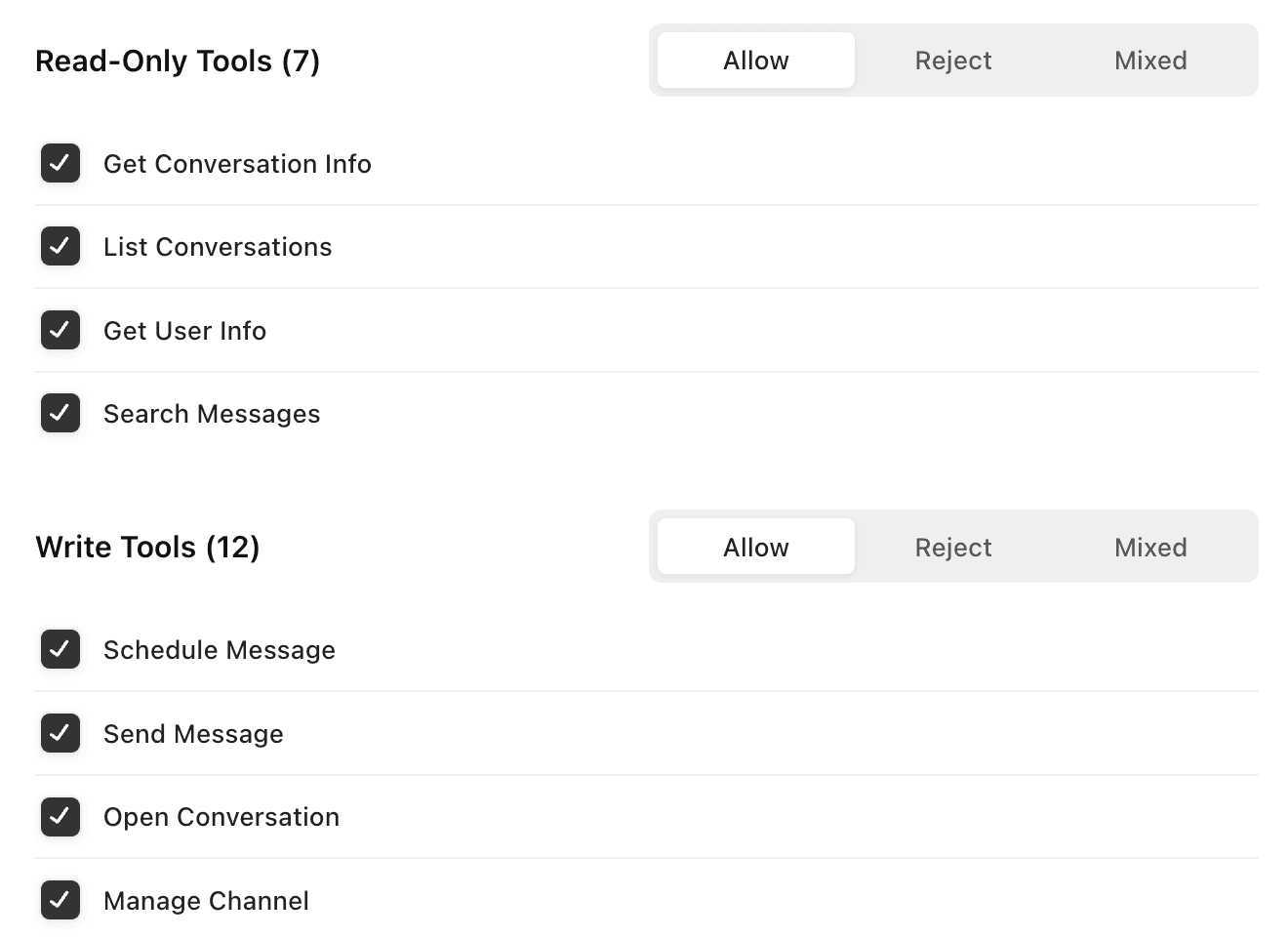
- Turn on the monitors that fit your agents, from prompt injection to provider schema changes, and set what counts as risky.
Defense in depth
Runs on isolated infrastructure
Protoguard's reviews sit on top of Metorial's runtime isolation, so even a request that slips past a filter stays contained within its own boundary.
Enclaves
Providers and custom code run in isolated enclaves. Every action is sandboxed and contained.
- Dedicated runtime boundaries
- Custom networking per provider
- Safe for first-party, untrusted, and custom providers
Firewalls
Firewalls control which destinations a provider can reach. Outbound and inbound traffic always stays within the rules you set.
- Outbound traffic controls
- Allowlist trusted destinations
- Per-provider network policy
Vault and KMS
Secrets live in Metorial Vault, encrypted with KMS and resolved at the gateway, never shared with the model, client, or user.
- KMS-backed secret storage
- Credentials resolved at runtime
- Nothing sensitive reaches the model
Visibility in production
Give your security team a clear view
When a monitor fires, your team needs to know what happened and act fast. Protoguard turns flagged activity into alerts with context, surfaced in one place and recorded for review.
Alerts with context
Every alert shows what triggered it, which agent was involved, and the user identity behind the request.
- The agent and user behind each event
- What the monitor flagged and why
- No digging through raw logs
One place to review
Message reviews, policy checks, and blocked requests all land in the Protoguard console, so your team works from a single view.
- Flagged activity in one place
- Filter by agent, user, or provider
- Blocks and reviews side by side
A recorded audit trail
Reviews, alerts, and blocked requests are recorded, giving security and compliance a clear history to audit.
- Every decision recorded
- Searchable activity history
- Evidence for compliance reviews
What Protoguard watches
Every interaction runs through the same checks, so unsafe instructions, risky tool use, and provider changes are caught before an agent acts.
Prompt injection
Incoming messages are scanned for instructions that try to override your agent before it acts.
Schema changes
Protoguard tracks when a provider changes its tools, so updates that could break or hijack behavior are caught early.
Policy violations
Every tool request is matched against your filters and access policies, with the user identity behind the agent.
Data exfiltration
Outbound activity is watched so sensitive data cannot leave through a connected system.
User identity
Each request is tied to the user behind the agent, so policy checks run with the right context.
Firewall filters
Tool requests are matched against your allowed filters before they can reach a connected system.
Credential scope
Secrets stay out of model context and are resolved at the gateway when a request is allowed.
Frequently asked questions
Common questions about Protoguard.
What is Protoguard?
Protoguard is Metorial’s security layer for AI agents. It reviews messages and tool requests, watches for risky activity, and blocks anything outside your policies before it reaches connected systems.Does Protoguard protect against prompt injection?
Yes. Protoguard reviews incoming messages for unsafe instructions through prompt injection monitoring before an agent ever acts on them.How does Protoguard handle provider schema changes?
Protoguard uses schema change monitoring to catch when a provider changes its tools, so updates that could break or hijack agent behavior are flagged before they reach production.How does Protoguard stop unsafe actions?
Each tool request is checked against your firewall filters and access policies. Requests that do not match are blocked before they reach the system, and every decision is recorded.Can Protoguard alert my team about suspicious activity?
Yes. Monitors and alerts raise a notification when agent activity looks unusual, so your security team sees risky behavior as it happens.