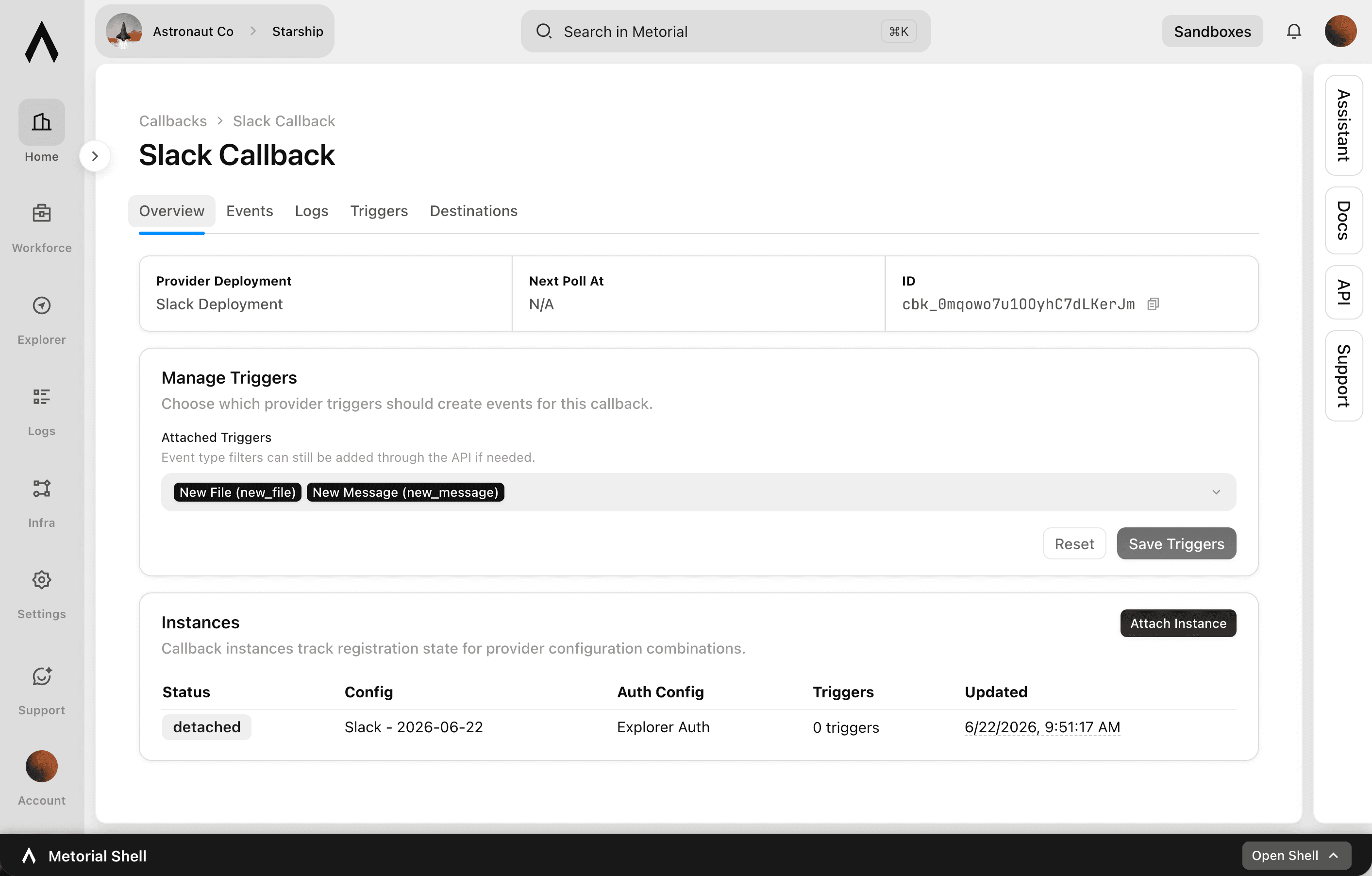
How it works
You decide what to listen for
Pick an event to listen for. Metorial handles the rest.
- 01
Register a trigger
A new message, a new ticket, a tool call finishing. See triggers.
- 02
Metorial watches for it
It watches your integrations so you do not have to.
- 03
Your agent reacts
The moment it happens, your agent picks it up and acts.
What you can build
Agents that react when something happens
With Callbacks, an event can set your agent going. Instead of waiting for someone to prompt it, your agent picks up what happened and responds. Any of Metorial's integrations can be the source.
Respond to a new message
When a Slack message or email comes in, your agent reads it and replies.
- New messages and emails
- Your agent reads and replies
- No prompt needed
Pick up a new ticket
When a support ticket is created, your agent triages it or drafts a response.
- New tickets as they arrive
- Triage or draft a reply
- Work picked up for you
Act on a change in your tools
When something moves in a connected tool, like a deal or a file, your agent takes the next step.
- Changes across your integrations
- Your agent handles the next step
- Built on triggers
Governed and traceable, like the rest of Metorial
Callbacks are not a side door. They run on the same identity and show up in the same record as everything else your agents do.
Built on the identity you already have
Callbacks run on the same sign-in and access control as the rest of Metorial, tied to a real identity rather than a shared key.
Every event is on the record
The event that fired the callback is captured in tracing, so you can see exactly what happened and when.
Outgoing calls are traced too
When a callback triggers your agent, that call is recorded as well. The full chain, from event to agent, stays in tracing.
Frequently asked questions
Common questions about Callbacks.
What are Callbacks?
A way to get an update from Metorial the moment something happens, instead of having your agent check for changes.What can I get updates about?
Anything you can register a trigger for, such as a new message or ticket in one of your integrations, a tool call finishing, or a monitor alert.How do triggers relate to Callbacks?
A trigger is the event you want to listen for. You register it, Metorial listens, and Callbacks sends you the update when it happens.Do I have to keep checking for changes?
No. Once you register a trigger, Metorial sends you the update the moment the event happens.Can an update go to my own AI agent?
Yes. Point it at your agent so it can act on what happened. If you want Metorial to run the agent for you instead, use Triggers.Can Callbacks tell my team when an alert fires?
Yes. Connect it to monitors and alerts and send the update to your team's tools.Can I set this up through the API?
Yes. You can register triggers and choose where updates go through the Metorial API.Are updates recorded?
Yes. You can see them through observability and tracing.