Why skills
Your team's knowledge, ready for every agent
The know-how that makes work good usually lives in people's heads. Skills let anyone, technical or not, write it down once and hand it to agents.
- 01
Easy to write
Skills are just documents. Write one in a collaborative editor, the way you would write a guide for a new teammate. No code, no setup.
- 02
Written by the people who know
The expert who handles refunds, qualifies leads, or reviews contracts writes the skill themselves. Their knowledge gets passed on and can be used by agents across teams.
- 03
Shared across the company
Publish a skill and the right teams and their agents work from the same proven workflow, shared through portals.
- 04
Comes with the tools it needs
A skill includes the integrations it needs, connected through one Magic MCP URL. Access is automatically governed by the user's permissions.
Easy to find.
Easy to install.
Skills show up in the agent client automatically. Claude Cowork, Codex, Copilot, or Cursor are configured instantly. Nothing to download or wire up by hand.
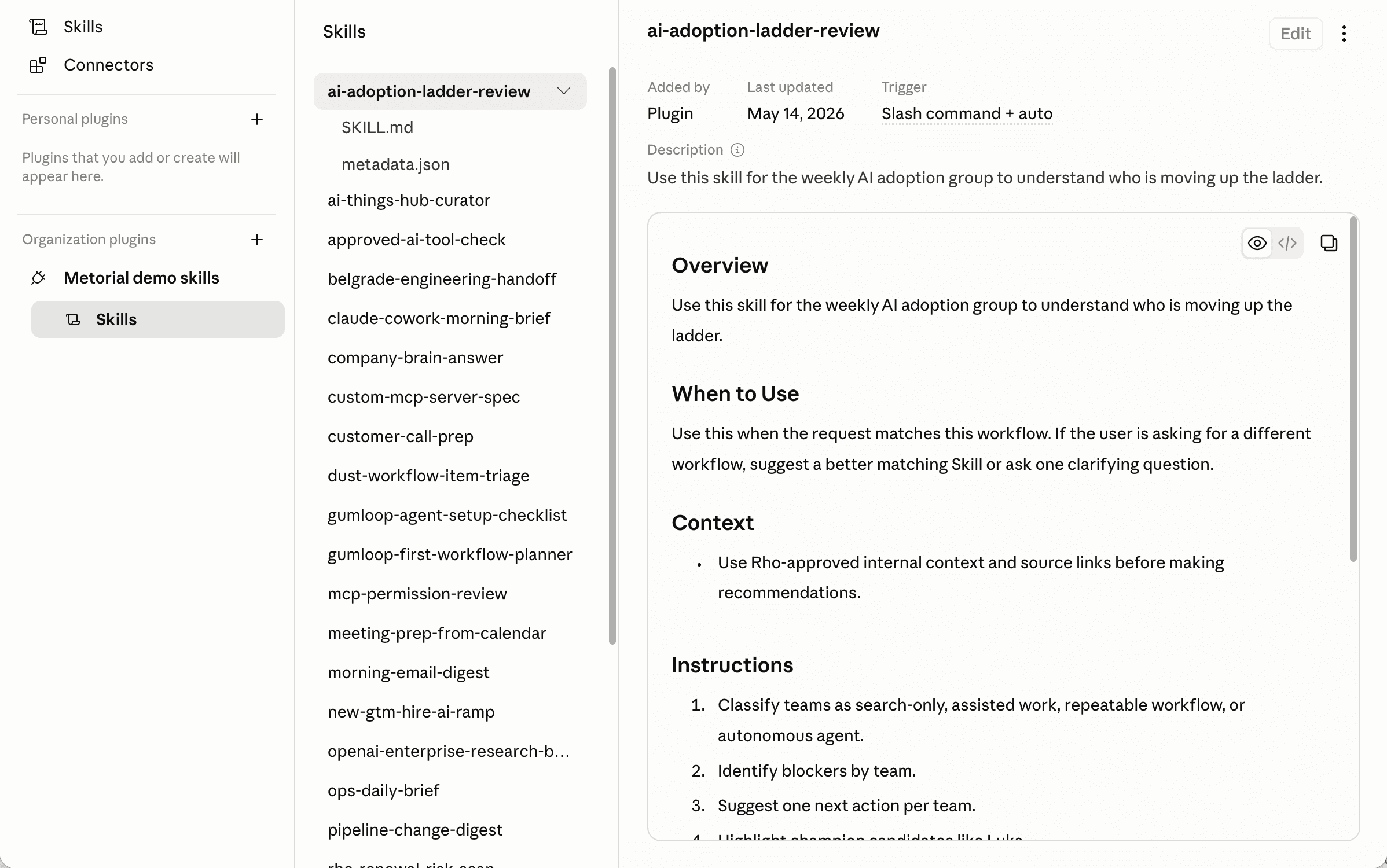
- Install
One link or file to install
Your agent admin adds a single marketplace link, or import one file, and everyone gets the skills they're allowed to use. Nothing to copy or pass around.
- Stay current
Updates happen automatically
When a skill changes, everyone using it gets the new version. No reinstalling and no outdated copies.
- No upkeep
Nothing to maintain
Metorial hosts and syncs the catalog, so there is nothing for your team to maintain, and access stays tied to your policies.
A closer look
Built for the whole team, controlled by admins
Skills are easy for anyone to create and use, and stay governed throughout.
Write them together
Skills are authored in a collaborative document editor. The people who know the work can build and improve them as a team. No IT or devs needed.
- A simple editor, no code required
- Multiple people can work together
- Attach the tools a skill needs with Magic MCP
Share across the company
Publish a skill once and make it available through a marketplace your teams install from a single link.
- Reuse the same skill across teams
- Delivered into the tools people use as skill plugins
- Export a skill to use it elsewhere
Stay in control
Decide who can write, publish, and use each skill, with access control applied to every one.
- Control publishing and usage rights
- Govern which people or agents can use a skill
- Tied to your identity and policies
Frequently asked questions
Common questions about Skills.
Do I need to know how to code to create a skill?
No. Skills are written in a collaborative editor, the same way you’d write a guide for a new teammate. The people who know the work can build and maintain them without engineers.How is a skill different from a prompt or an integration?
A prompt is a single instruction and an integration connects an agent to a system. A skill is a reusable workflow that ties them together: the steps for a task plus the specific tools an agent needs to complete it.Which AI tools and clients can use Metorial skills?
Skills are delivered as skill plugins into the agent tools your teams already use, like Claude Cowork, Cursor, and Codex, and stay in sync automatically.How do skills get the tools and integrations they need?
A skill attaches the integrations it relies on, connected through one Magic MCP URL. Installing the skill gives the agent access to those integrations without manual setup.Can an agent using a skill do more than the person is allowed to?
No. Connections are tokenless and tied to identity, so an agent acts as the person behind it and never exceeds what your access control allows.Who controls which skills people can publish and use?
You do. Policies and access control decide who can write, publish, and use each skill, and skills are shared with the right teams through portals.Can I export a skill or use it outside Metorial?
Yes. You can export skills to use them elsewhere, so a skill isn’t locked to a single tool.